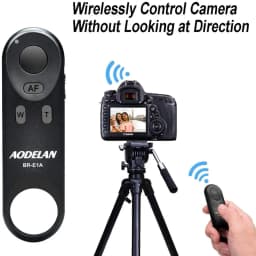
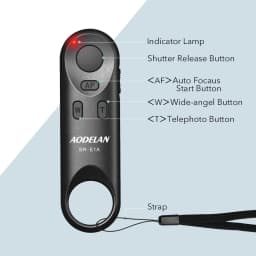

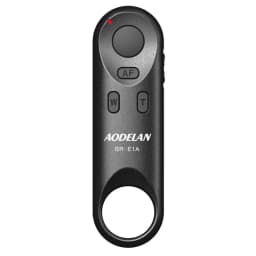
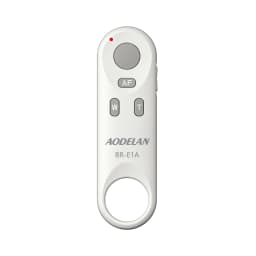
BR-E1 Wireless Remote Control Shutter Release for Canon EOS R5II R50 R8 R6II RP 850D 6DII 90D 77D 800D 200DII M200 M50II G7XIII
35.19$
33.15$
Quantity:
1
Availability:
Color
Ships From
Card Payments
Crypto Payments
Easy return
Reliable Shipping
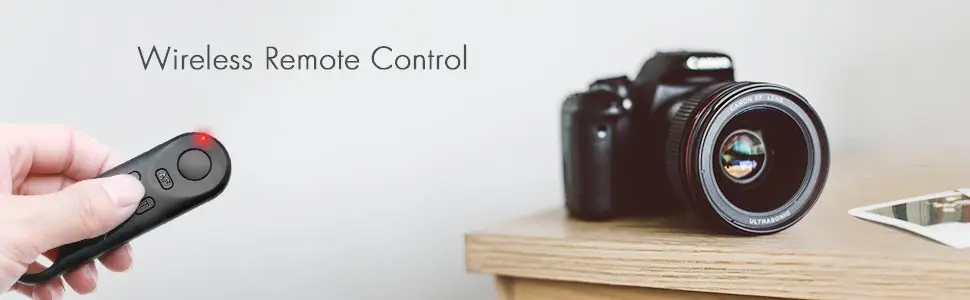
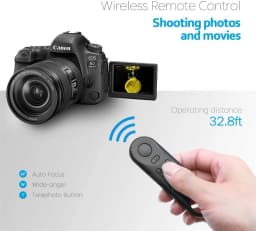
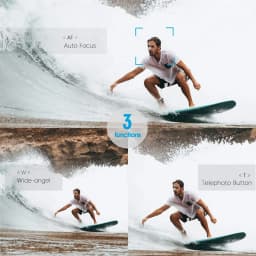
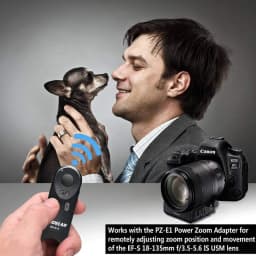
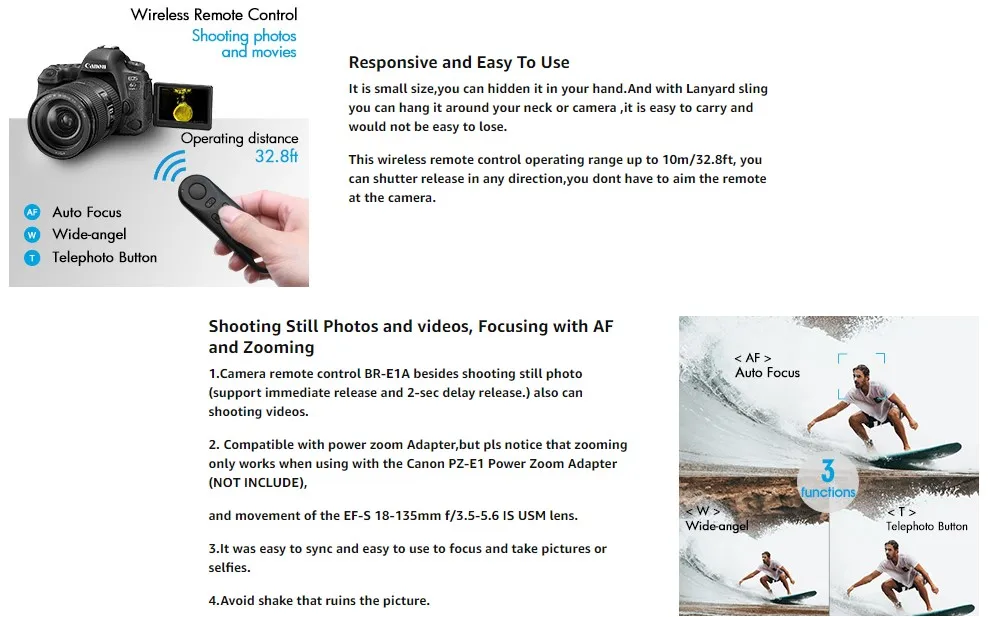
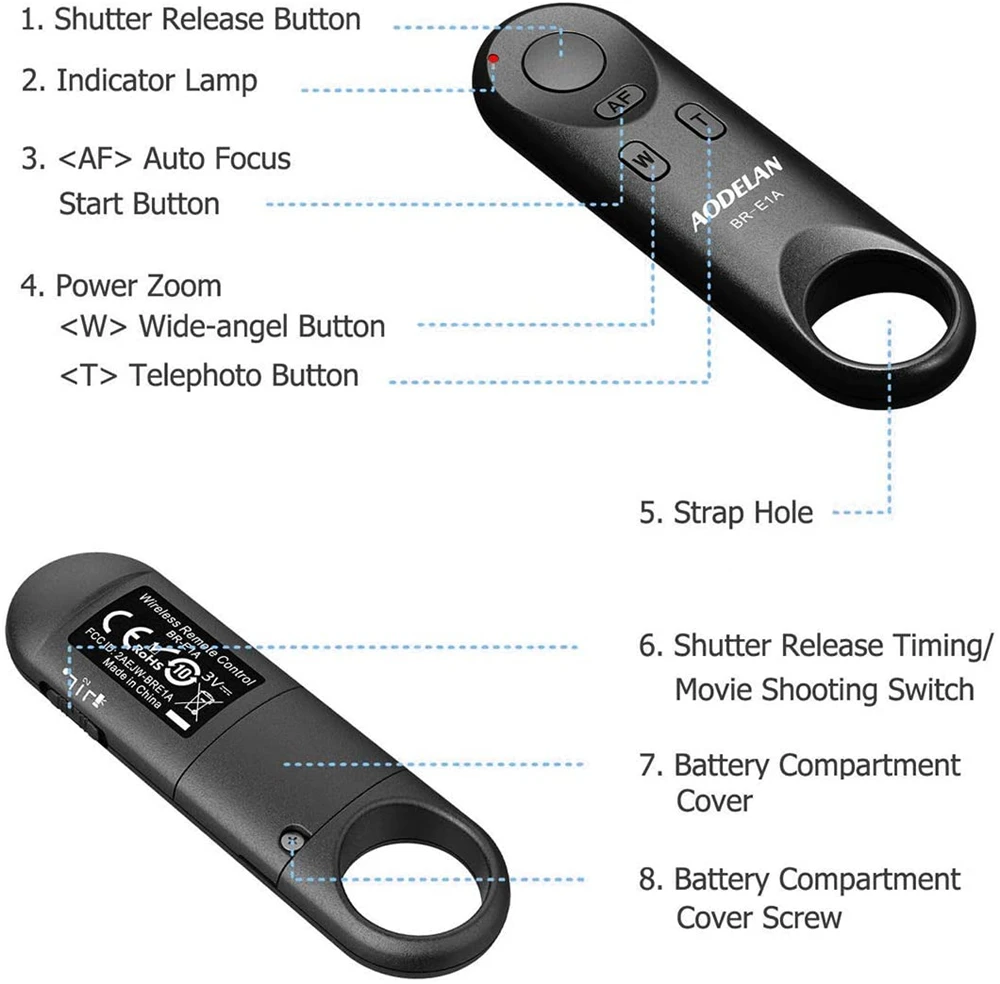
Dedicated to select Canon cameras, this BR-E1A Wireless Remote Control allows you to wirelessly release your camera's shutter via Bluetooth from within a 32.8' operating range. It can also start and stop video recording and focus the camera while recording video. It has low power consumption and requires no line of sight to the camera, and is also compatible with the PZ-E1 Power Zoom Adapter for remotely adjusting zoom position and movement of the EF-S 18-135mm f/3.5-5.6 IS USM lens.
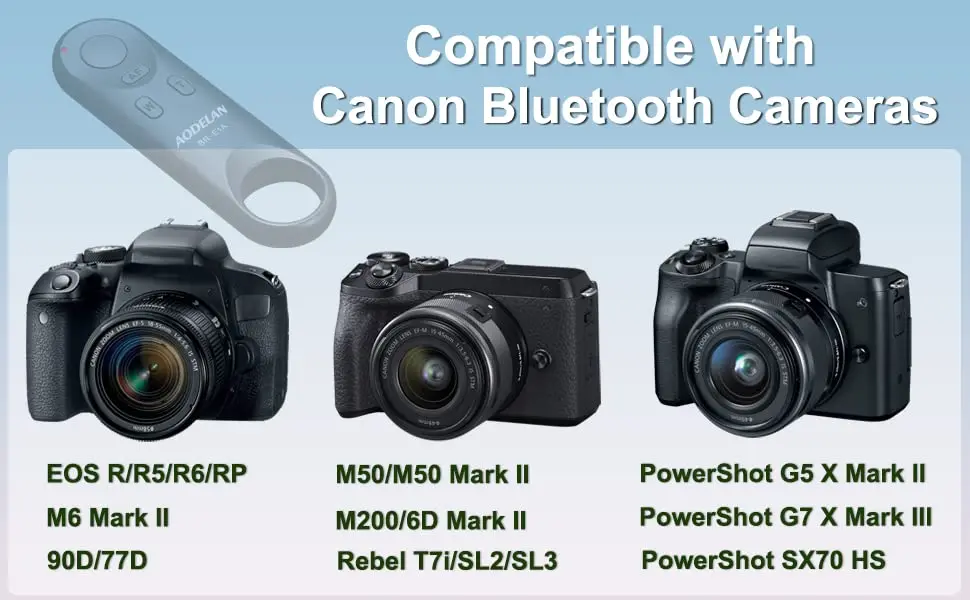
Canon Camera Compatibility:
EOS R, EOS RP, EOS Ra
EOS R1, EOS R3 ,
EOS R5 , EOS R5 II, EOS R5 C*,
EOS R6, EOS R6 II, EOS R6 III,
EOS R7 , EOS R8 ,
EOS R10, EOS R100,
EOS R50, EOS R50V,
EOS M50, M200,
EOS M6 Mark II,
EOS M50 Mark II,
EOS 6D Mark II,
EOS 90D, 77D(9000D),
EOS Rebel T7i(800D),T8i(850D),
EOS Rebel SL2(200D), SL3(250D, 200D II),
PowerShot G5 X Mark II,
PowerShot G7 X Mark III,
PowerShot SX70 HS,
PowerShot V10, V1,
NOTE:
* the Canon EOS R5C* can use with this wireless remote control only in photo mode.
* Only G7X3, G5X2, SX70HS, V10, R6II, R50 and R8 support remote zoom directly; other cameras need to be compatible with EF-S 18-135 IS NANO USM lens and used with PZ-E1 power zoom adapter to achieve remote zoom.
HOW TO USE:
1. Set the camera for still photo shooting:
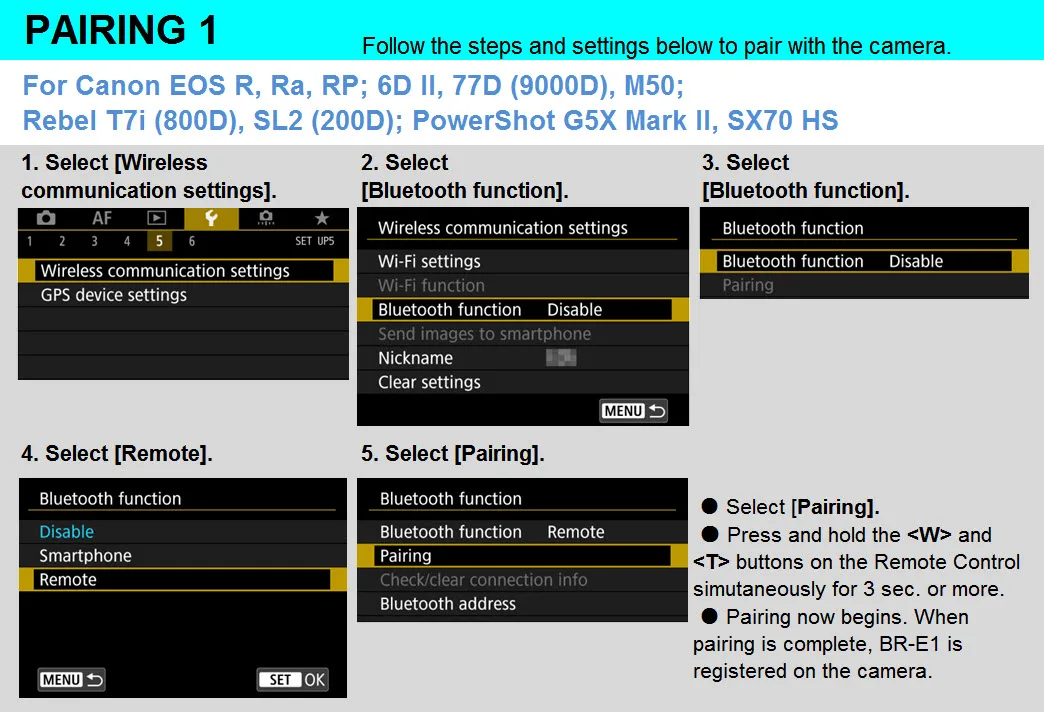
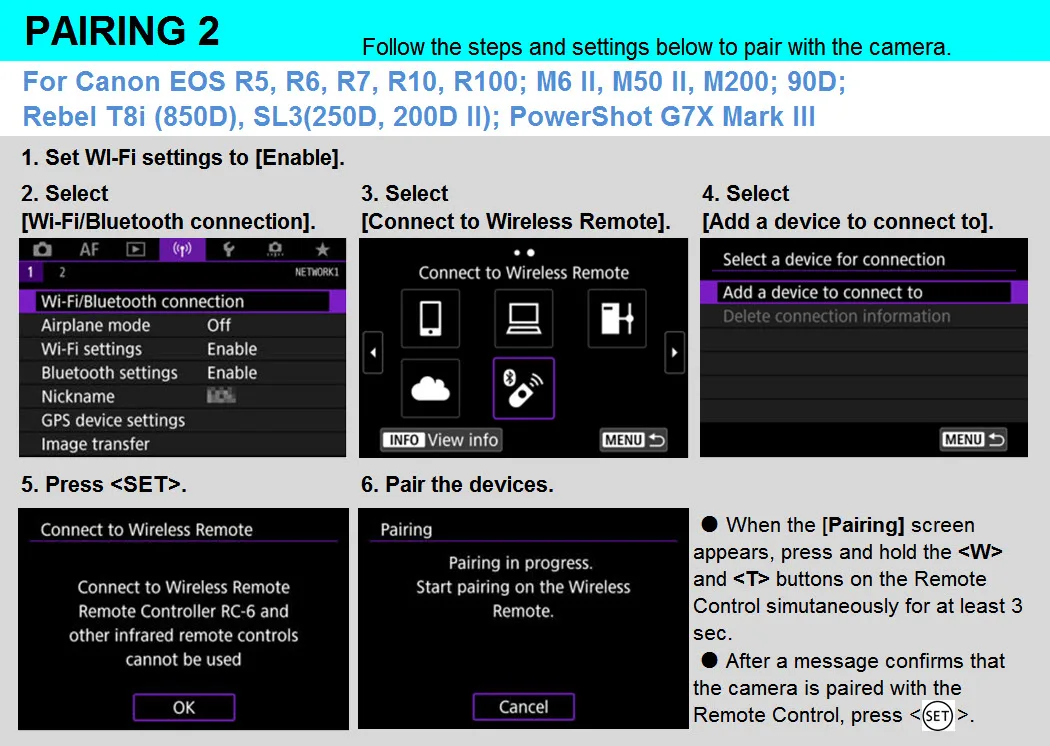
Clear remote controller connection information first if you have pair other remote before- select "wireless communication setting "- select "bluetooth function"- select "check or clear connection info".
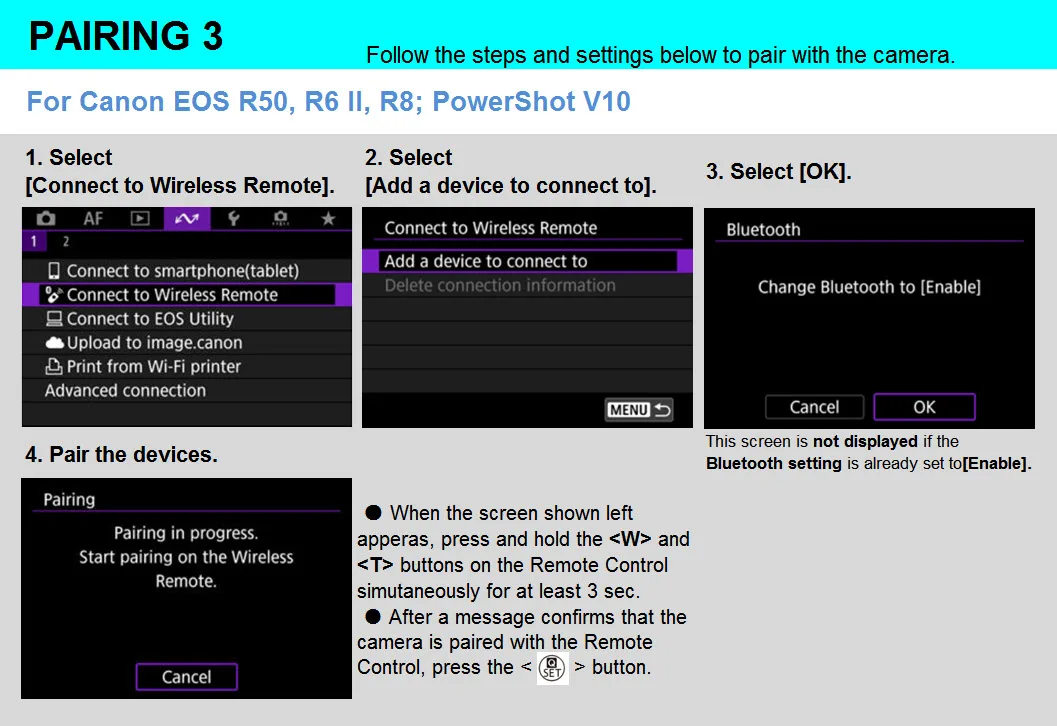
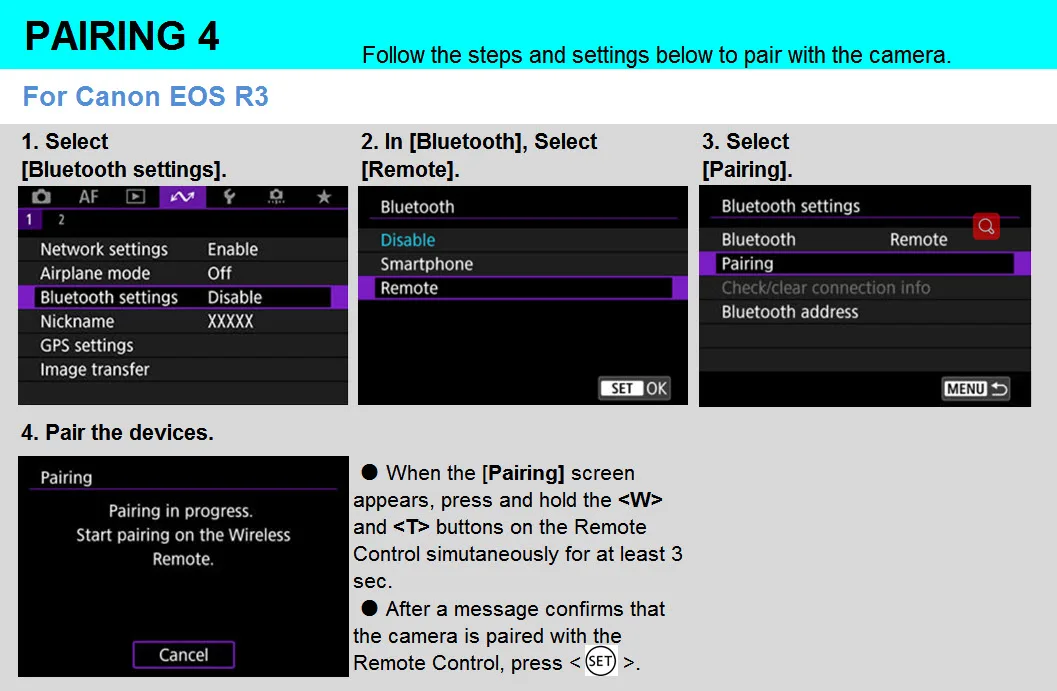
Pairing: 2. select "wireless communication setting "- select "bluetooth function"- select "remote"- select "pairing", in this step, hold and press the W and T on remote control simultaneously for 3 sec. or more. The indicator will blink in the pairing process, and it will blink one more time when pairing is complete.
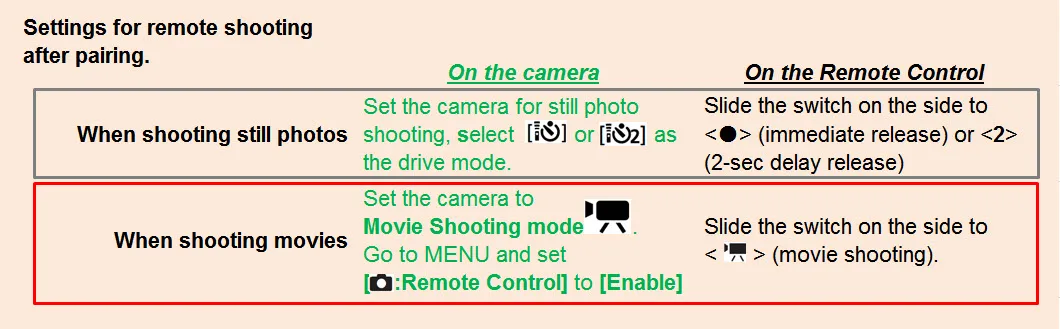
Set the drive mode of the camera to (remote control).
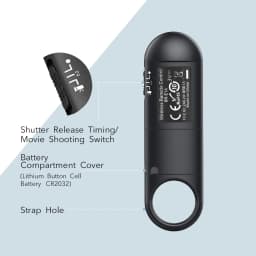
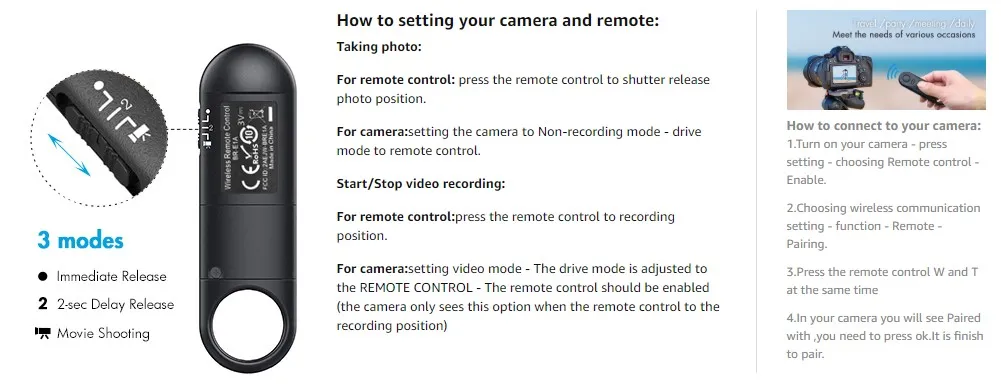
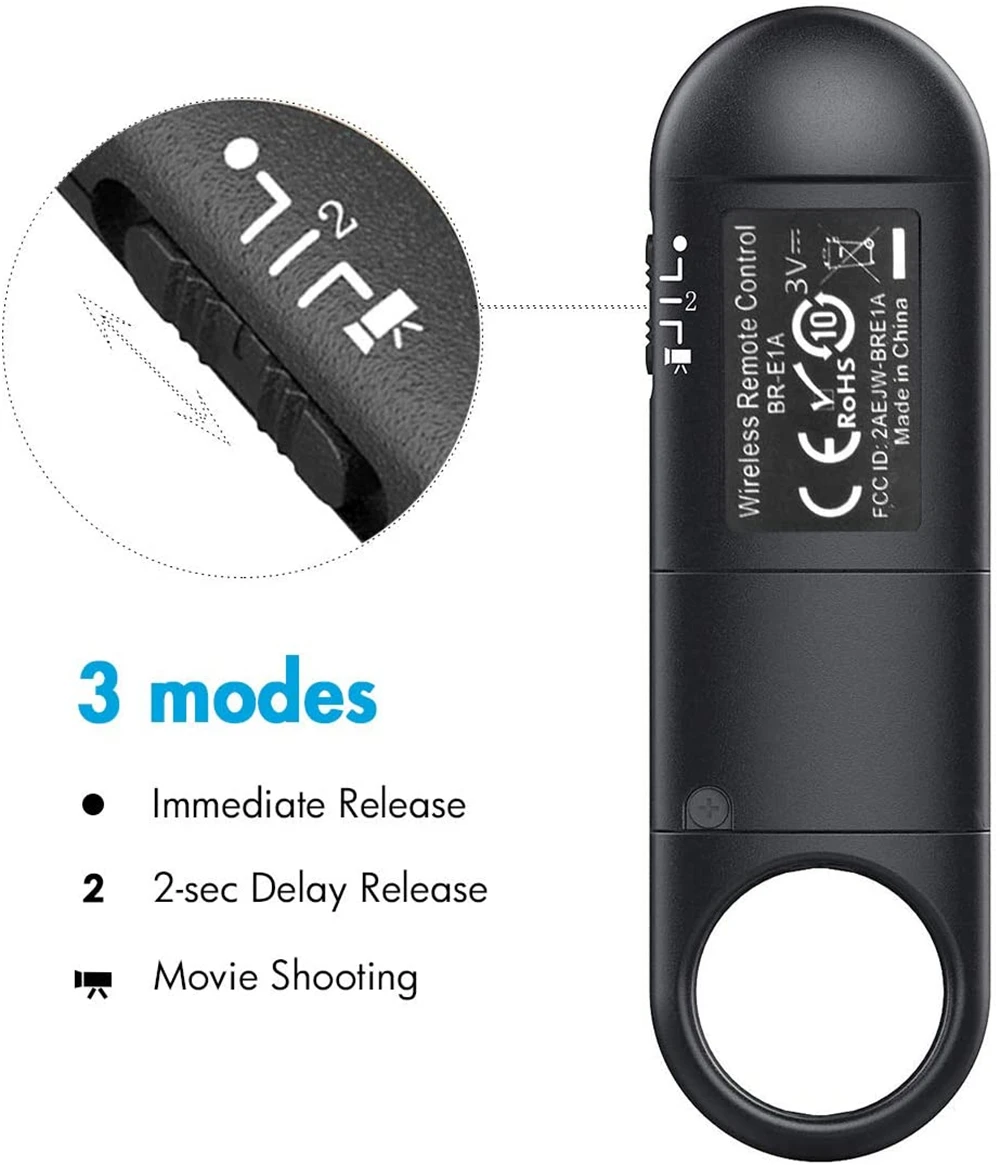
Set the shutter release timing/movie shooting switch on the BR-E1A to the <·> (immediate release) or <2> (2-sec. delay release) position.
2. For video shooting:
Set the camera for movie shooting and set [Remote control] to [Enable] from the menu screen of the camera.
Customer Reviews
104 ratings
works well (15)
works perfectly (10)
fast delivery (5)
quick connection (4)
easy to use (3)
good quality (3)
Customer photos (17)

Buyer from United States
October 5, 2026
Variant: Color:Black BR-E1A Ships From:China Mainland
Very user friendly, works well with my Canon R50. Autofocus is superb.
Buyer from Germany
October 11, 2026
Variant: Color:Black BR-E1A Ships From:China Mainland
The remote control does not work with the Nikon Coolpix P950 camera.
Translated by AliExpress ·
Buyer from Brunei
September 28, 2026
Variant: Color:Black BR-E1A Ships From:China Mainland
It works perfectly. Using it for Canon R10. You need to set your shutter to mechanical.

М***ч
September 19, 2026
Variant: Color:Black BR-E1A Ships From:China Mainland
For the price, it's okay.
Translated by AliExpress ·
A***a
September 18, 2026
Variant: Color:White BR-E1A Ships From:China Mainland
EXCELLENT PRODUCT, CONNECTS SUPER FAST AND DOES NOT DISCONNECT WHEN YOU TURN OFF THE CAMERA. IT'S AS GOOD AS THE ORIGINAL
Translated by AliExpress ·

l***t
September 6, 2026
Variant: Color:Black BR-E1A Ships From:China Mainland
Satisfied, but I would have preferred delivery to a collection point.
Translated by AliExpress ·
BR-E1 Wireless Remote Control Shutter Release for Canon EOS R5II R50 R8 R6II RP 850D 6DII 90D 77D 800D 200DII M200 M50II G7XIII
35.19$
33.15$
Quantity:
1
Availability:
Color
Ships From