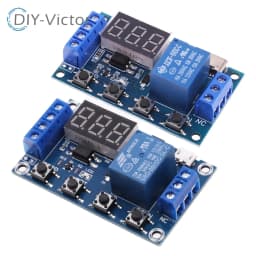
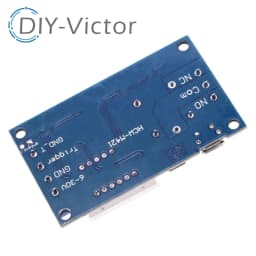
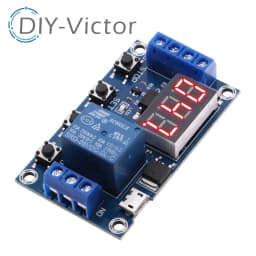
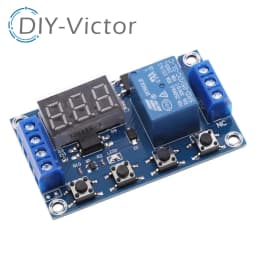
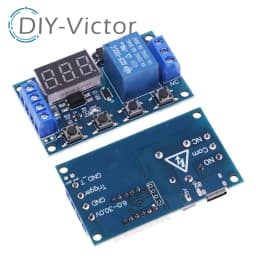
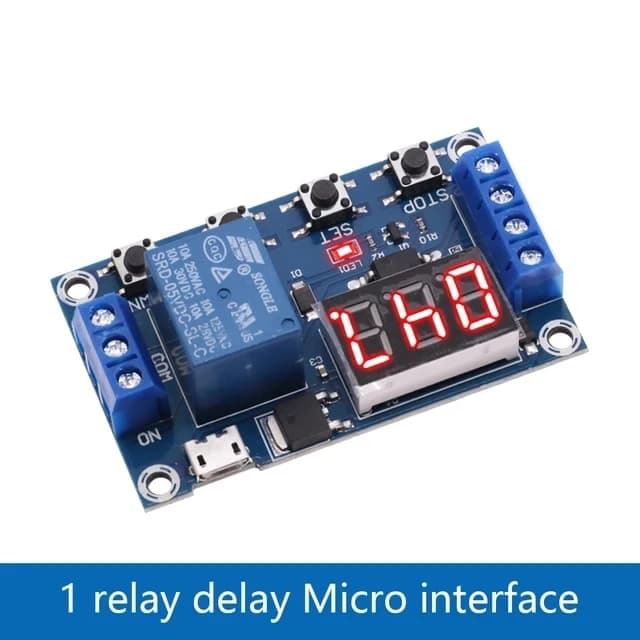
Battery Charge/Discharge Module Integrated Voltmeter Undervoltage/Overvoltage Protection Timing Charge/Discharge Communication
5.6$
2.8$
Quantity:
1
Availability:
1000+In StockColor
Delivery estimate
Delivery:
Nov 26 – Dec 2 to United States
1.99$ shippingTrackedImport duties may apply
DIY-Victor Hot Sale
We still have a lot of inventory not uploaded to AliExpress,
If there are other suppliers and any other requirements that we do not show in AliExpress, please contact us by creating a new link for you so that you can purchase.
< In practice, we found that a single order of AliExpress cannot purchase more than 999 pieces. If you purchase more than 999 pieces, please contact us to add the option of purchasing one piece=1000 pieces of commodity card for you >
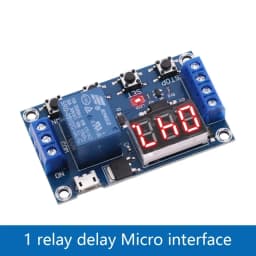
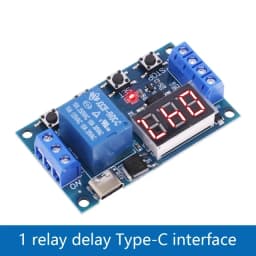
One relay module delayed power-off and disconnection trigger delay cycle timing circuit switch
0.1 seconds (minimum) to 999 minutes (maximum) continuously adjustable
This product is simple and easy to use, with powerful functions. However, buyers are kindly requested to take a detailed look at the operating instructions of this product, which is very practical.
Module highlights:
1. Wide voltage power supply (6~30V) supports micro USB 5.0V power supply, which is very convenient to use;
2. The interface is clear and simple, with powerful functions and easy to understand, almost meeting all your needs;
3. It has a one key emergency stop function (STOP key) with reverse connection protection, and reverse connection does not burn;
4. Added sleep mode, which automatically turns off the monitor after being enabled and there is no operation for 5 minutes; Wake up with any button;
5. Different OP, CL, and LOP parameters can be set, which are independent of each other and saved separately;
6. All set parameters are automatically saved after power failure.
Working mode:
P1 mode: After the signal is triggered, the relay conducts for OP time and then disconnects; During OP time, perform the following actions
P1.1: Signal triggered again invalid
P1.2: Signal triggered again for re timing
P1.3: The signal triggers a reset again, the relay disconnects, and the timer stops;
P1.4 Countdown op time, executed once upon startup without triggering;
P-2.1: After the trigger signal is given, the relay will disconnect for CL time, and the relay will conduct for OP time. After the timing is completed, the relay will be disconnected;
P2.2 P2 Function Differences Trigger Retiming
P3.1: After the trigger signal is given and the relay is turned on for OP time, the relay will disconnect for CL time, and then the above actions will be repeated. Within the cycle, the signal will be given again, the relay will disconnect, and the timer will stop; The number of cycles (LOP) can be set;
P3.2: After powering on, there is no need to trigger a signal. The relay conducts for OP time, the relay opens for CL time, and the above actions are repeated; The number of cycles (LOP) can be set;
P-4: Signal holding function. If there is a trigger signal, reset the timer and keep the relay conductive; When the signal disappears, disconnect the relay after timing OP; During the timing period, if there is a signal again, the timing will be reset to zero;
Press the down button for the duration of the timing interface to switch between reverse output states (switch states are opposite)
When in p3.2 mode, press the up button for a long time on the timing interface, and F1 is displayed as the time to execute op before startup, and F2 is displayed as the time to execute cl before startup.
Product parameters:
1: Working voltage: 6-30V, supports micro USB 5.0V power supply
2: Trigger signal source: High level trigger (3.0V-24V). The signal ground is not connected to the system ground to improve the system's anti-interference ability (it can also be short circuited to a common ground)
3: Output capability: can control devices up to 30V DC 5A or up to 220V AC 5A
4: Static current: 20mA Working current: 50mA
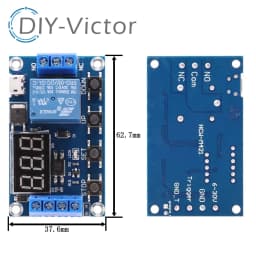
5: Service life: greater than 100000 times; Working temperature: -40-85 ℃; Size: 6.2 * 3.8 * 1.7cm
6: Equipped with optocoupler isolation, enhancing anti-interference ability, industrial grade circuit board, set parameters for permanent memory after power failure.
Special attention: The relay output is a passive contact, not a live output, which controls the opening and closing of a circuit.
Timing range
0.1 seconds (small)~999 minutes (large) continuously adjustable
How to choose a timing range:
After setting the parameter values on the mode selection interface, press the STOP key briefly to select the timing range;
XXX Decimal point in units, timing range: 1 second to 999 seconds
XX.X decimal point to ten places, timing range: 0.1 seconds to 99.9 seconds
X.X.X. All decimal points are on, timing range: 1 minute to 999 minutes
For example, if you want to set OP to 3.2 seconds, then move the decimal point to ten places and the digital display will show 03.2
Parameter Description: OP conduction time, CL disconnection time, LOP cycle count (1-999 times, "---" represents infinite cycles)
These parameters are independent of each other, but they are shared by various modes. For example, if the conduction time OP is set to 5 seconds in P1.1 and the user wants to switch to P1.2 mode, then when entering P1.2 to set the corresponding parameters, the OP will also be 5 seconds;
Short press the SET key on the main interface (displaying 000) to display OP (CL, LOP) and corresponding time XXX;
If there is only OP time in the mode (such as P1.1, P1.2, P1.3), short pressing the SET key will only display OP and the corresponding time;
If there are OP, CL, and LOP in the mode (such as modes P3.1 and P3.2), short pressing the SET key will display OP and corresponding time, CL and corresponding time, LOP and corresponding times;
After setting the mode, you can easily view the parameters set in the current mode by short pressing the SET key on the main interface, which is very convenient!
How to set parameters
Firstly, determine the working mode of the relay;
2. According to the working mode of the relay, in the main interface (when the module is powered on, it will flash the current working mode (default P1.1 mode), and then enter the main interface.) "Press and hold the SET button for 2 seconds and then release" to enter the mode selection interface. Select the mode to be set (P1.1~P-4) by short pressing the UP and Down buttons;
3. After selecting the mode to be set (such as P3.2), press the SET key briefly to set the corresponding parameters. At this time, the parameters to be set will flash (OP conduction time, CL disconnection time, LOP cycle times ("---" represents infinite cycles)). Adjust the parameter values through UP and Down, and support long pressing (fast increase or decrease) and short pressing (increase or decrease by 1 unit); After setting the parameter values, press the STOP key briefly to select the decimal point position and timing range (corresponding time of 0.1 seconds to 999 minutes); Short press the SET key to set the next parameter for the current mode, the process is the same as above;
4. After setting the parameters for the selected mode, press and hold the SET key for 2 seconds before releasing it. The currently set mode will flash and then return to the main interface. The parameter setting is successful, very simple!
Main interface: When the relay is not working, it displays "000" (without a decimal point), and when the relay is working, it has a decimal point, which is very clear!
Mode selection interface: Long press the SET key to enter. After setting is completed, long press the SET key to exit and return to the main interface. It is very simple!
STOP button function extension:
Relay enable mode:
1. ON: The relay is allowed to conduct within the OP conduction time;
2. OFF: The relay is prohibited from conducting and always in a closed state;
Short press the STOP button on the main interface to switch between ON and OFF, the current state will flash, and then return to the main interface. (This function is an emergency stop function, which opens and closes the relay with one click)
Sleep mode:
1. C-P sleep mode: Within five minutes, without any operation, the digital display will automatically turn off, and the program will run normally;
2. O-d normal mode: The digital display is always on;
Press and hold the STOP button for 2 seconds before releasing it to switch between C-P and O-d states. The current state will flash and then return to the main interface.

Specifications
- Origin
- Mainland China
- Condition
- New
- Type
- Voltage Regulator
- Supply Voltage
- V
- Dissipation Power
- W
- Operating Temperature
- -40-80
- Application
- Computer
- Choice
- yes
Customer Reviews
3 ratings

D***a
April 13, 2026
Variant: Color:TYPE-C
It looks good but it doesn't control the load, only turns it on and off, but oh well.

Z***k
October 31, 2026
Variant: Color:Micro
ok
Battery Charge/Discharge Module Integrated Voltmeter Undervoltage/Overvoltage Protection Timing Charge/Discharge Communication
5.6$
2.8$
Quantity:
1
Availability:
1000+In StockColor
Delivery estimate
Delivery:
Nov 26 – Dec 2 to United States
1.99$ shippingTrackedImport duties may apply