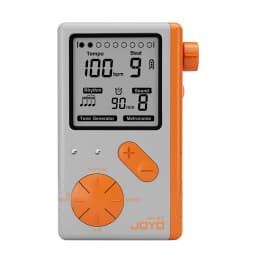
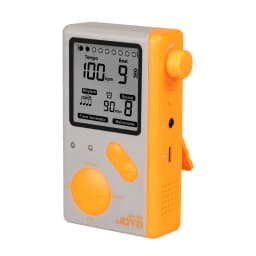
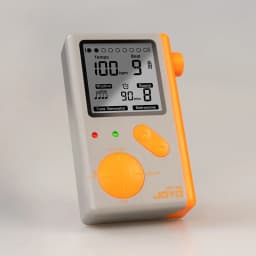

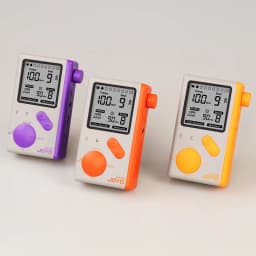
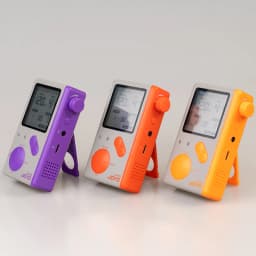
JOYO JM-92 Electronic Metronome LED Screen Countdown Function 9 Rhythms Digital Electronic Metronome for Guitar Violin Bass
38.72$
23.06$
Quantity:
1
Availability:
Color
Card Payments
Crypto Payments
Easy return
Reliable Shipping
JOYO JM-92 Electronic Metronome LED Screen Countdown Function 9 Rhythms Digital Electronic Metronome for Guitar Violin Bass
How to use the metronome?
1. When the unit is turned of, long press button until the display screen is lit.
2. Adjust each parameter according to“IV, Button's functions & operations".
3. Tap“play”button to turn on the metronome.
4. You can get a suitable volume by adjusting the VOLUME knob.
How to use the countdown function?
1. Long press“Beat" button until countdown value starts to flickerl
2. Adjust the countdown time(1-90 minutes) bythe“+”or“-”button.
3. Tap“Beat" button again to start countdown, "clock" will be lit.
4. Tap any button a mong“RHYTHM, SOUND, Beat" and exit countdown mode, the countdown value no longer flickers.
5.The metronome will be off once the countdown is up, the alarm is on and the LED is flickering Now you can tap any button to turn off the alarm.
Specifications:
Beat:0.1.2.3.4.5.6.7.8.9
Tempo: 30-250 bpm
Sound: 8 in all
Countdown range: 1-90 minutes
Weight: 96.6g
Dimensions: 68(L) X27(W)X105(H)mm
Package List:
User's manual*1
Charging cable*1
Customer Reviews
No reviews yet
JOYO JM-92 Electronic Metronome LED Screen Countdown Function 9 Rhythms Digital Electronic Metronome for Guitar Violin Bass
38.72$
23.06$
Quantity:
1
Availability:
Color