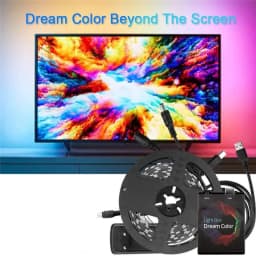
1-5M 5V WS2812B USB LED Strip light 5050 RGB Dream Color Ambient Kit for Desktop PC Screen Background lighting EU US UK Plug
Quantity:
1
Availability:
Not AvailableCard Payments
Crypto Payments
Easy return
Reliable Shipping
Note: Not all TVs can use this product !!! TVs are not 100% compatible.it only works on Android TV,If you want to use it with Android TV, you must connect an extra Android TV box to your TV first, then can be used with our product.Samsung/LG not belong to Android Operating System.
5V WS2812B USB LED Strip light 5050 RGB Dream Color Ambient Kit for HDTV Desktop PC Screen Background lighting 1M 2M 3M 4M 5M
Note:Do not work for PS4/5 or other game box~
This item could only use on android (5/6/7/8)tv or pc ,do not support to work FOR LG or Samsung TV,because they are not Android system TV.
If you want to use it with smart TV, you must connect an extra Android5/6/7/8 TV box to your TV first, then can be used with our product.
The led strip only work properly after set correctly and installation on TV or PC. If you have any problem,contact us seller to check it for you.
1.What kind of device can work with our product ?
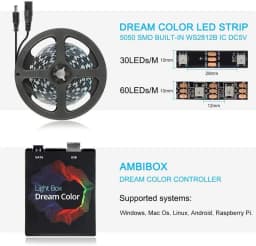
(1)Windows: use Ambibox or Prismatik
Download link:
https://drive.google.com/file/d/1aR1z_wcBfGw2ixTBYI01CshD_q8RMxxc/view?usp=sharing
(2)Android system TV/TV boxs (Android 5.1/6/7/8/9 version):not work forAndroid 9 Xiaomi firmwares,not work for android 10 tv ;
use Ambient light Application for Android(Paid software)
(3)Raspberry Pi: Openelec/libreelec+Hyperion
(4) Linux PC : use Prismatik
2.Important To Know First !!!
The picture from the TV tuner is not processed at the Android OS level, the backlight with regular tv channels will not work. The backlight works only in Android OS applications that do not use protected content. 4K performance depends only on the capabilities of the equipment.
Unfortunately, programs such as YouTube and Netflix use protected content, the backlight in such programs will not work. This may not work properly on the latest Android 9 Xiaomi firmwares.
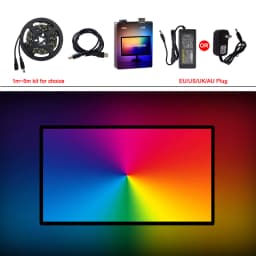
3.Package included:
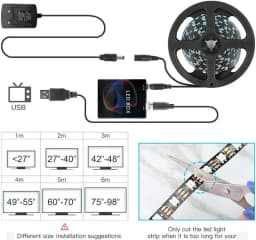
1) Controller box
2) Hight quality led strip
3) USB cable
4) 5V Power adapter EU/US Options (If you need UK or AU Plug,please let me know first before order,thank you)
Attention: Applicable scope of TV BOX
PC setup tutorial:
Step 1: Install LED light on your PC. (please refer to the video for details)
Step 2: Setting up the Ambibox Capture Software.
2.1. Ambibox software(Shareware); Download link:
https://drive.google.com/file/d/169jkepvqrviTmrDc6yD3gjta094FpHh3/view?usp=sharing
2.2. Run the Ambibox software, when installing, it recommends to use PlayClaw, I wouldn't recommend to using it.
2.3. Select device and set this as "Adalight", under menu of "Intelligent backlight display", select the Port and the COM Port that your device has been detected. If select correctly, you can see Device Status: Connected, also down the bottom left it will say Adalight: connected.
2.4. Once you setted up, you can select the "Wizard capture zones" which will automatically generate all capture zones for you.
Note:The USB Port should be CH340(COM*),if not have ,please download the CH340 Driver:
https://drive.google.com/open?id=1GS5FrjN5620I_RKJMOe5IAGNSqlke9jC
Setup video tutorial:
https://youtu.be/mCIdH4kKniQ
PRO TIPS: if you find your colours are washing out or seem very white rather than colourful, adjust your gamma settings, if you getting a white backlight on a pure black screen, increase the size of sample zones, It will take a bit of fine tuning but worth it!
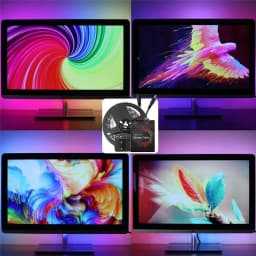
Test Effect Show on PC:
Customer Reviews
No reviews yet
1-5M 5V WS2812B USB LED Strip light 5050 RGB Dream Color Ambient Kit for Desktop PC Screen Background lighting EU US UK Plug
Quantity:
1
Availability:
Not Available