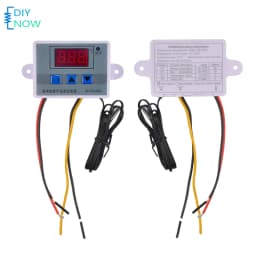
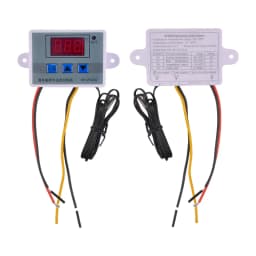
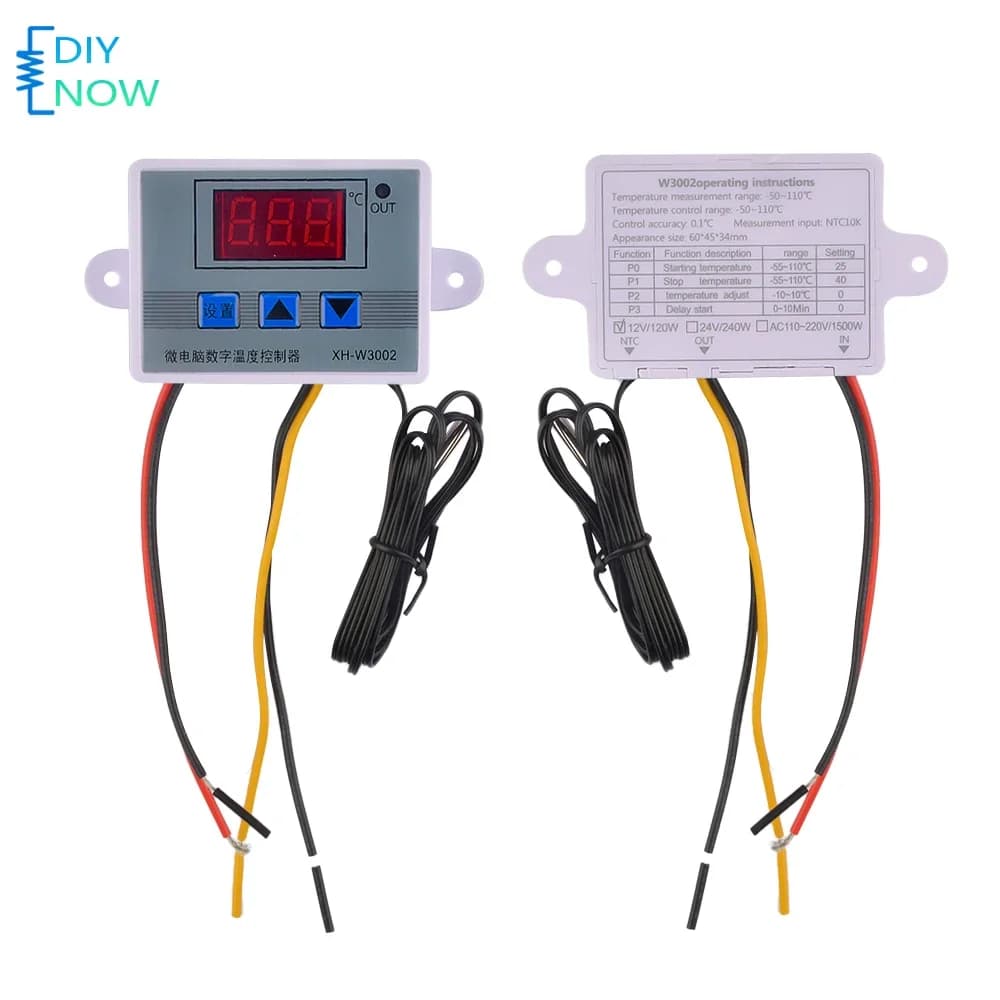
Digital Thermostat XH-W3002 Temperature Controller with High-Brightness Display for Industrial Equipment 12V/24V/220V
8.99$
1.31$
Quantity:
1
Availability:
Color
Card Payments
Crypto Payments
Easy return
Reliable Shipping
✨Selling point introduction:
The high brightness digital tube displays clearly, allowing for clear readings whether used during the day or at night
The 2P terminal of the sensor can be easily replaced, and when you need to use other probes, you can replace them at will
ABS material shell, delicate and beautiful, high mechanical strength, good electrical performance, anti-aging
-The ultra wide temperature control range of 50-110 ℃ can be used in various temperature control fields, with a temperature control accuracy of 0.1 ℃, meeting your control needs
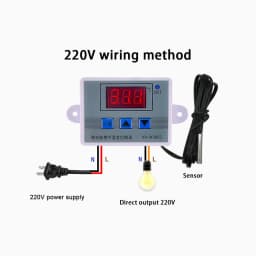
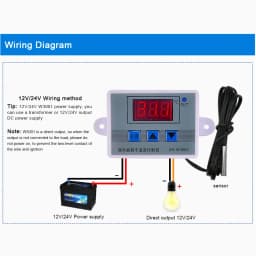
Wiring input and output design, more convenient to use in various industrial control devices, with multi strand wire 300V/20A over configuration, safe and reliable
✨Product Information
Product Name: Microcomputer Temperature Controller
Product model: XH-W3002
Temperature measurement range: -50~110 ℃
Temperature control range: -50~110 ℃
Temperature measurement accuracy: ± 0.2 ℃
Temperature control accuracy: ± 0.1 ℃
Measurement input: NTC10K L=1m waterproof probe
Input power supply: 12/24/220V
Output power: 120/240/1500W
Output type: Direct output
Output capacity: Maximum 10A
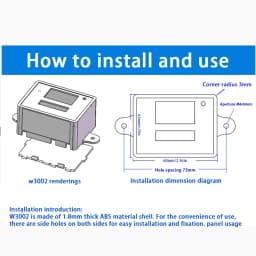
Installation hole spacing: 73mm (hole diameter 4mm)
Appearance size: 60 * 45 * 31mm
✨Set up usage:
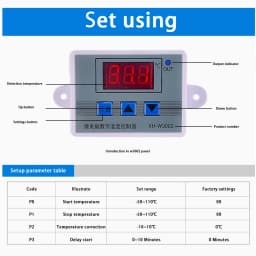
Code and Function Introduction
P0 Set startup temperature
Press the settings button once to enter the internal menu, which defaults to P0. Press the settings button again to set the desired startup temperature using the up and down buttons.
P1 Set Stop Temperature
Press the settings button once to enter the internal menu, where the digital display is P0. Use the up and down buttons to switch to P1, then press the settings button again to set the desired stop temperature.
✨P2 sets temperature correction
Enter the internal menu in the same way, switch to P2 by pressing the up and down buttons, press the settings button again, and set the desired calibration temperature by pressing the up and down buttons. In the setting, if the detected temperature value is 0.5 ℃ higher than the actual temperature value, the calibration temperature that needs to be set is -0.5 ℃. If the detected temperature value is 1 ℃ lower than the actual temperature value, the calibration temperature that needs to be set is 1 ℃. Detecting temperature ± correcting temperature=actual temperature.
✨P3 Set Delay Start
Enter the internal menu in the same way, switch to P3 by pressing the up and down keys, press the settings key again, and set the required delay time (in minutes) by pressing the up and down keys. Delay start is generally used for compressor refrigeration. If it is used for refrigerators and freezers, this value needs to be set. Depending on the size of the compressor's back pressure, the general setting value is 3-6 minutes. If you are not using it to control the compressor or do not need the delay function, skip this option directly.
Customer Reviews
No reviews yet
Digital Thermostat XH-W3002 Temperature Controller with High-Brightness Display for Industrial Equipment 12V/24V/220V
8.99$
1.31$
Quantity:
1
Availability:
Color