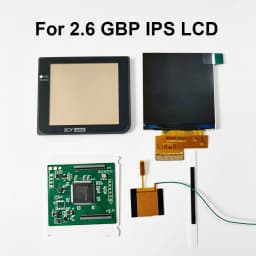
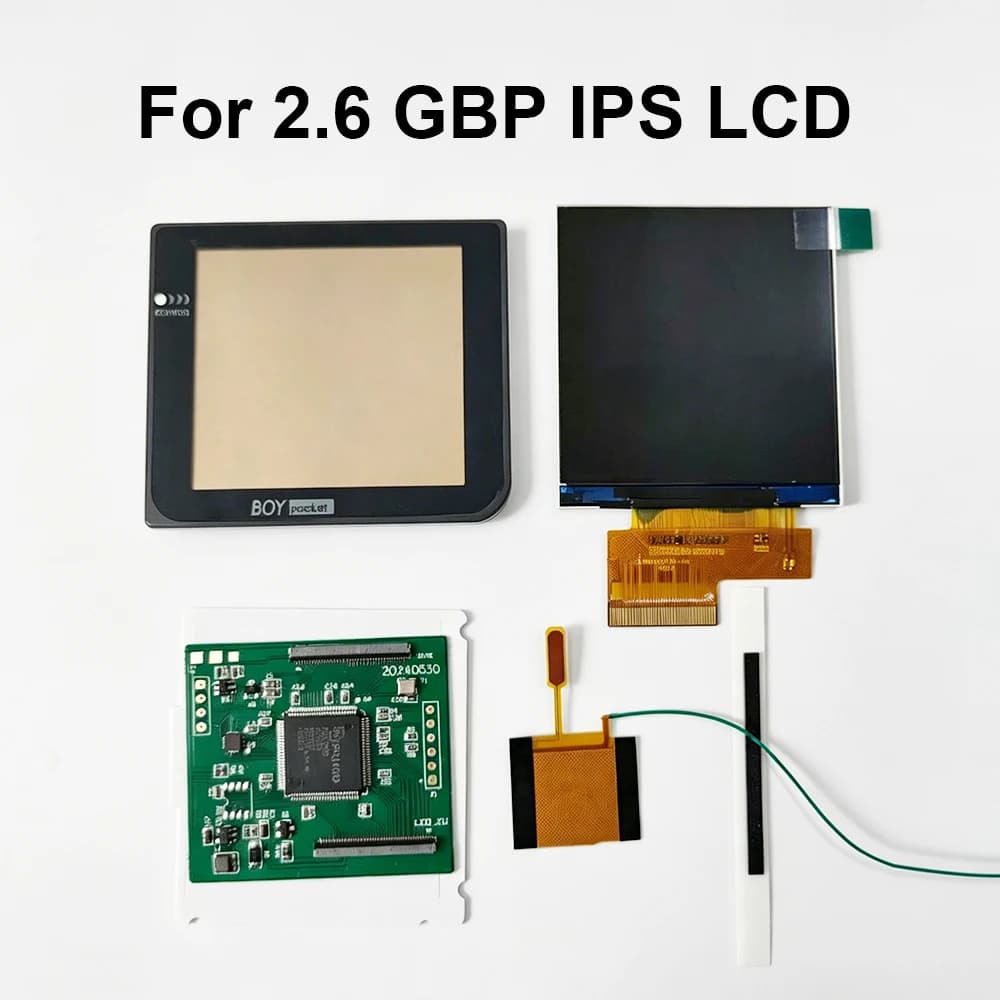
New GBP LCD Screen. Easy to Install 2.6 "Original Size IPS High Brightness LCD Screen is Suitable for Nintendo Gameboy Pocket
134.28$
38.61$
Quantity:
1
Availability:
Color
Card Payments
Crypto Payments
Easy return
Reliable Shipping
2.6-inch Original Size IPS Highlight Brightness LCD Screen Kits For Gameboy Pocket GBP LCD Sets Support Multiple Display Styles
This is a LCD screen, not a console! If you don't have a motherboard, you can't assemble it into a console.
When the battery level is low and the voltage is low, the LCD screen backlight will flash.
Rust on the power switch can also cause the backlight to flash or prevent the LCD screen from turning on.
During the game loading process, there will be black shadows around. This is a normal phenomenon of our LCD screen.The longer the loading time, the more obvious it becomes.
Glass lens with logo
The black lens is actually dark gray. Close to the original Nintendo color. Because we used to call it black. And the color is very close to black. There is color difference in taking photos. It looks like black.
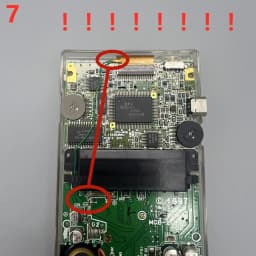
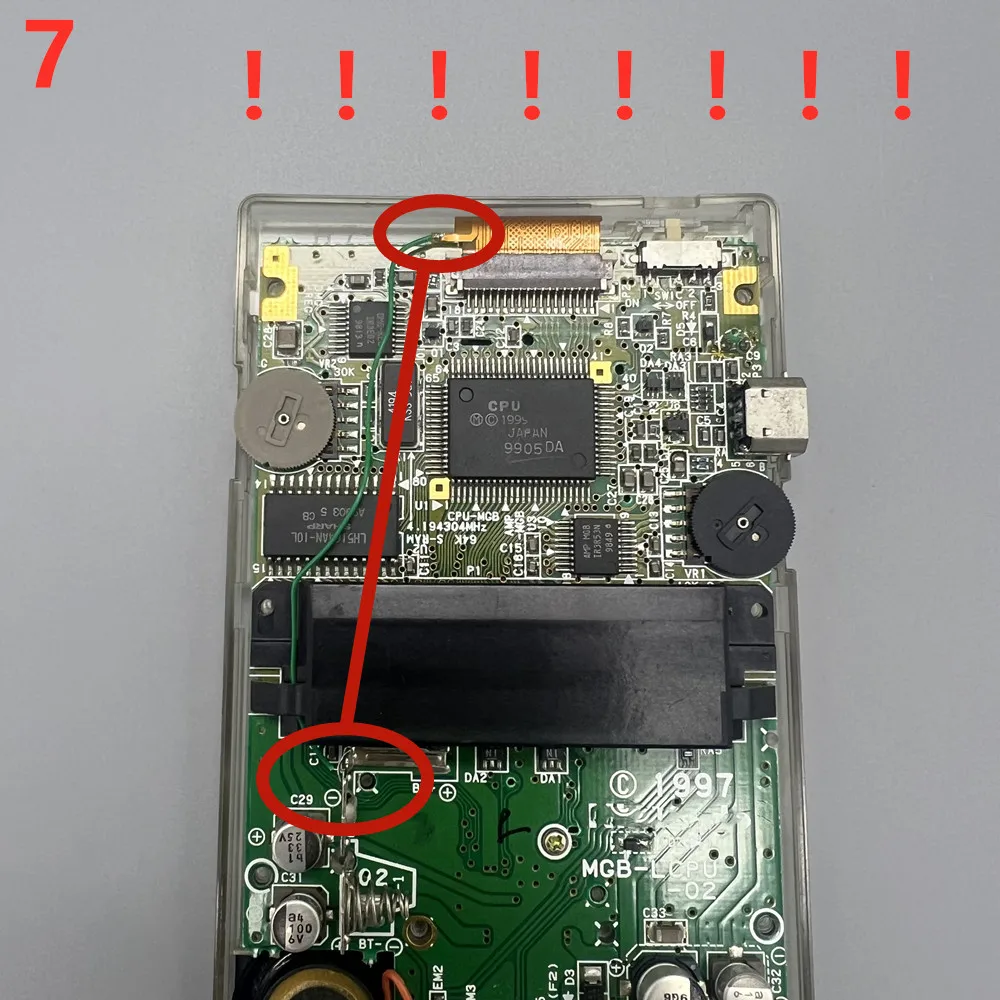
The wire on the cable must be connected to the positive pole of the battery base! The wires on the cable are very thin. If it is broken, please weld a new wire by yourself. We are not responsible.
Product features:
1) IPS LCD screen. Small amount of shell cutting, simple installation.No welding is required.
2)Touch to adjust brightness and change color. Short touch to adjust the color and display style of the LCD screen, and long touch for 4 seconds to adjust the brightness of the LCD screen. Built in 7 sets of colors. Each group of colors has four display styles: horizontal, vertical, grid, and high-definition.
3)The screen display scale is correct, 4 points to 1 point.
4)The size of the display screen is the same as the original one, can use the original lens.
Each set of LCD has been tested before shipment. You can test it again like this before installing.
Test before installation. It is helpful to find out the causes of problems in later installation.
Install self provided tools: Y-shaped 3.0 screwdriver, cross shaped 3.0 screwdriver.
When testing, please note that the wire must be connected to the positive pole of the battery holder to supply power to the backlight of the LCD screen, so that the backlight will light up!
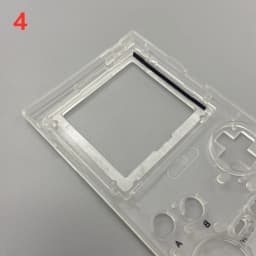
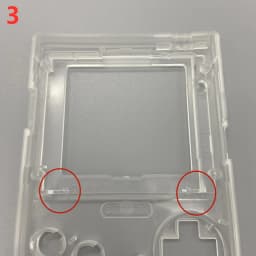
Deburring
Trim the outer shell as shown in the following figure. The shell should be trimmed flat to avoid squeezing the LCD screen.
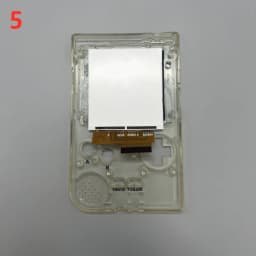
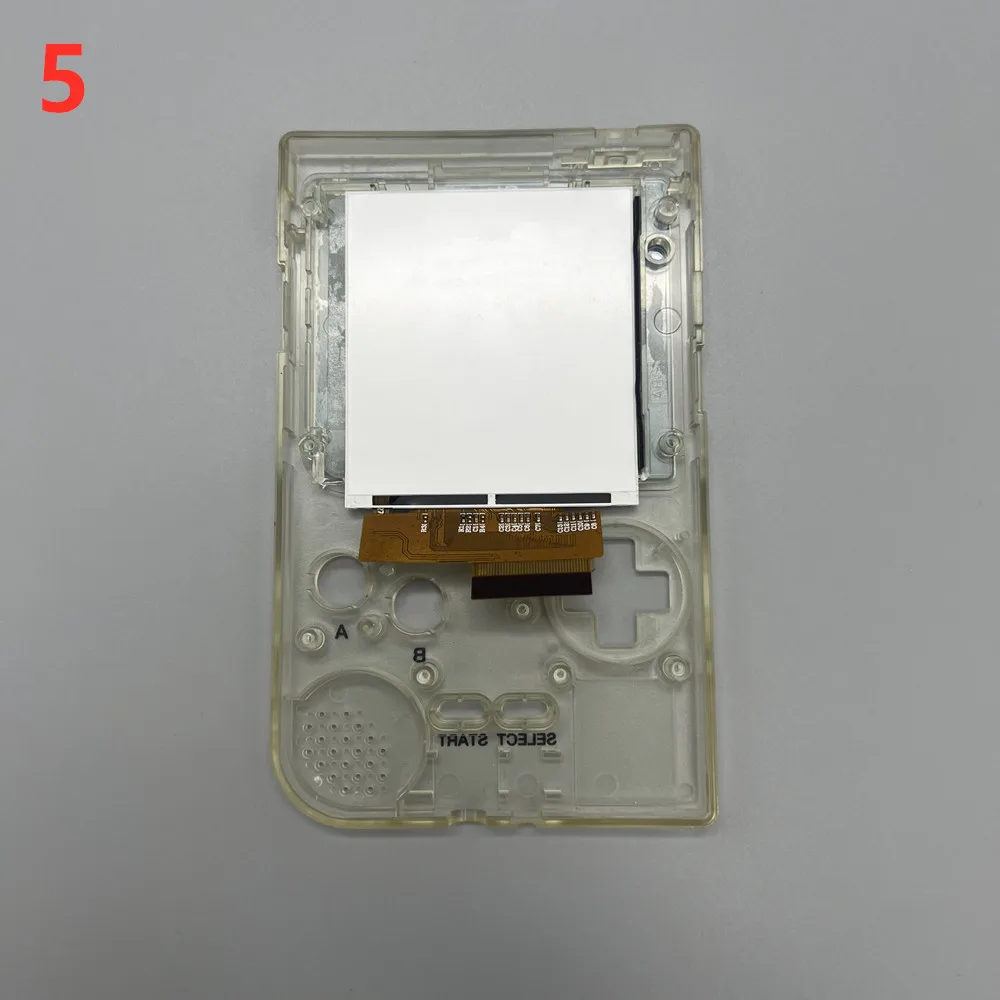
Install the LCD screen. The polarizing film of the LCD screen is high-definition and very prone to fingerprints. Be careful not to touch it with your hands as it is difficult to clean in the later stage. Tear off the film and quickly cover it.
Just stick the LCD screen on.
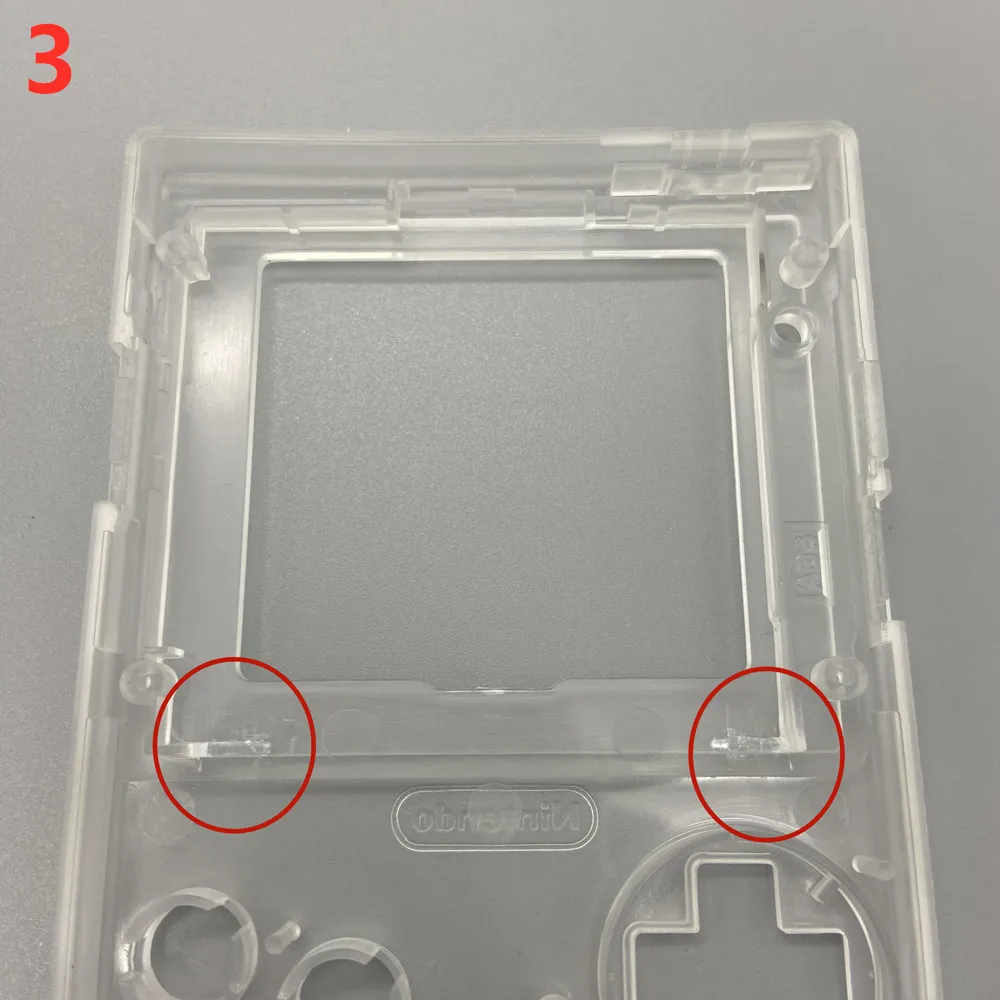
Do not have any squeezing. Even slight squeezing can cause damage to the LCD screen backlight, uneven backlight display, and LCD screen breakage.
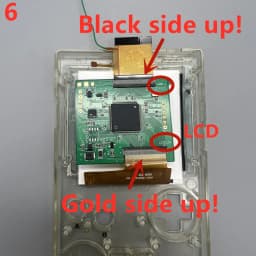
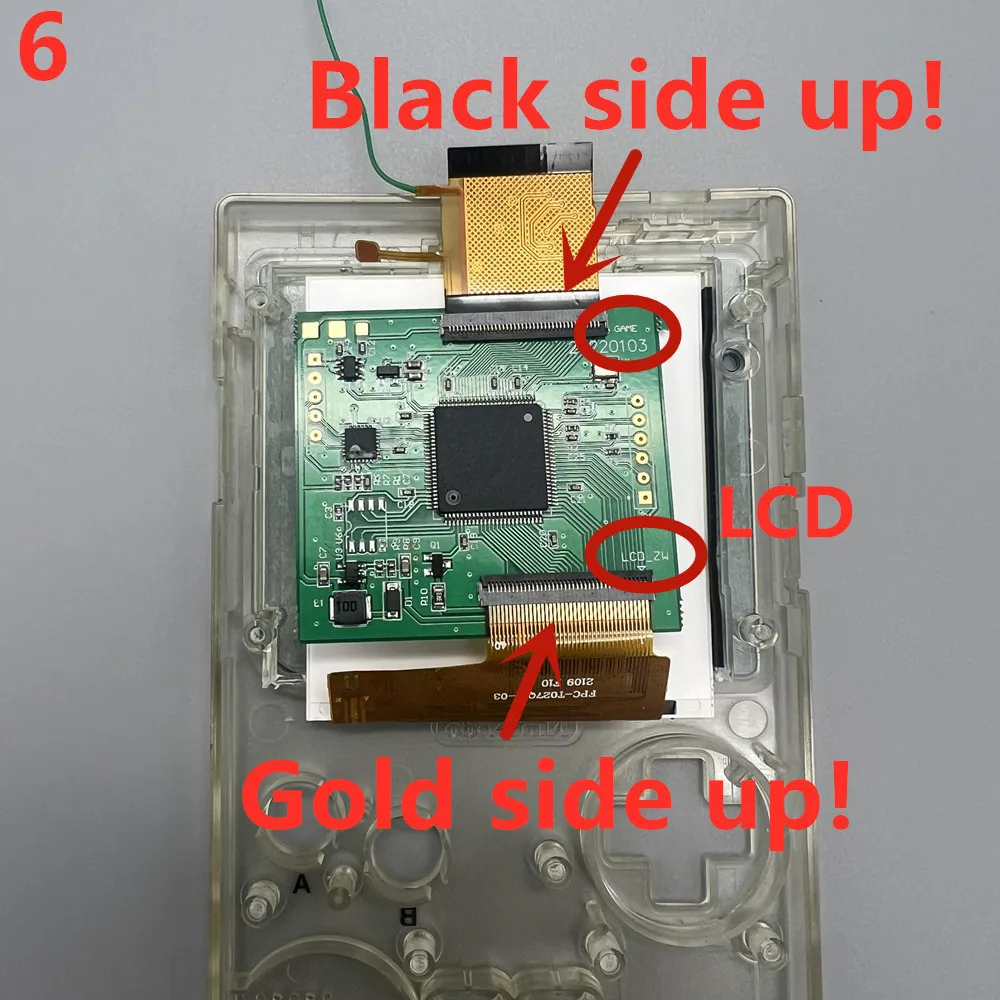
Pay attention to the direction of the cable. Inserting the wrong cable will burn the motherboard and driver board!
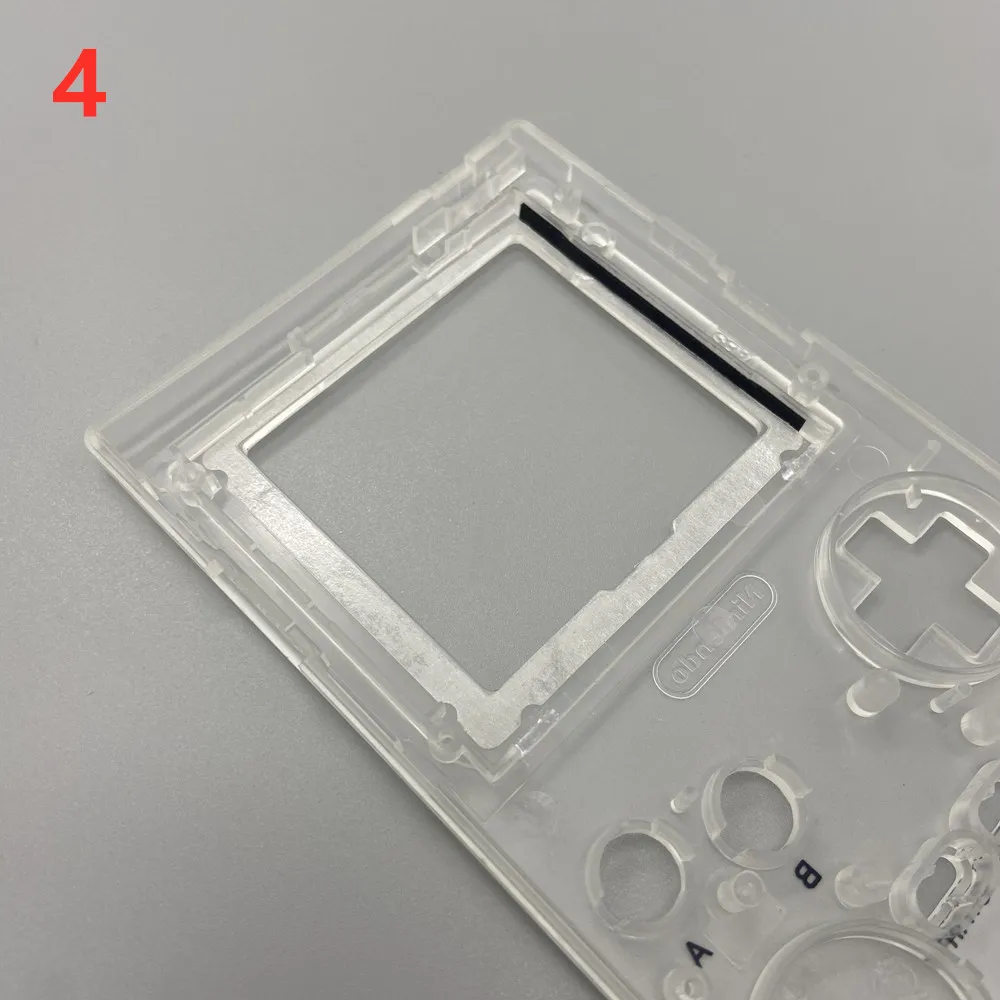
Place the touch cable here
Touch the cable. The side that must be covered with film is in contact with the shell. Gold faces inward.
Otherwise, there may be accidental touches.
The green wire must be connected to the positive pole of the battery holder to power the LCD screen, so that the backlight of the LCD screen can light up!
Using a Xiaomi 900mA battery, the screen has the highest brightness and maximum volume, tested with a regular game card, and has a battery life of about 2 hours. The brightness has doubled compared to the previous model, resulting in an increase in power consumption. You can increase the R10 resistance on the driver board to reduce brightness and power consumption. Use 0805 chip resistors.
If you need to place touch sensing in another location. You can solder wires to the touch points on the driver board. Connect to the location you want.
Customer Reviews
No reviews yet
New GBP LCD Screen. Easy to Install 2.6 "Original Size IPS High Brightness LCD Screen is Suitable for Nintendo Gameboy Pocket
134.28$
38.61$
Quantity:
1
Availability:
Color