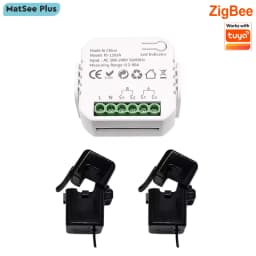
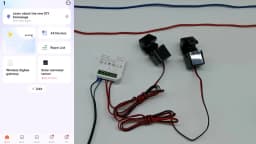
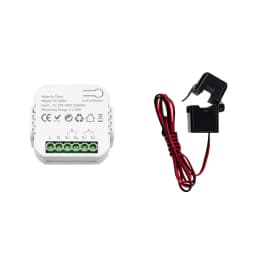
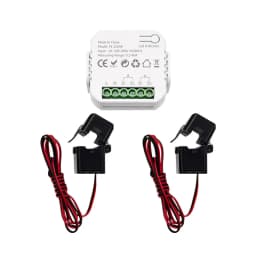
Smart Life ZigBee Energy Monitor, 1, 2 Channel Bidirectional with Current Sensor, App Monitor Power, AC100- 240V Need Gateway
Quantity:
1
Availability:
Not AvailableCard Payments
Crypto Payments
Easy return
Reliable Shipping
NOTE
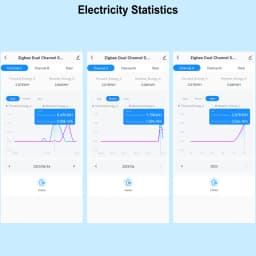
The app can only display the total battery level. Only when you click on the curve can you see the daily and monthly power consumption.
The formula for calculating AC power is :P = UI cosθ(cosθ≤1), cosθ represents the power factor of the circuit. Only resistive loads, such as incandescent lamps, dryers, heaters, electric water heaters, etc., have a power factor equal to 1.
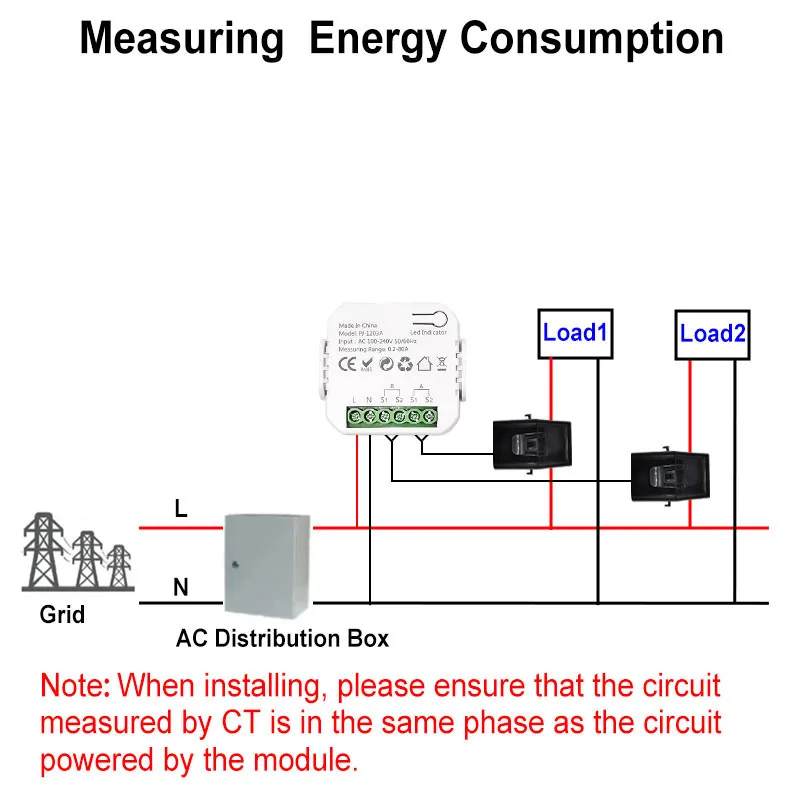
When the phase of the live wire of the device is consistent with that of the tested live wire, only the line load will affect the power factor.
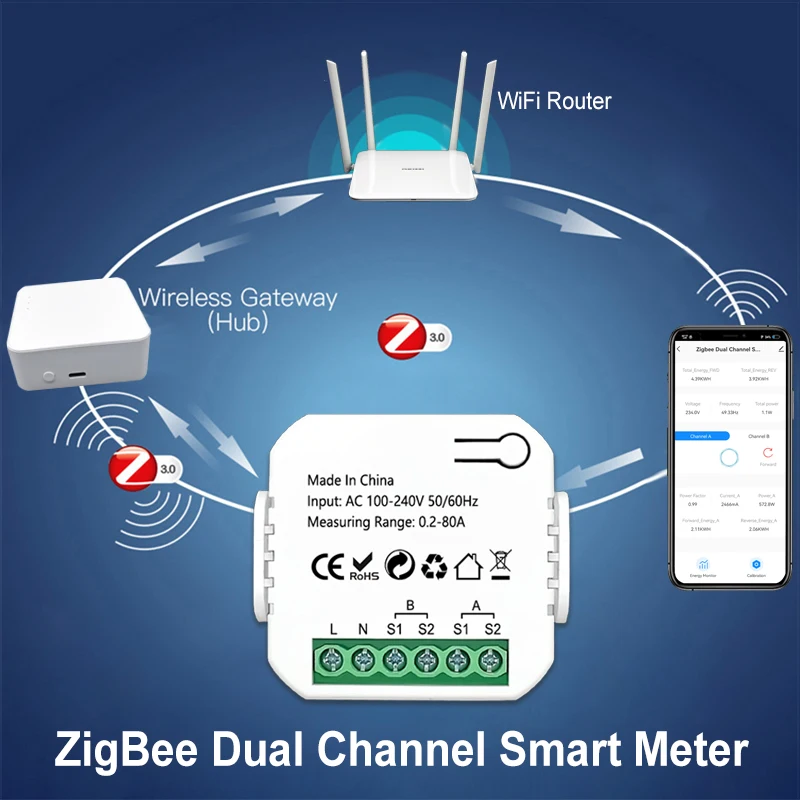
This device is of the Zigbee version and cannot be directly connected to the 2.4G WiFi network.
It is not compatible with Zigbee Home Automation. Please use the Tuya or Smart Life app.
Customer review: This product is a good choice when used together with Home Assistant on Zigbee2mqtt. For it to function properly, you need to stop z2m and change >TZE28C1000000_81yrt3lo to >TZE284_81yrt3lo. Make the changes in the database of Zigbee2mqtt through the "file editor" and then restart.
FAQ
Q: Why can't my device connect to 2.4G WiFi?
A: This is a ZigBee device, it can't connect WIFI signal directly. You need to require a Tuya ZigBee gateway as hub to work, please make sure you have a Tuya ZigBee gateway to work with this item.
Q: Is it ZigBee 3.0 standard Item?
A: No. It's Tuya ZigBee device, not ZigBee 3.0. so it can only work Tuya ZigBee Gateway.
Q: Is this device compatible with Zigbee2MQTT?
A: Sure. But you need to know how to set it up. Internal id: _TZE284_81yrt3lo. You may need to install a quirk: 'github.com/jeverley/zha-device-handlers/blob/ts0601_energy_meter_devices/zhaquirks/tuya/ts0601_energy_meter.py'
Q: Is this device compatible with Home Assistant?
A: No, it's not compatible. You need configure it with ZigBee2MQTT first, then it can work with Home Assistant. If you don't know how to configure it, please use the Tuya Smart or Smart Life APP.
Q: Does the equipment have an overload alarm function?
A: Sorry, it doesn't have this function.
A Tuya Gateway is Required
Please Note this device requires a Tuya ZigBee Gateway to work. Because it can not receive 2.4G wifi signals directly.
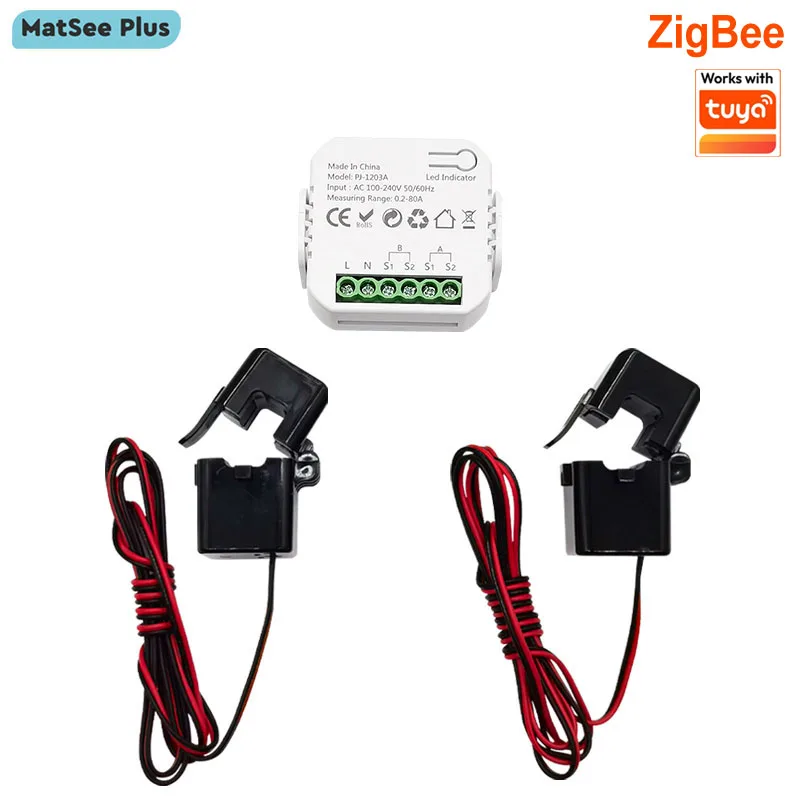
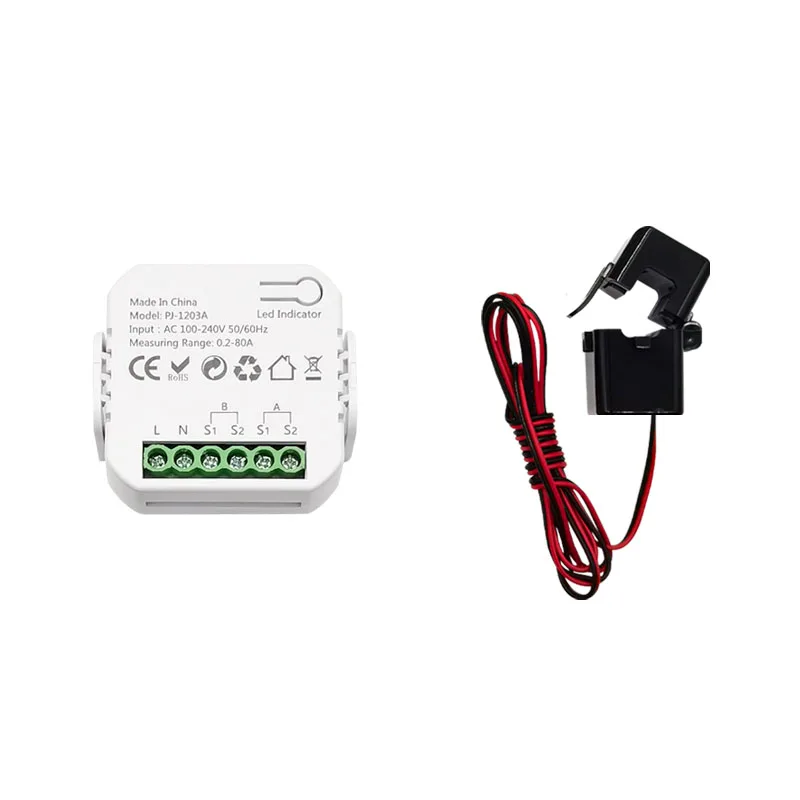
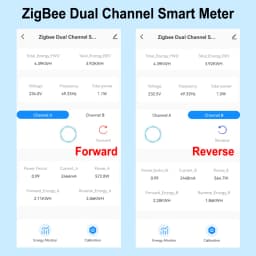
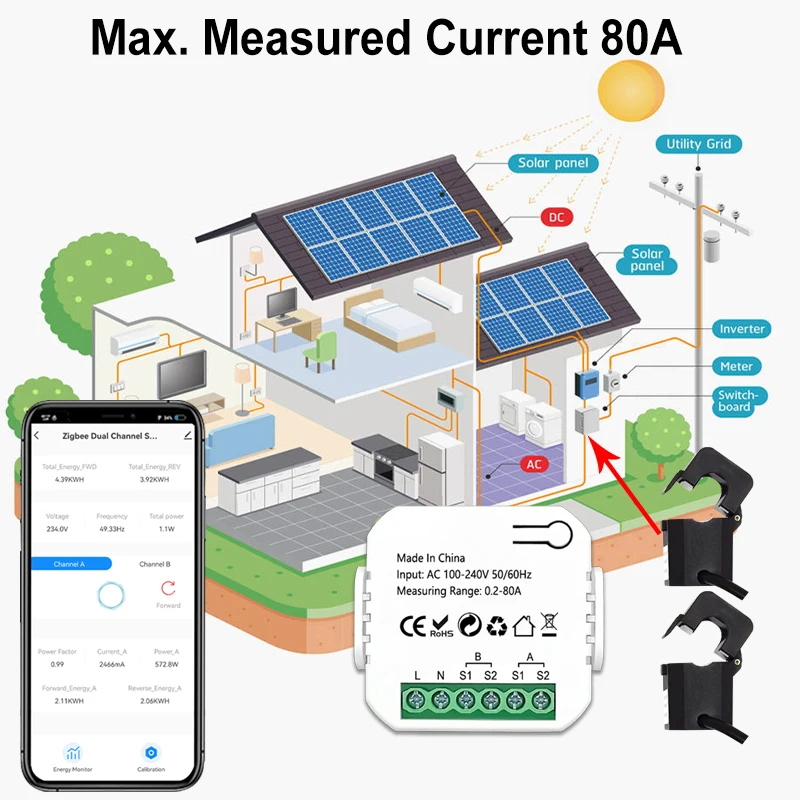
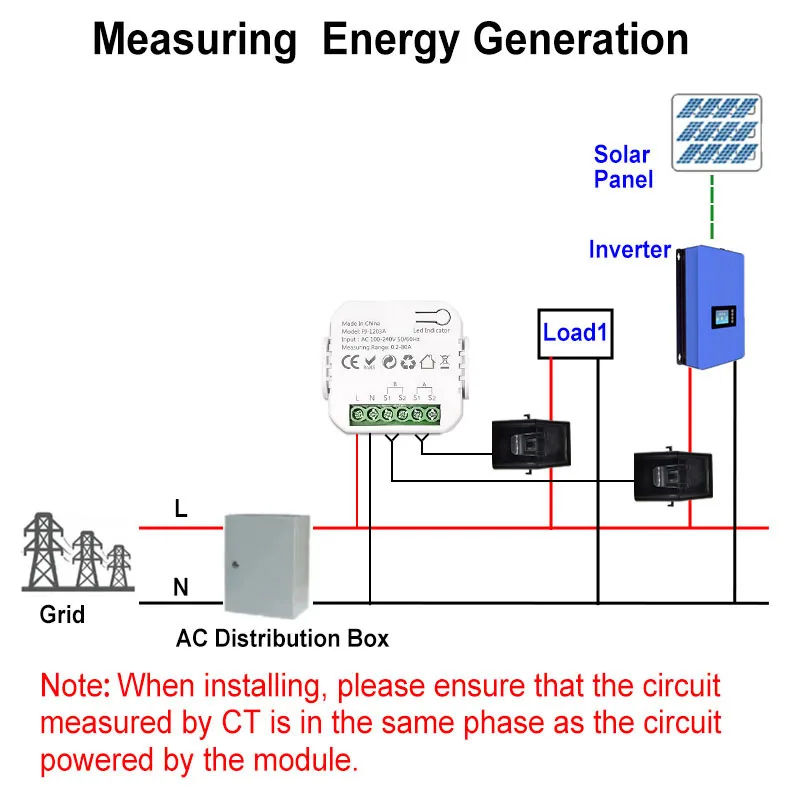
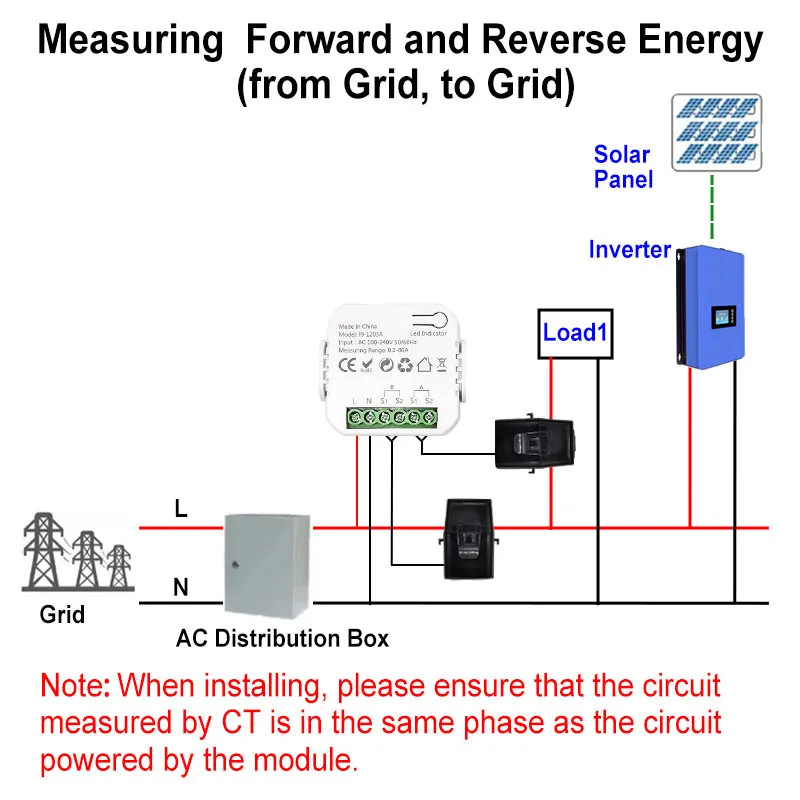
App can display Channel A and B Real-time power, current, voltage for Forward and Reverse direction clrealy
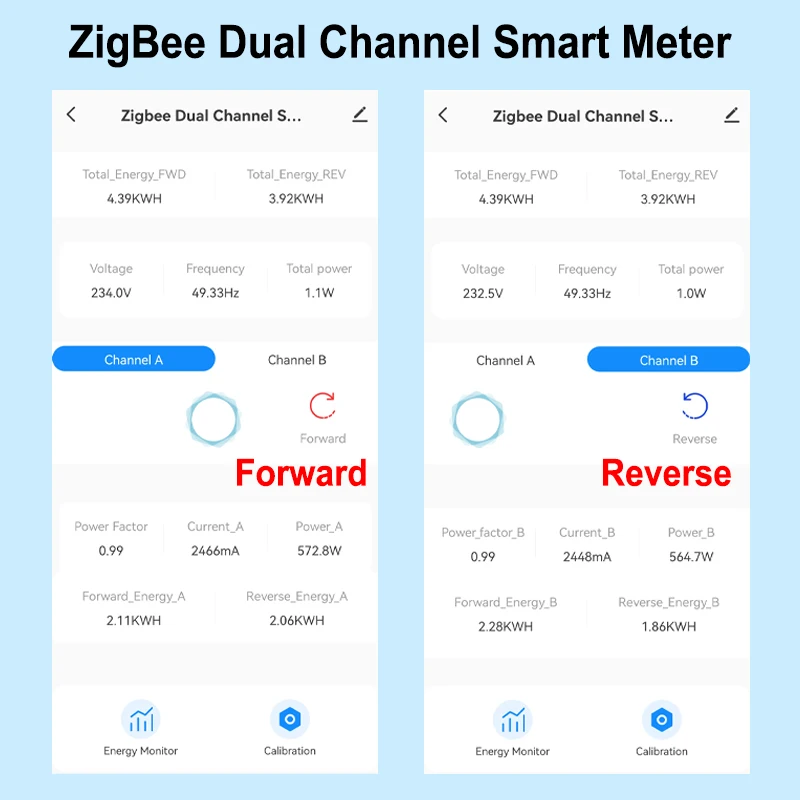
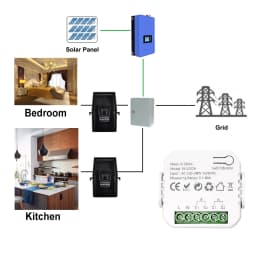
2 Channels For Reverse and Forward direction
1 Channle or 2 Channels are available to Choose
And you can read from App for each Channel
- Real-time total power of 2 channels of reverse and forward direction
- Power for Channel A and B Separately(W)
- Current(mA)
- Voltage(V),
- Power factor, and Frequency(Hz)
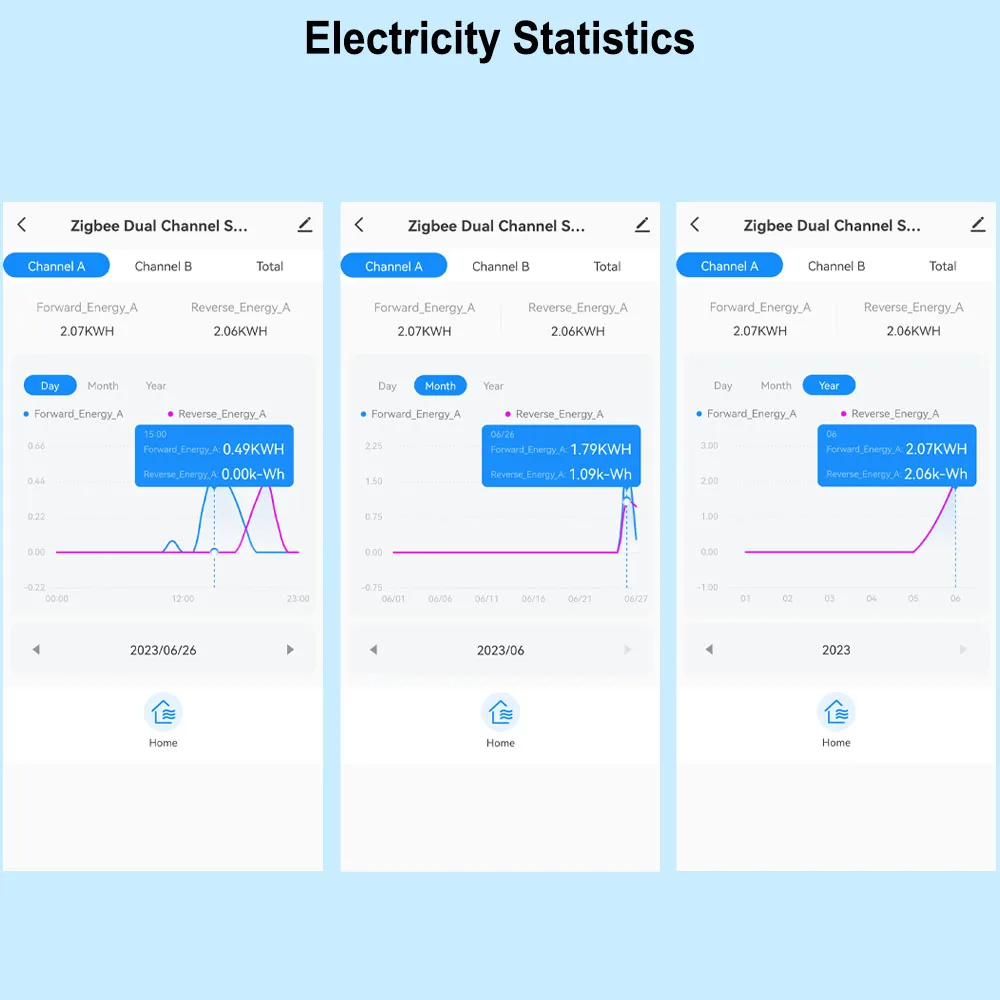
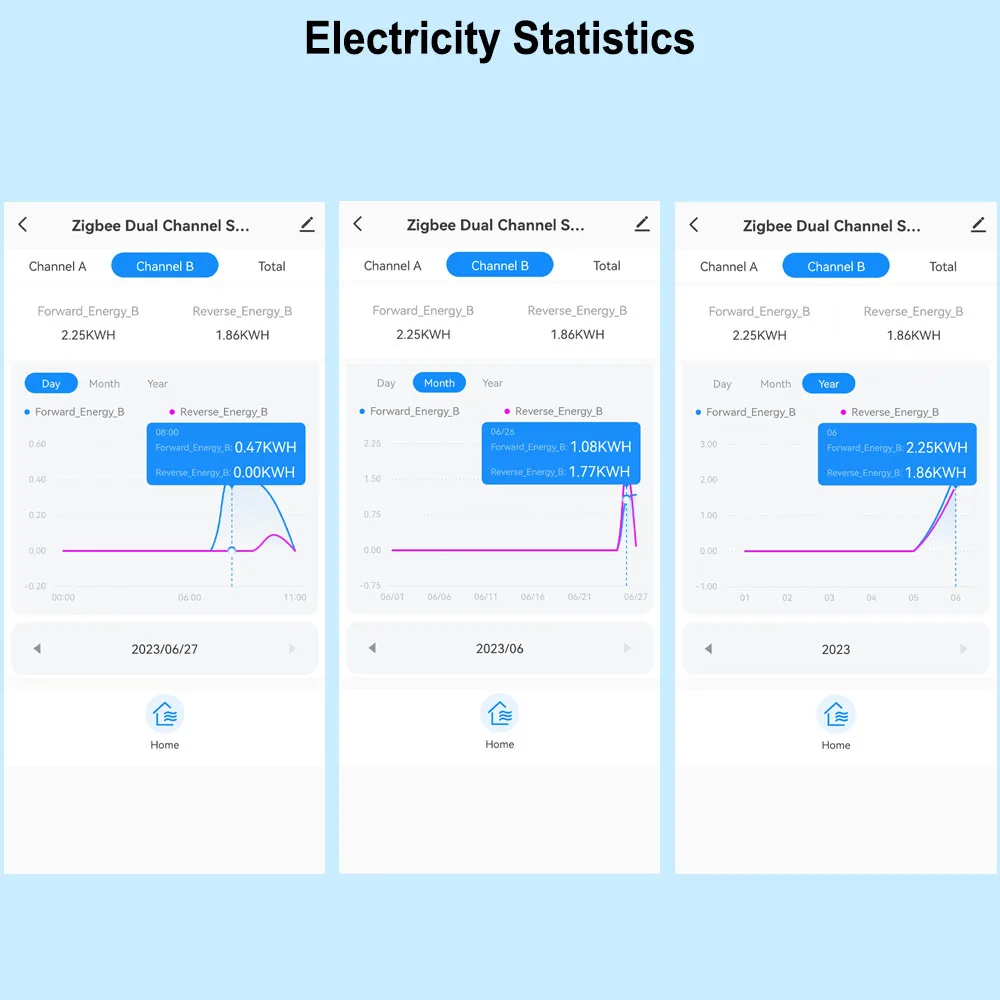
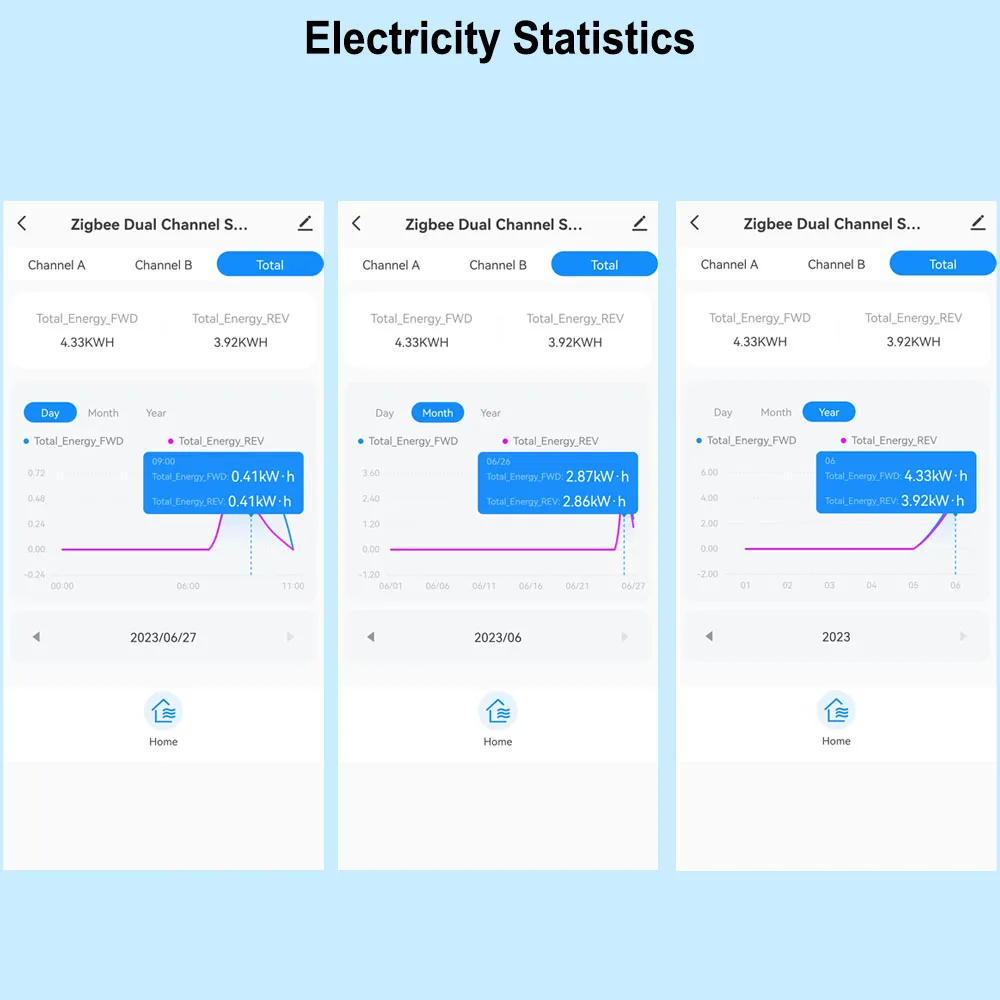
Electricity Statistic for each channel in Forward and Reverse direction.
Hourly Elec. (KWh)
Daily Elec. (KWh),
Monthly Elec. (KWh)
-Yearly Elec. (KWh)
Technical data:
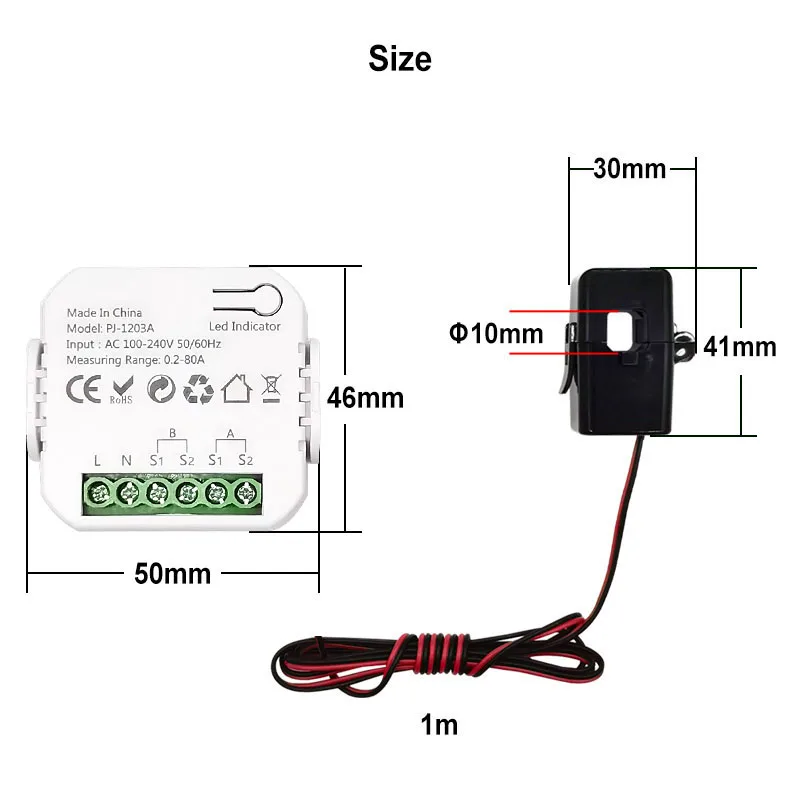
Rated Voltage:100-240V AC 50/60Hz
Measurable Current Range: 0.2A-80A
Wireless Protocol: ZigBee
Ambient Temperature Range:-10°C ~ 55°C
Electricity Statistic Channel A , B Separately and Total daily monthly, yearly Reverse and Forward Direction
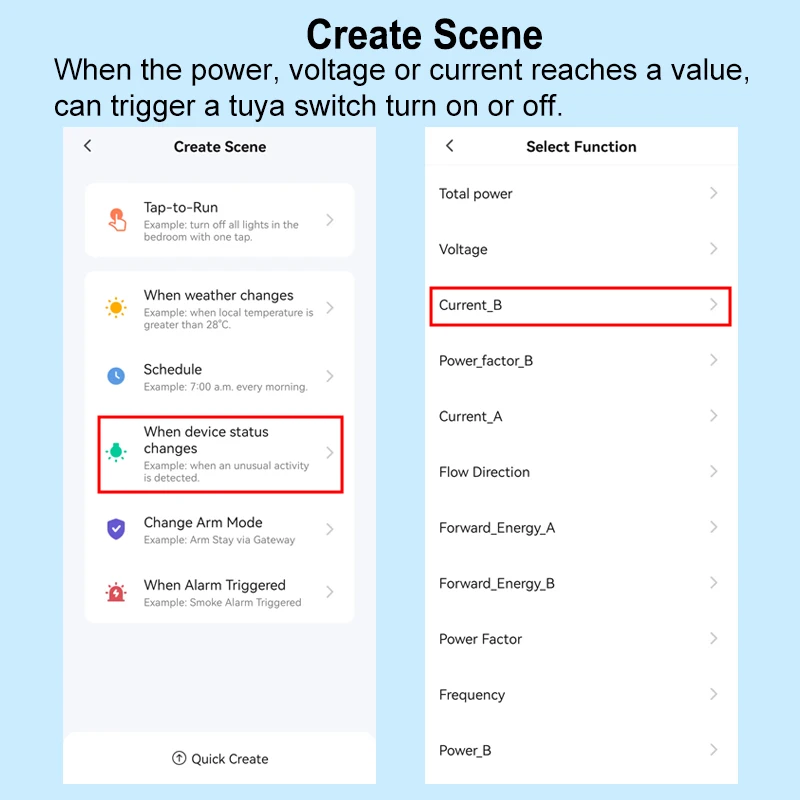
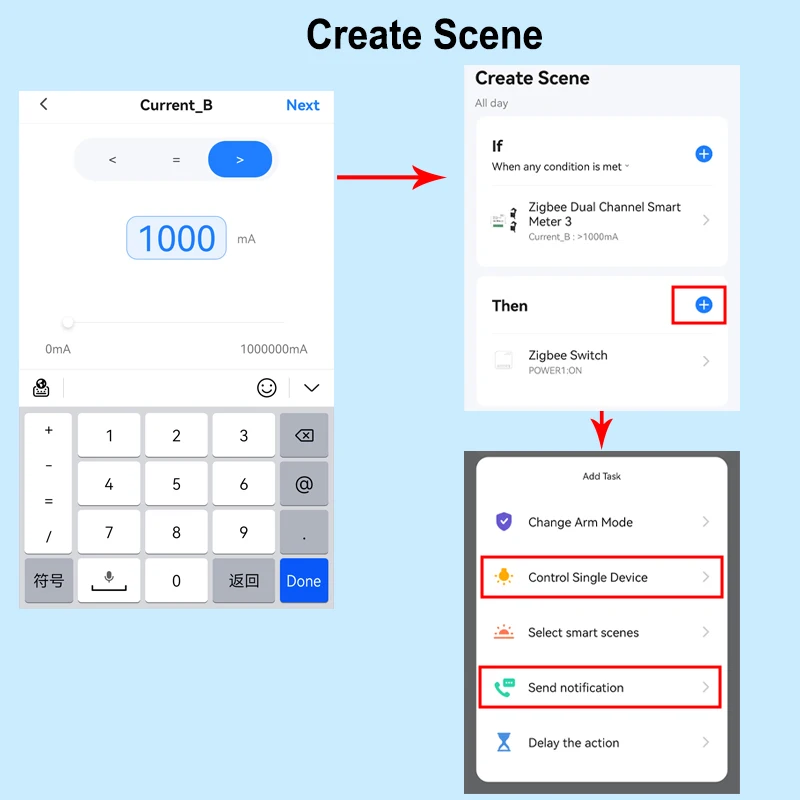
Automation , It allows to make a Scene for this device working with other tuya devices
For example, If Power or Current Is over the Value, then other tuya device starts to work .
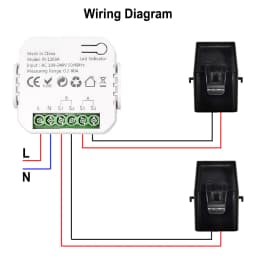
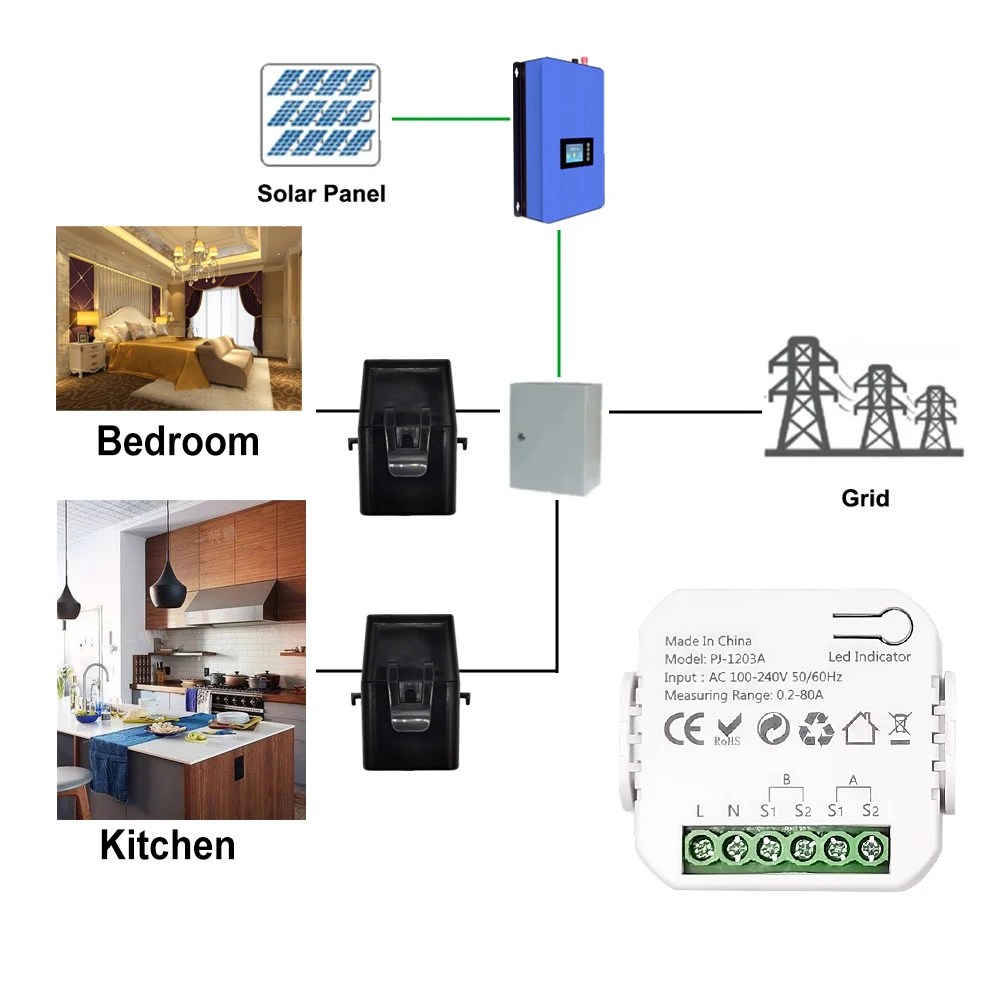
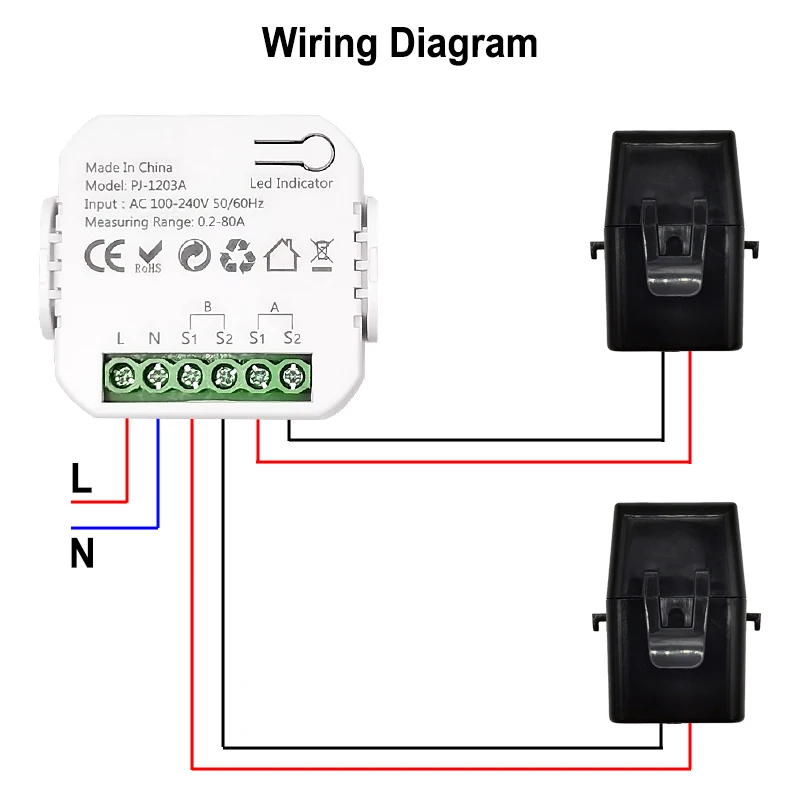
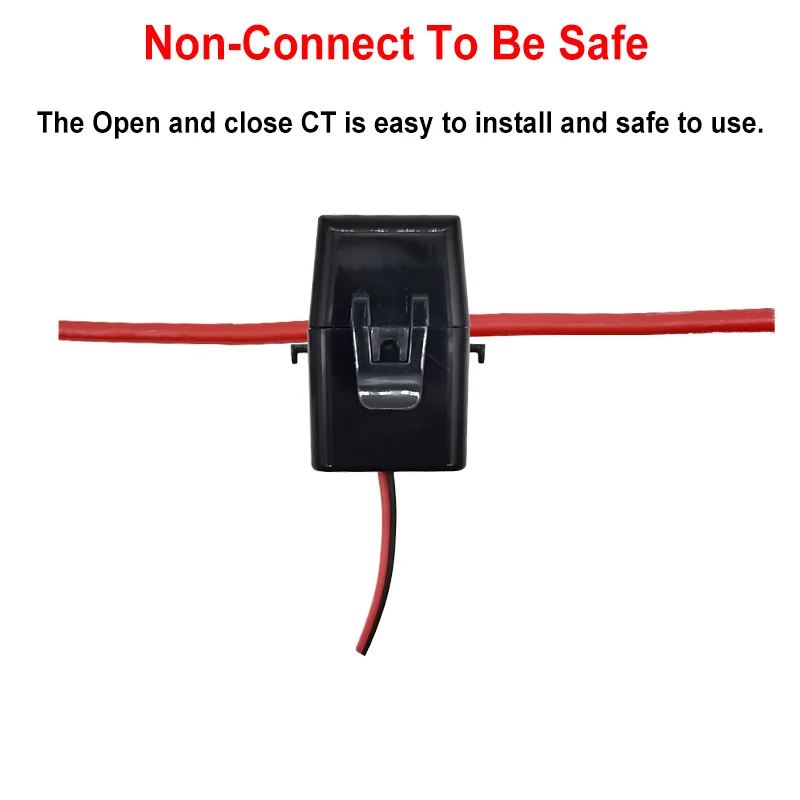
Wiring Diagram
Customer Reviews
No reviews yet
Smart Life ZigBee Energy Monitor, 1, 2 Channel Bidirectional with Current Sensor, App Monitor Power, AC100- 240V Need Gateway
Quantity:
1
Availability:
Not Available