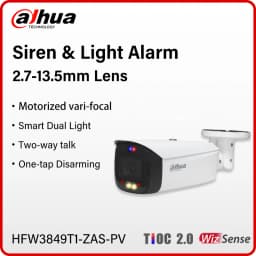
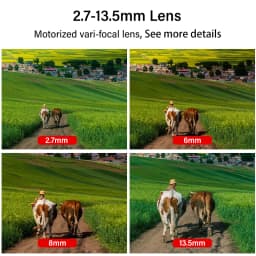
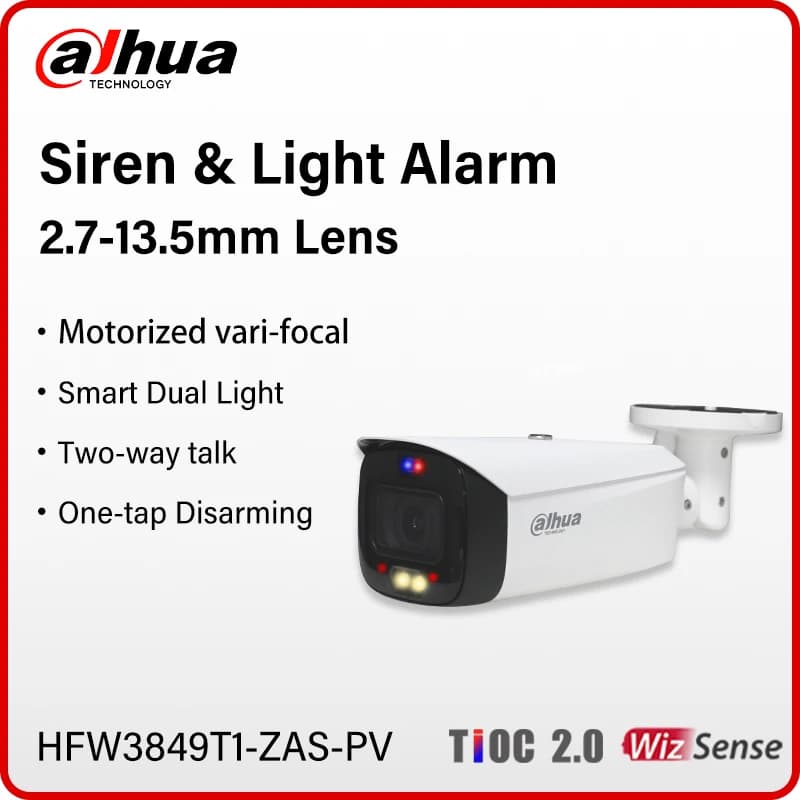
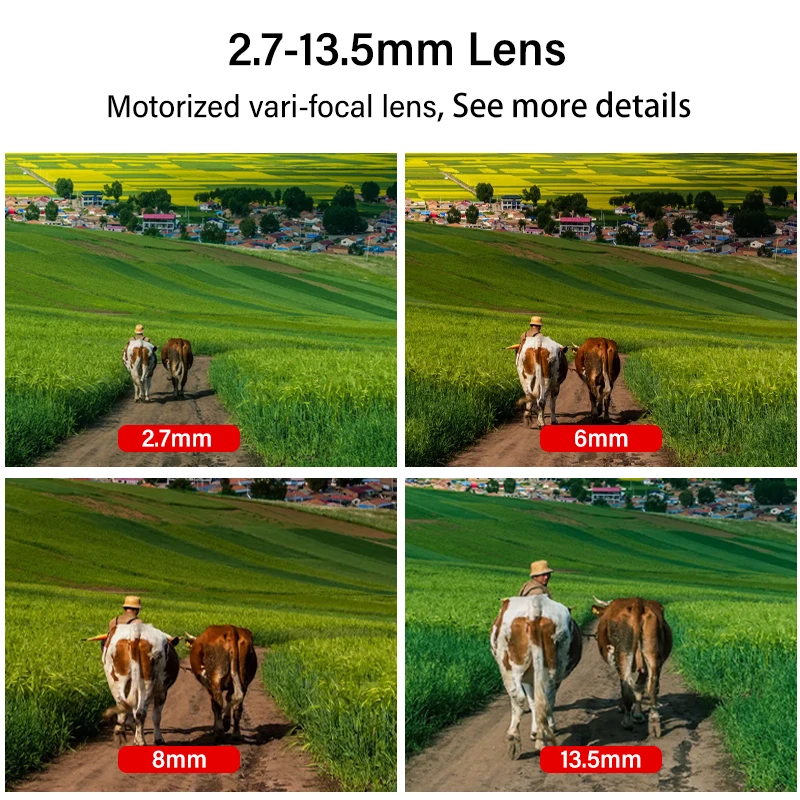
Dahua 8MP 4MP Vari-focal CamOutdoor Siren&Light Active Deterrence Camera 2.7–13.5mm Lens Two-way Talk Tioc 2.0 HFW3849T1-ZAS-PV
Quantity:
1
Availability:
Not AvailableCard Payments
Crypto Payments
Easy return
Reliable Shipping
No S5 Series
Series Overview
With advanced deep learning algorithm, Dahua WizSense 3 Series network camera supports intelligent functions, such as perimeter protection and smart motion detection. With starlight technology, this series camera provides a better image effect in the condition of low illuminance.
Functions
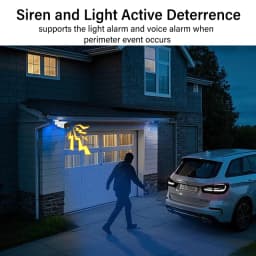
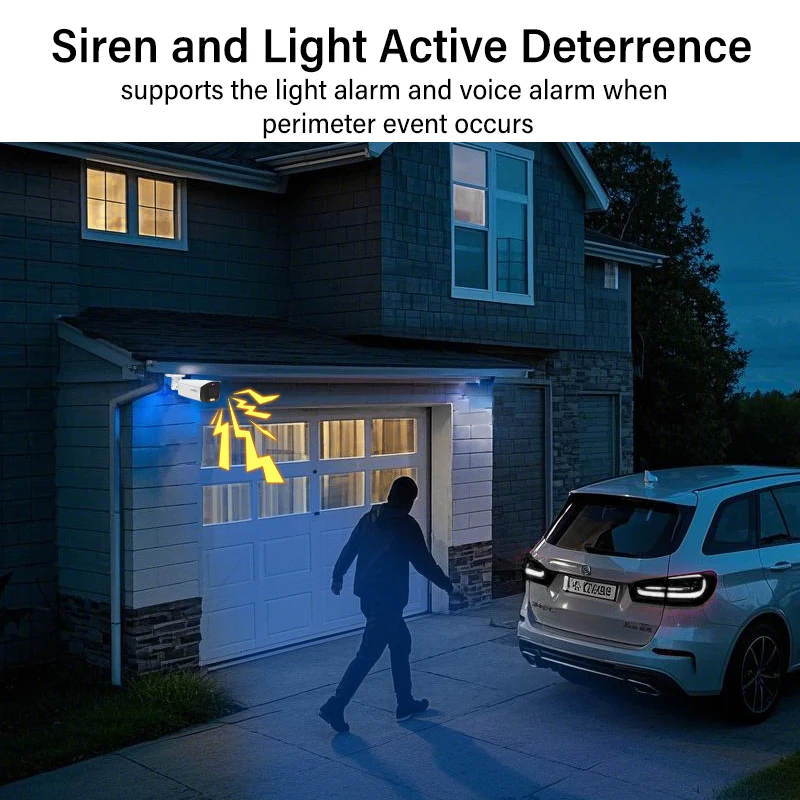
Siren And Light Active Deterrence
Dahua siren and light active deterrence network camera supports the light alarm and voice alarm when perimeter event occurs, to realize the deterrence and effective intervention. The camera is built in multiple voices for selection, and supports customized voice importing.
Smart Dual Light
Dahua Smart Dual Light technology adopts smart algorithm to detect targets. Usually, the IR illuminator is on at night; when the target appears in the monitoring area, the warm light is on, and the camera records the full-color video and information of key events. That is, the camera links snapshot and video with full-color image. When the target is out of the monitoring area, the warm light is off and the IR illuminator is on, which reduces light pollution efficiently.
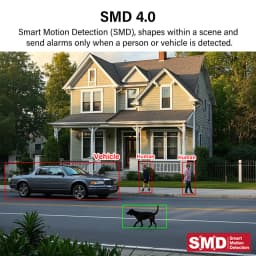
SMD 4.0
Dahua Smart Motion Detection technology works with intelligent algorithms to classify targets that trigger motion detection alarms. It
filters out objects that are not targets, such as small and large animals, to avoid triggering false alarms. With an AI NVR, Quick Pick technology becomes available, allowing you to easily search for and pick out human and vehicle targets from SMD event videos, prioritizing the highest matches.
One-tap Disarming
Dahua One-tap Disarming function, which is convenient and easy for operation, is the switch for event linkage. Customers can close and recover event linkage through mobile App, which meets multi-scenarios needs.
Protection (IP67, wide voltage)
IP67: The camera passes a series of strict test on dust and soak. It has dust-proof function, and the enclosure can works normal after soaking in 1 m deep water for 30 minutes.
Wide voltage: The camera allows ±30% input voltage tolerance (wide voltage range), and it is widely applied to outdoor environment with instable voltage.
IPC-HFW3849T1-ZAS-PV
8MP Smart Dual Light Active Deterrence Vari-focal Bullet WizSense Network Camera
> 8-MP 1/2.8" CMOS image sensor, low luminance, and high definition image.
> Outputs max. 8 MP (3840 × 2160) @25/30 fps.
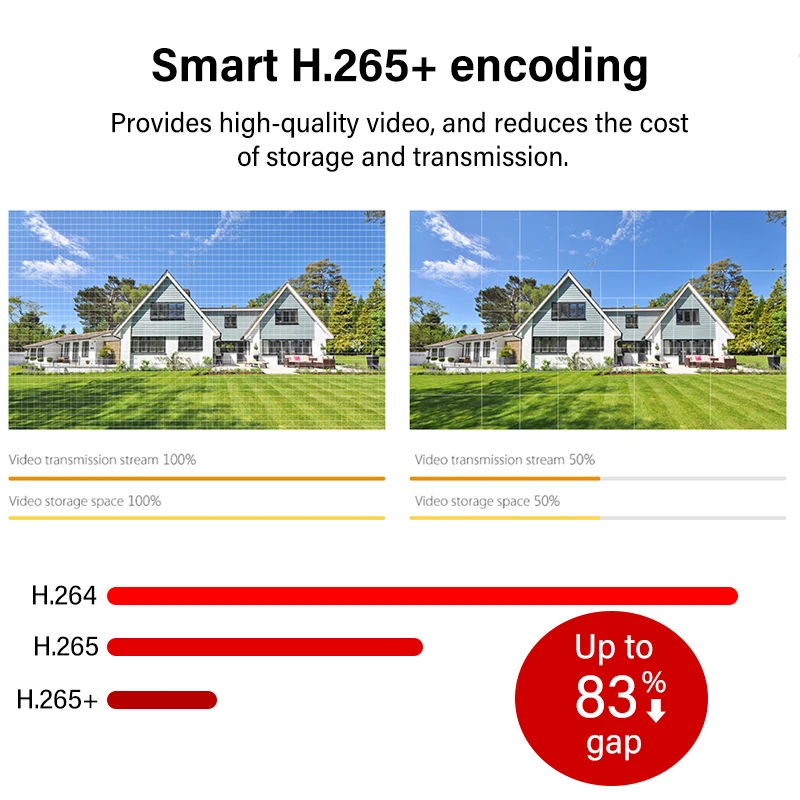
> H.265 codec, high compression rate, ultra-low bit rate.
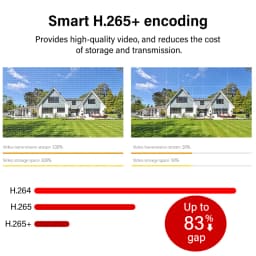
> Built-in warm light and IR LED; the max. IR illumination distance is 50 m and warm light distance is 40 m. · ROI, SMART H.264+/H.265+, AI H.264/H.265, flexible coding, applicable to various bandwidth and storage environments.
> Rotation mode, WDR, 3D NR, HLC, BLC, digital watermarking, applicable to various monitoring scenes.
> Intelligent monitoring: Intrusion, tripwire (the two function support the classification and accurate detection of vehicle and human).
> Abnormality detection: Motion detection, privacy masking, scene changing, audio detection, no SD card, SD card full, SD card error, network disconnection, IP conflict, illegal access, and voltage detection.
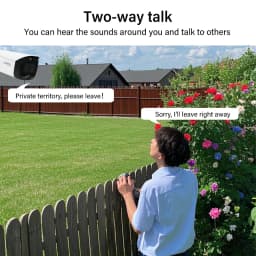
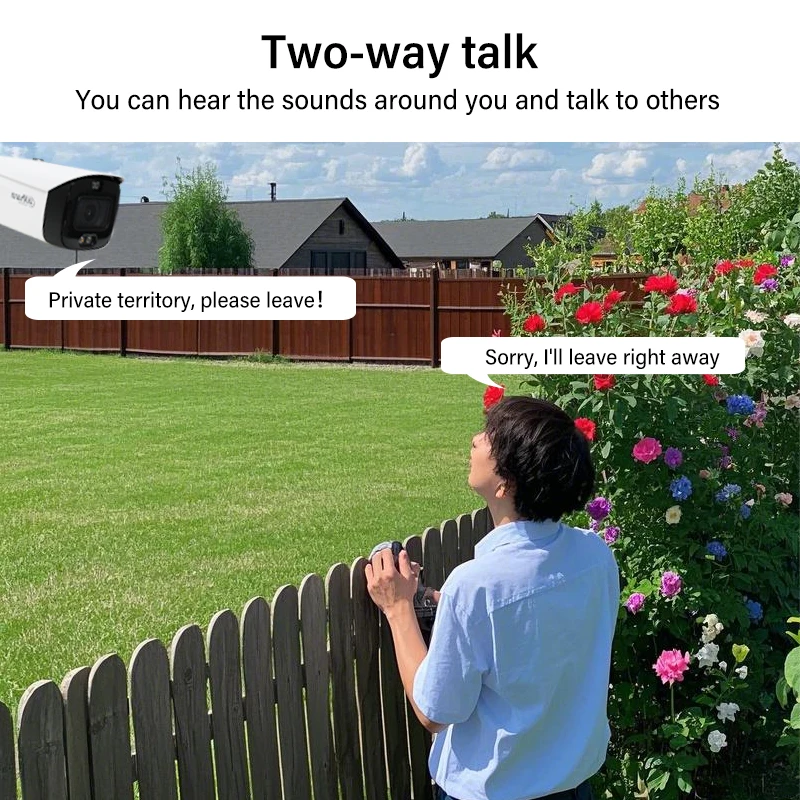
> Alarm: 1 in, 1 out; audio: 1 in, 1 out; supports max. 256 G Micro SD card; built-in dual Mic; built-in speaker; support two-way talk.
> 12 VDC/PoE power supply.
> IP67 protection.
> Sound and light alarm (red and blue lights).
> SMD 4.0.
> One-tap arming/disarming through alarm input.
FAQ
About the Order
After you place an order, usually we will ship it within 24 hours.
if the stock is not enough or the order address problem we will contact you in time, please pay attention to ALiexpress message.
About Warranty
After delivery, if there is any quality problem within 7 days, free replacement or refund.
3 months of free maintenance, the freight is borne by both parties
Free maintenance within 1 year (if you need to replace the parts, the buyer bears the cost of the parts), and the shipping cost is borne by the buyer.
How to add IPC with POE function to NVR?
POE cameras could be added into NVR which supports POE function with both Manual mode and Plug-and-Play mode. When applying the Plug-and-Play mode, please kindly make sure the password of the camera is the same with the NVR.
Dahua camera supports plug and play, if you forget the password, you can restore the factory settings.
How do I update the device's firmware?
Log in to your account in the DMSS app, go to the preview page then click the gear icon in the top right corner, then go to the Device Info page. Now, select the Cloud Upgrade option to check for new firmware. If new firmware is available, you'll be able to start the update.
Package hasn't been updated with tracking information for many days?
We promise that all packages will arrive within 60 days, and if they don't, we are willing to give a full refund.
For large parcels, it takes more shipping time and longer time for customs inspection. If there is no updated tracking information for more than a week, it is normal and may be caused by the following situations: 1. Parcel is queuing up for flights, 2. Arrived at customs and waiting for you to clear, 3. Waiting for local logistics provider to pick up.
About shipping
Usually we will ship according to your choice of logistics, in case of standard logistics, delivery is usually within 7-25 days in EU. International express (DHL/FEDEX/UPS/EMS) delivery within 3-15 days. Delivery may be delayed in case of customs inspection and parcels that need to be cleared.
If your parcel is not updated for more than 10 days, please contact us..
How to Solve IP Camera No Link Issue on PoE NVR
IP cameras could be added into PoE NVR with both Manual mode and Plug- and- Play mode. When applying the Plug- and- Play mode, please kindly make sure it is Dahua brand camera, and the password of the camera is the same as the NVR. For “No Link” issue, please enter NVR. Menu - Camera - IP Camera, click Status icon of camera to check the error message first.
What Can We do If NVR Cannot View via Chrome?
You can view the NVR through the mobile app and Dahua's official tool, the.
If you want to use Chrome browser to view, download Plug-In first, install it and restart the browser, then you can view via Chrome.
What if the camera can only be used on a LAN??
1.Usually this is because the camera is only connected to the LAN and not to the Internet. Please check your router internet is normal, then reset the webcam and turn on DHCP for the camera.
2.If the problem is still not solved, it may be IP error, please try to change your router IP to 192.168.1.1 to reconnect.
NVR cannot add a third-party camera
Make sure your IPc must support ONVIF protocol
About VAT and Customs duty
VAT of 20%-24% is required in EU, the displayed price has included VAT.
The EU may add extra duty for orders over 150 euros, which is decided by the customs.
(VAT and customs duty are two different taxes, and customs duty is only levied on orders over €150.)
We suggest you contact ALiexpress customer service or customs to know the tariff before purchase.
When the parcel arrives at customs, please contact the logistics provider or the customs office to clear customs and pay taxes.
If you need an invoice or assistance with customs clearance, please contact us..
If you do not want to pay the customs duty, please do not place an order!!!!
How to reset the camera?
Most Dahua camcorders have a reset button, usually located next to the SD card slot or on the motherboard, which can restore the camcorder to factory settings by long-pressing it for 10s under power-on condition.
You can match the Dahua configuration tool to detect the camera status.
If you still can't connect after reset, it may be an IP problem, please change your network IP to 192.168.1.1.
Can the camera be used in my country?
This is the Dahua 100% original international version of the camcorder and can be used in all countries.
Support upgrade and Dahua official APP.
How can I view the video recorded in SD card?
login into your account, go to preview page then click “View history record”, and then select the recorded video you want to view in calendar page.
Cameras can't record all day?
Please check if the recording function is turned on during motion detection, and then check the recording schedule to see if it is 7x24H..
Customer Reviews
No reviews yet
Dahua 8MP 4MP Vari-focal CamOutdoor Siren&Light Active Deterrence Camera 2.7–13.5mm Lens Two-way Talk Tioc 2.0 HFW3849T1-ZAS-PV
Quantity:
1
Availability:
Not Available