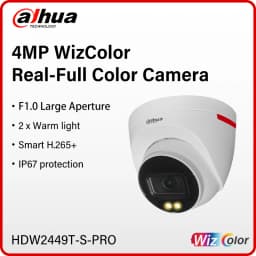


Dahua 4MP 8MP WizColor Camera HDW2449T-S-PRO HDW2849T-S-PRO Human Detection Security Camera F1.0 Aperture As Bright As Daylight
Quantity:
1
Availability:
Not AvailableCard Payments
Crypto Payments
Easy return
Reliable Shipping
Functions
WizColor Technology
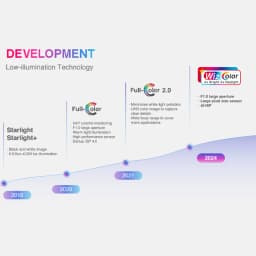
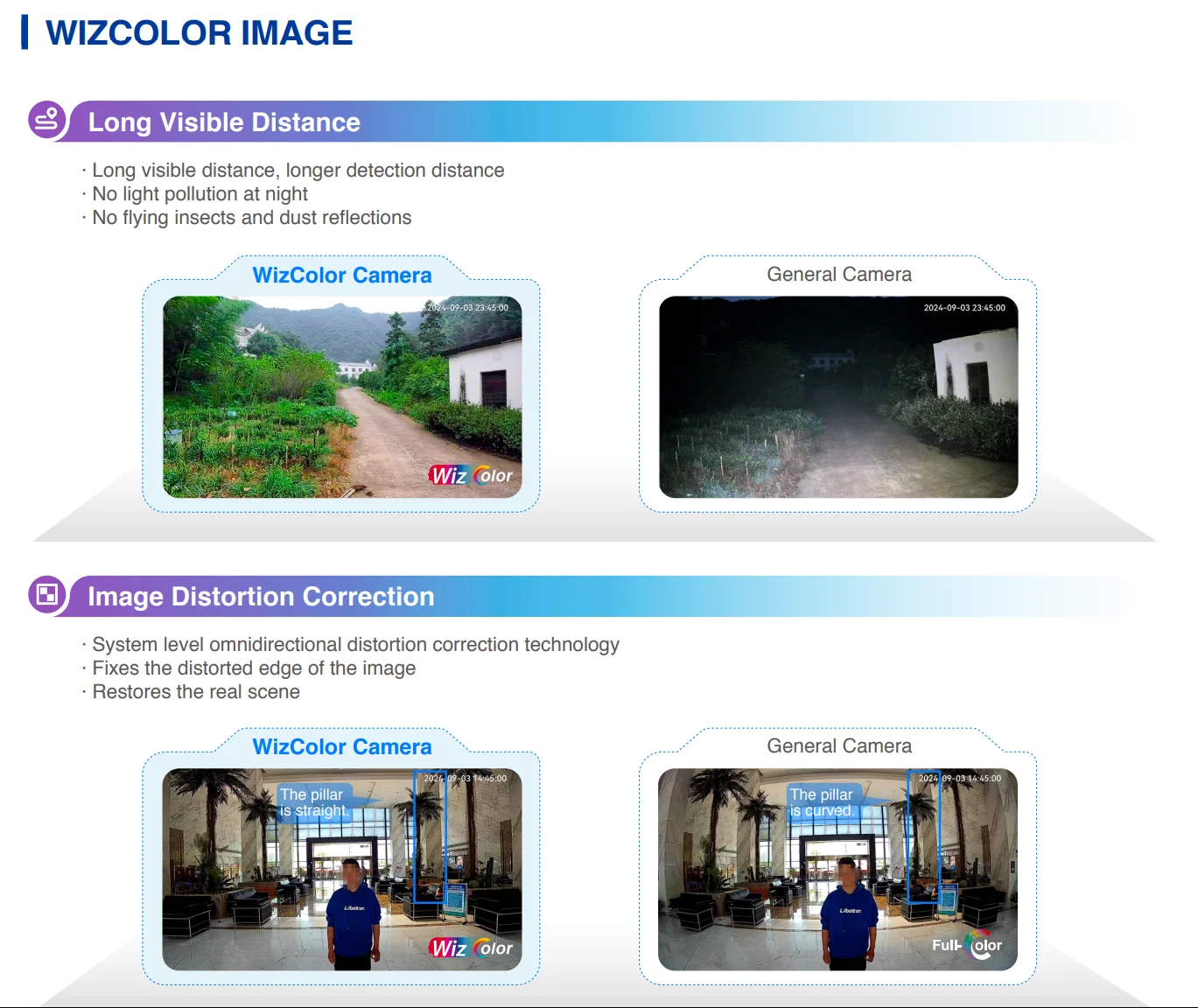
Dahua WizColor Technology seamlessly combines with the powerful AI-ISP, large pixel size sensor and large aperture in cameras. This unique integration enables cameras to effortlessly capture highquality images with vibrant colors during nighttime scenarios, ensuring fine details are preserved and minimizing motion blur. Unlike traditional self-illuminating cameras, Dahua WizColor Technology maximizes the utilization of weak light sources, such as moonlight and city lights reflected in the sky, delivering captivating full-color images of the entire scene. It also ensures that monitoring distances are not compromised at night due to limited illumination ranges, facilitating
full-color image capture even over long distances.
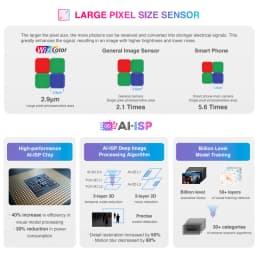
AI-ISP
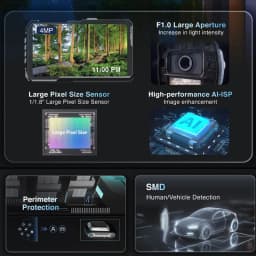
With AI ISP technology, the camera is able to easily adapt to scenes, producing high quality images that reveal the fine details of targets.
SMD Plus
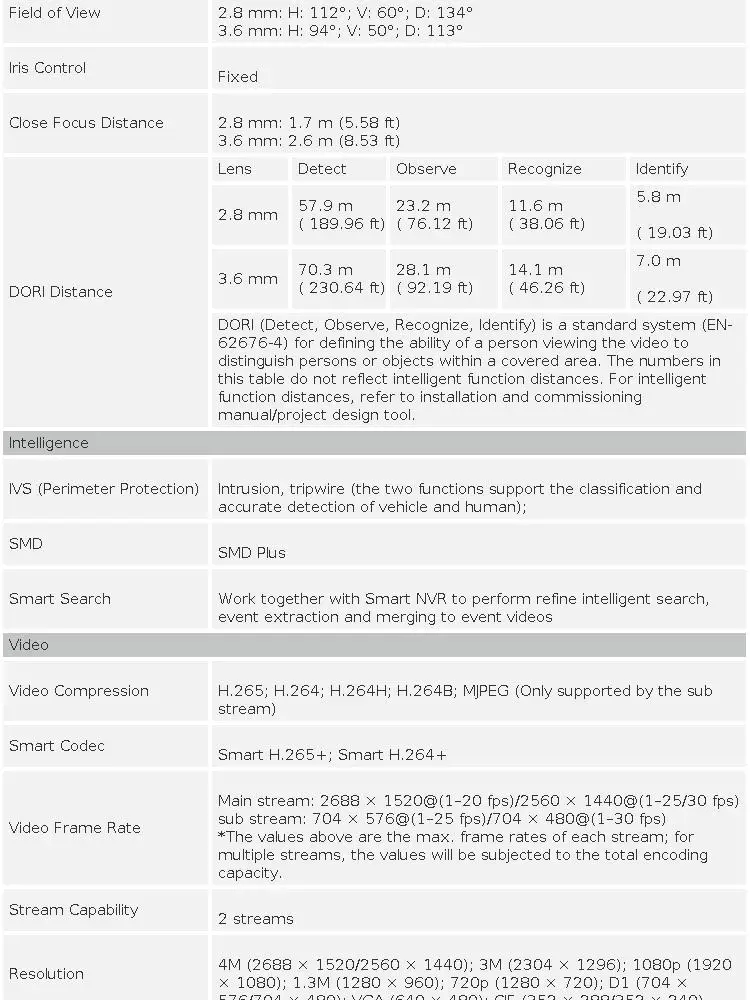
With intelligent algorithm, Dahua Smart Motion Detection technology can categorize the targets that trigger motion detection and filter the motion detection alarm triggered by non-concerned targets to realize effective and accurate alarm.
Perimeter Protection
With deep learning algorithm, Dahua Perimeter Protection technology can recognize human and vehicle accurately. In restricted area(such as pedestrian area and vehicle area), the false alarms of intelligent detection based on target type (such as tripwire, intrusion, fast moving, parking detection, loitering detection and gathering detection) are largely reduced.
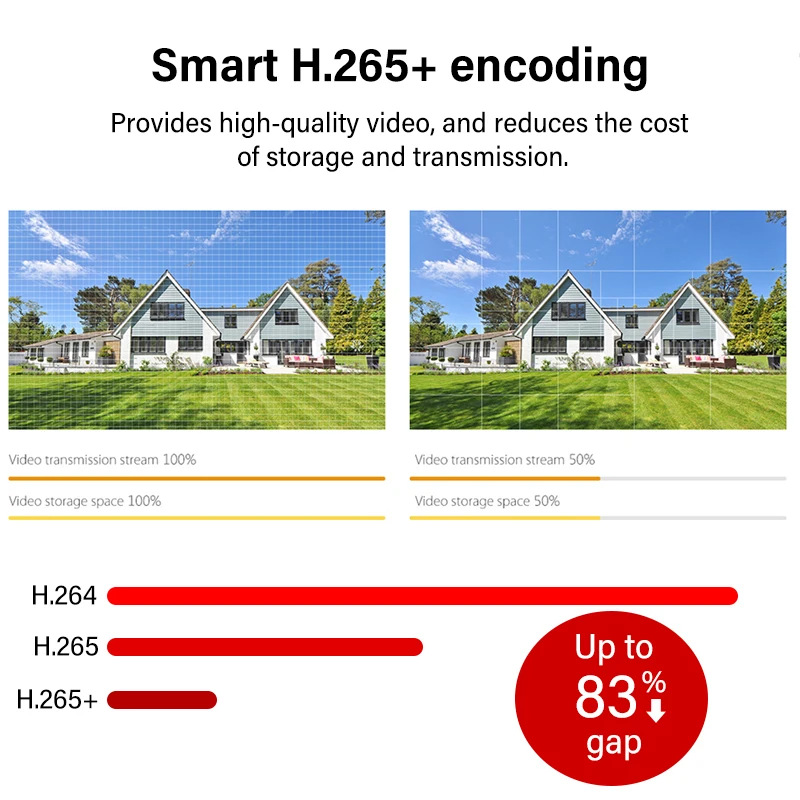
Smart H.265+ & Smart H.264+
With advanced scene-adaptive rate control algorithm, Dahua smart encoding technology realizes the higher encoding efficiency than H.265 and H.264, provides high-quality video, and reduces the cost of storage and transmission.

IPC-HDW2449T-S-PRO
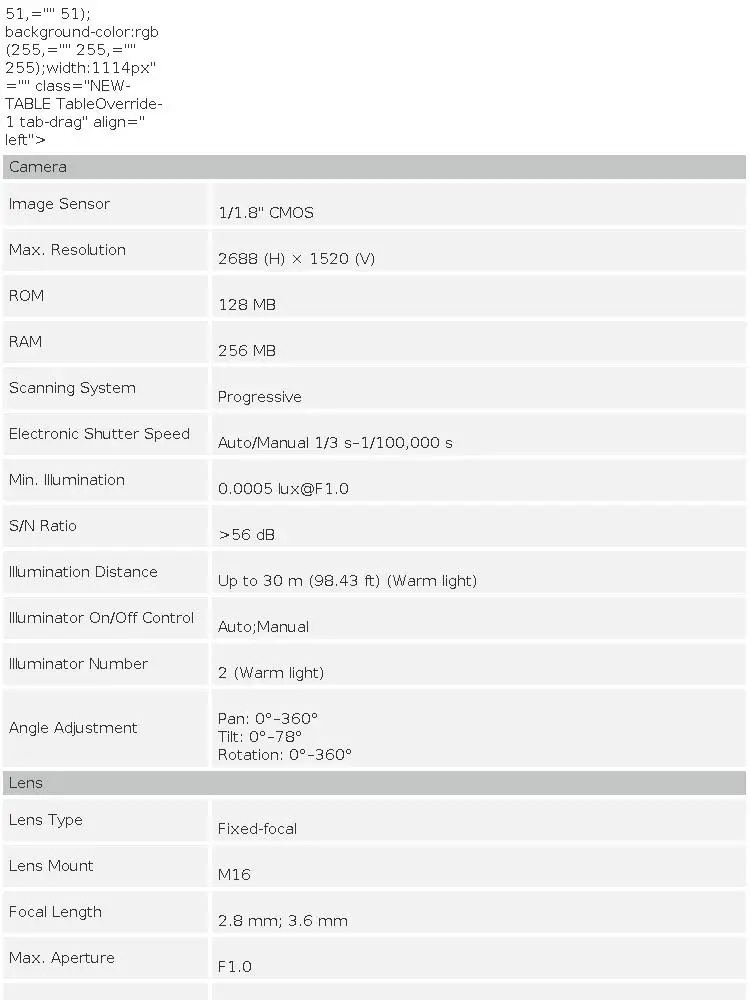
4MP WizColor Fixed-focal Eyeball WizSense Network Camera
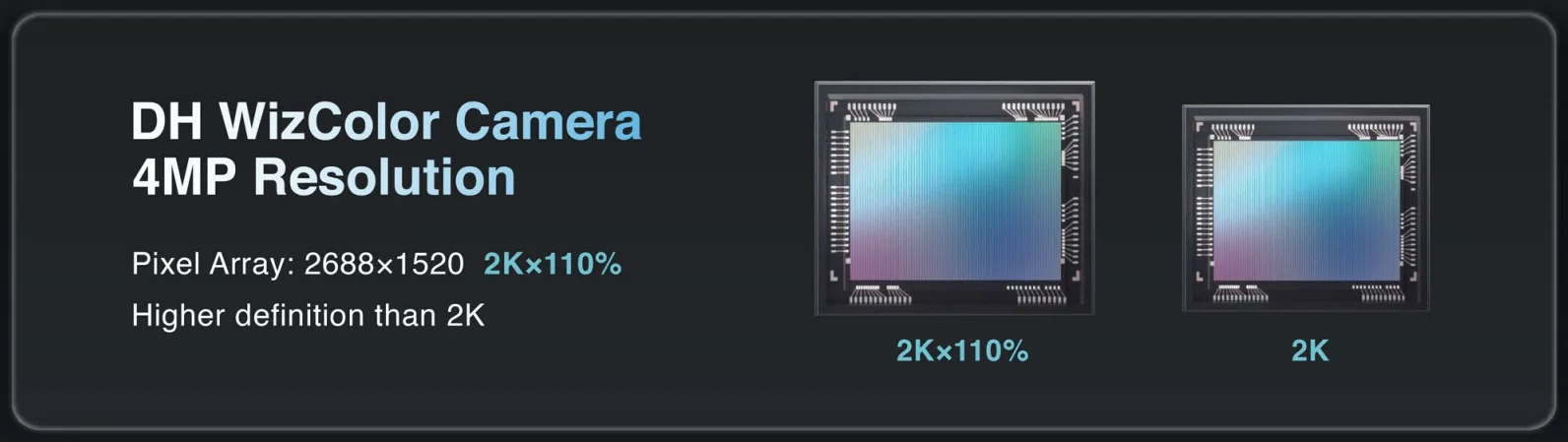
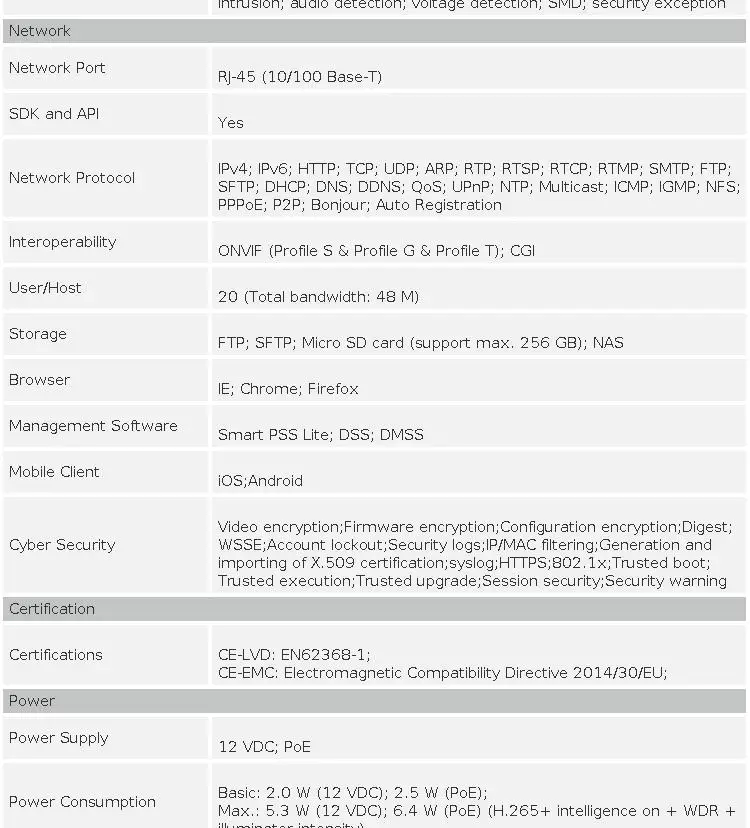
> 4-MP 1/1.8" CMOS image sensor, low luminance, and high definition image.
> Outputs max. 4 MP (2688 × 1520) @20 fps, and supports 2560×1440 (2560 × 1440) @25/30 fps.
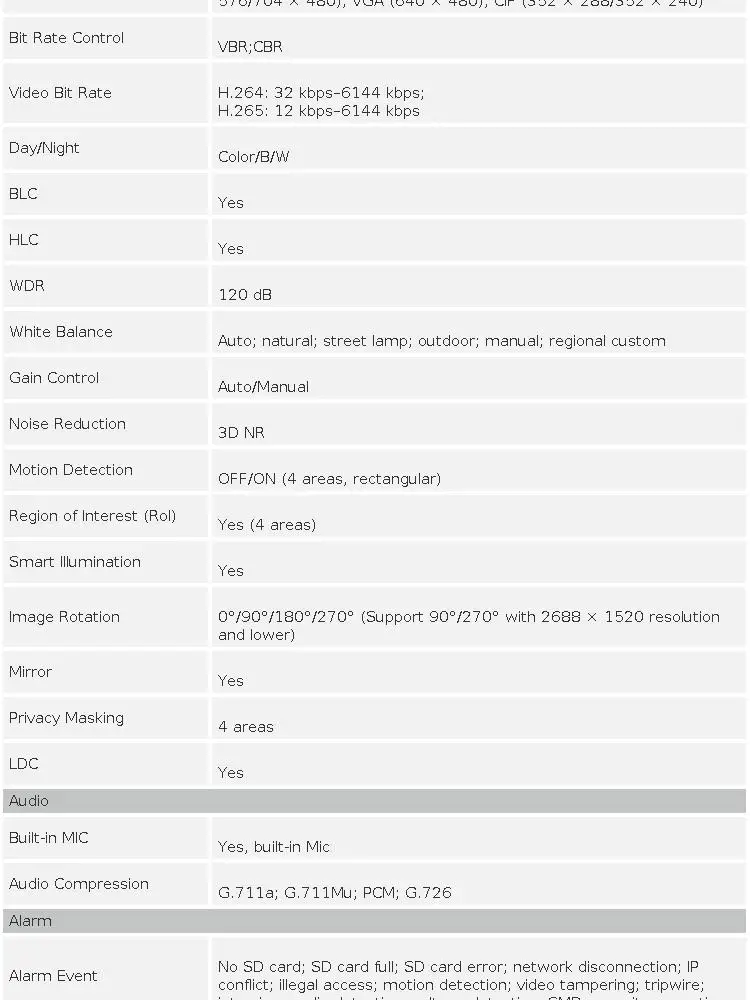
> H.265 codec, high compression rate, ultra-low bit rate.
> Built-in warm light, and the max. illumination distance is 30 m.
> ROI, SMART H.264+/H.265+, flexible coding, applicable to various bandwidth and storage environments.
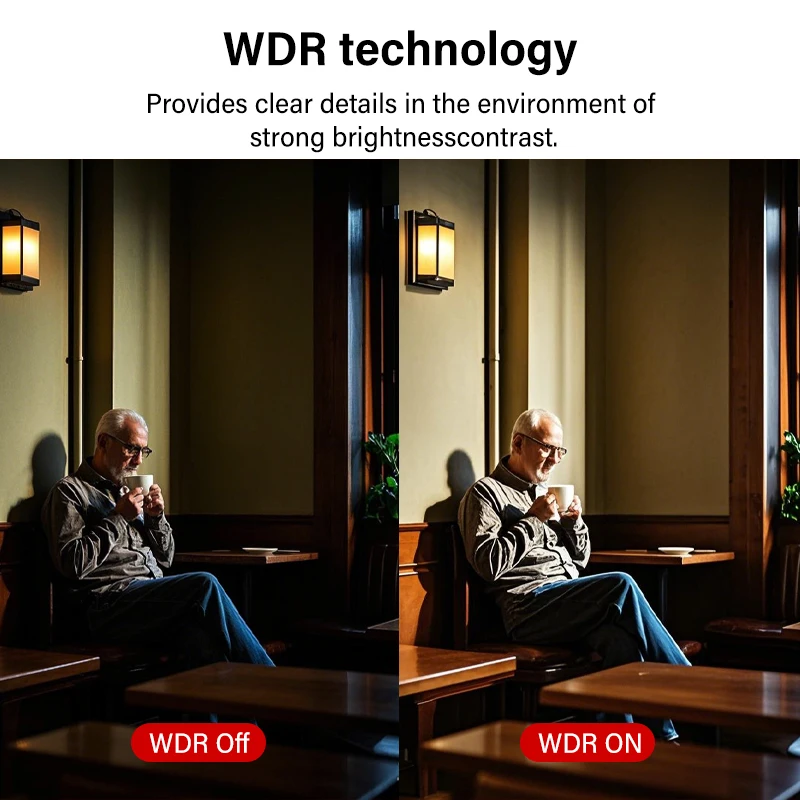
> Rotation mode, WDR, 3D NR, HLC, BLC, digital watermarking, applicable to various monitoring scenes.
> Intelligent monitoring: Intrusion, tripwire (the two functions support the classification and accurate detection of vehicle and human)
> Abnormality detection: Motion detection, video tampering, audio detection, no SD card, SD card full, SD card error, network disconnection, IP conflict, illegal access, and voltage detection.
> Supports max. 256 G Micro SD card; built in Mic.
> 12 VDC/PoE power supply, easy for installation.
> IP67 protection.
> SMD Plus

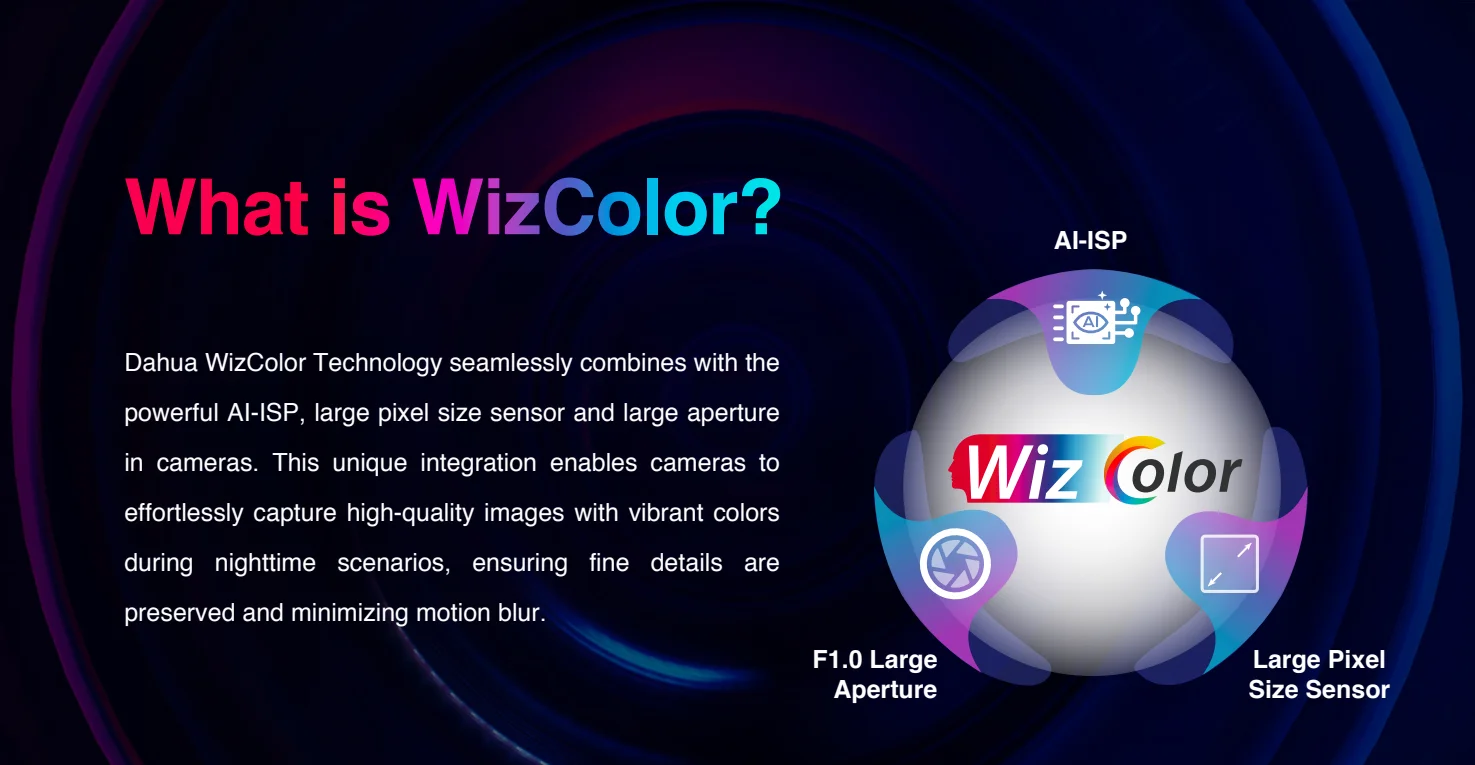
What is WizColor
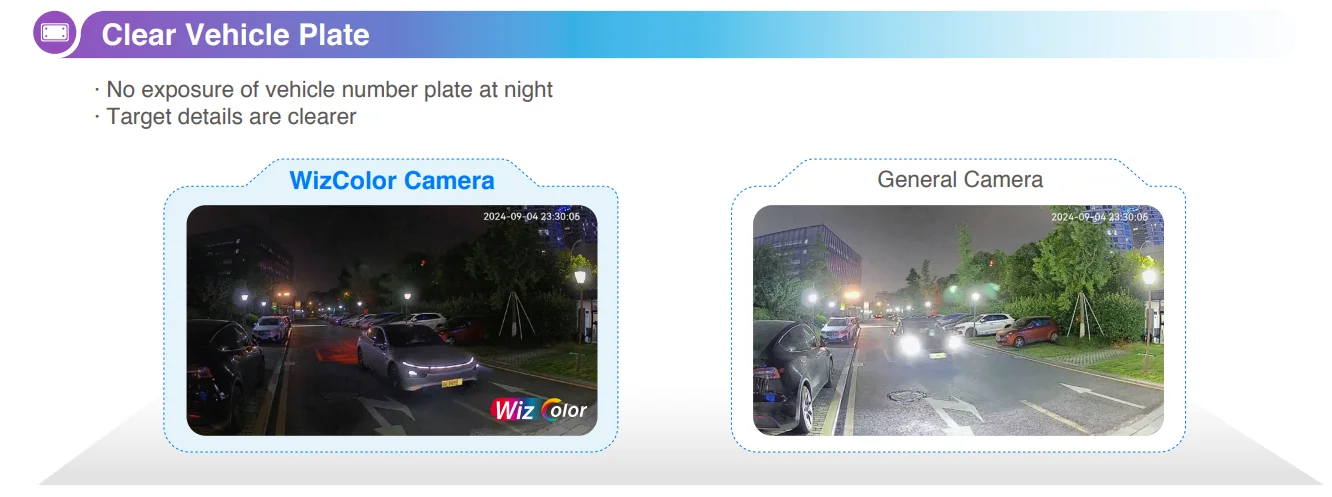
Dahua WizColor Technology seamlessly combines with the powerful AI-ISP, large pixel size sensor and large aperture in cameras. This unique integration enables cameras to effortlessly capture high-quality images with vibrant colors during nighttime scenarios, ensuring fine details are preserved and minimizing motion blur.
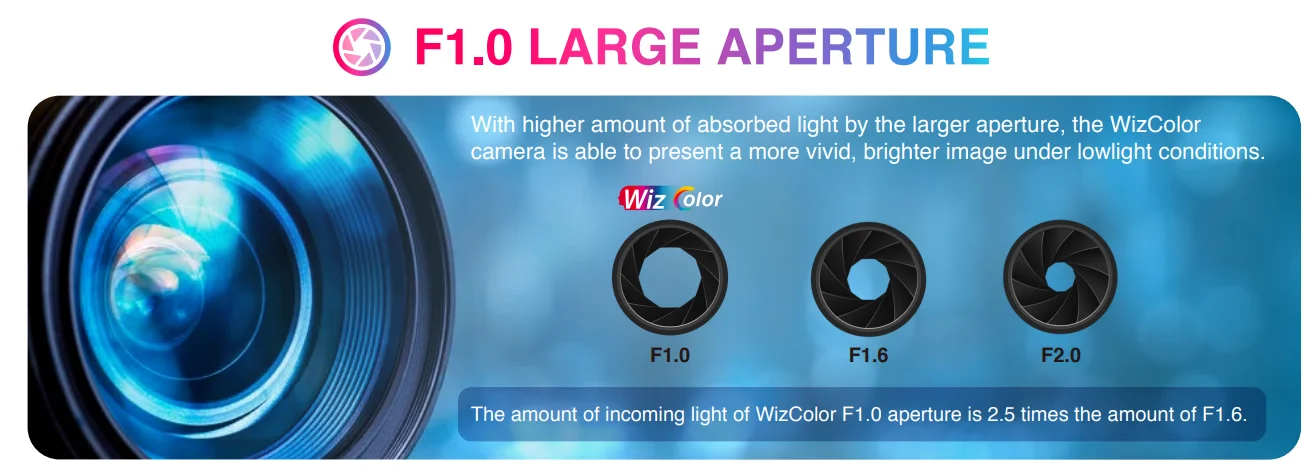
F1.0 Large Aperture
With higher amount of absorbed light by the larger aperture, the WizColor camera is able to present a more vivid, brighter image under lowlight conditions.
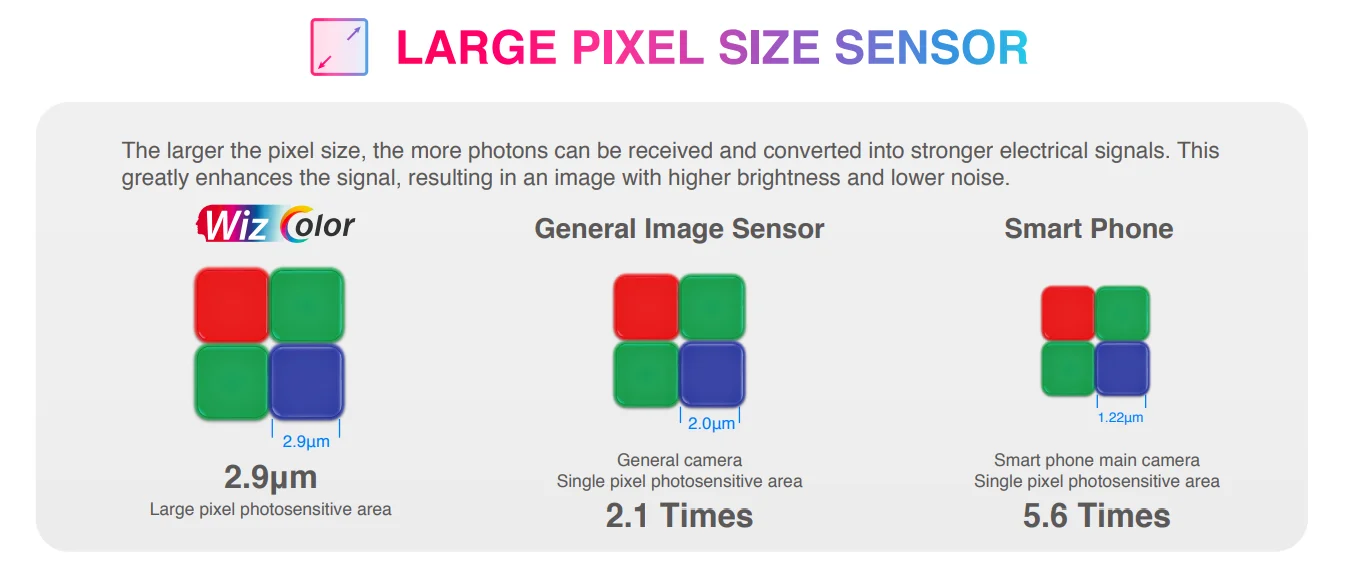
Large Pixel Size Sensor
The larger the pixel size, the more photons can be received and converted into stronger electrical signals. This greatly enhances the signal, resulting in an image with higher brightness and lower noise.
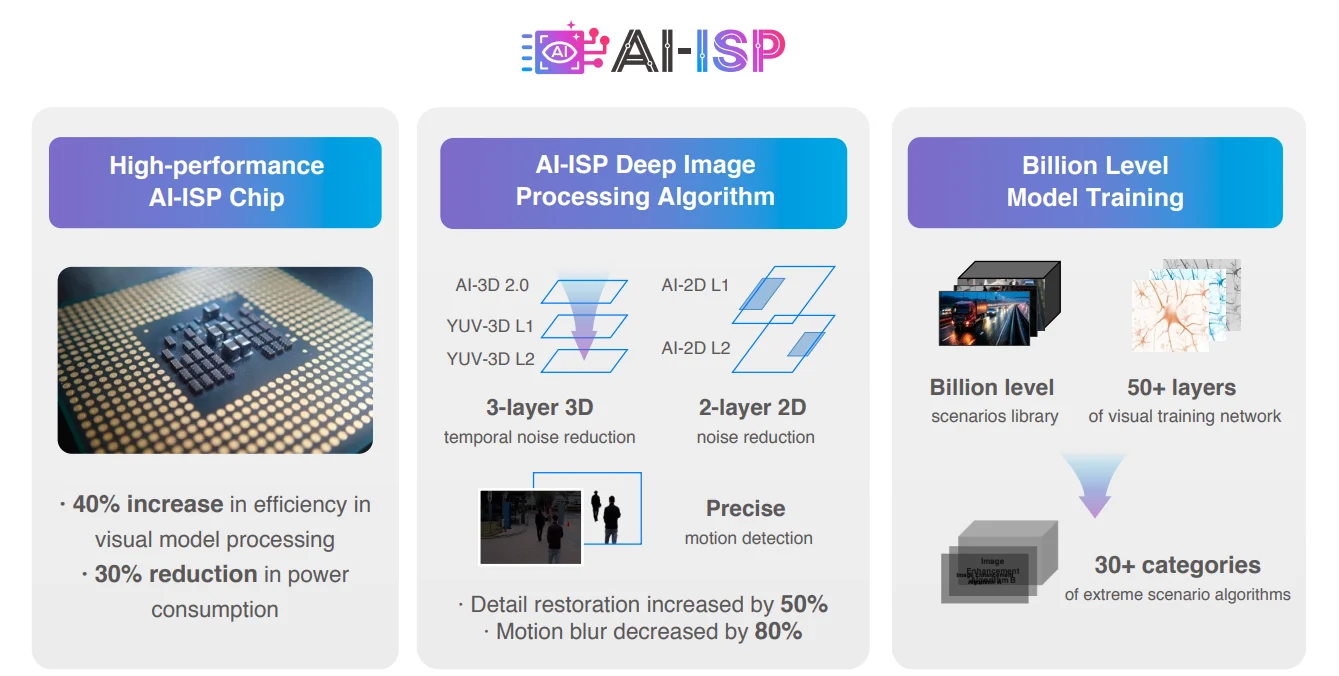
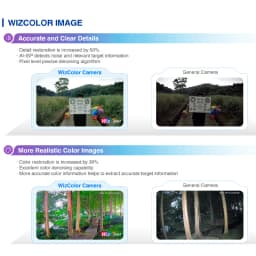
· Detail restoration is increased by 50%
· AI-ISP detects noise and relevant target information
· Pixel level precise denoising algorithm
· Color restoration is increased by 30%
· Excellent color denoising capability
· More accurate color information helps to extract accurate target information
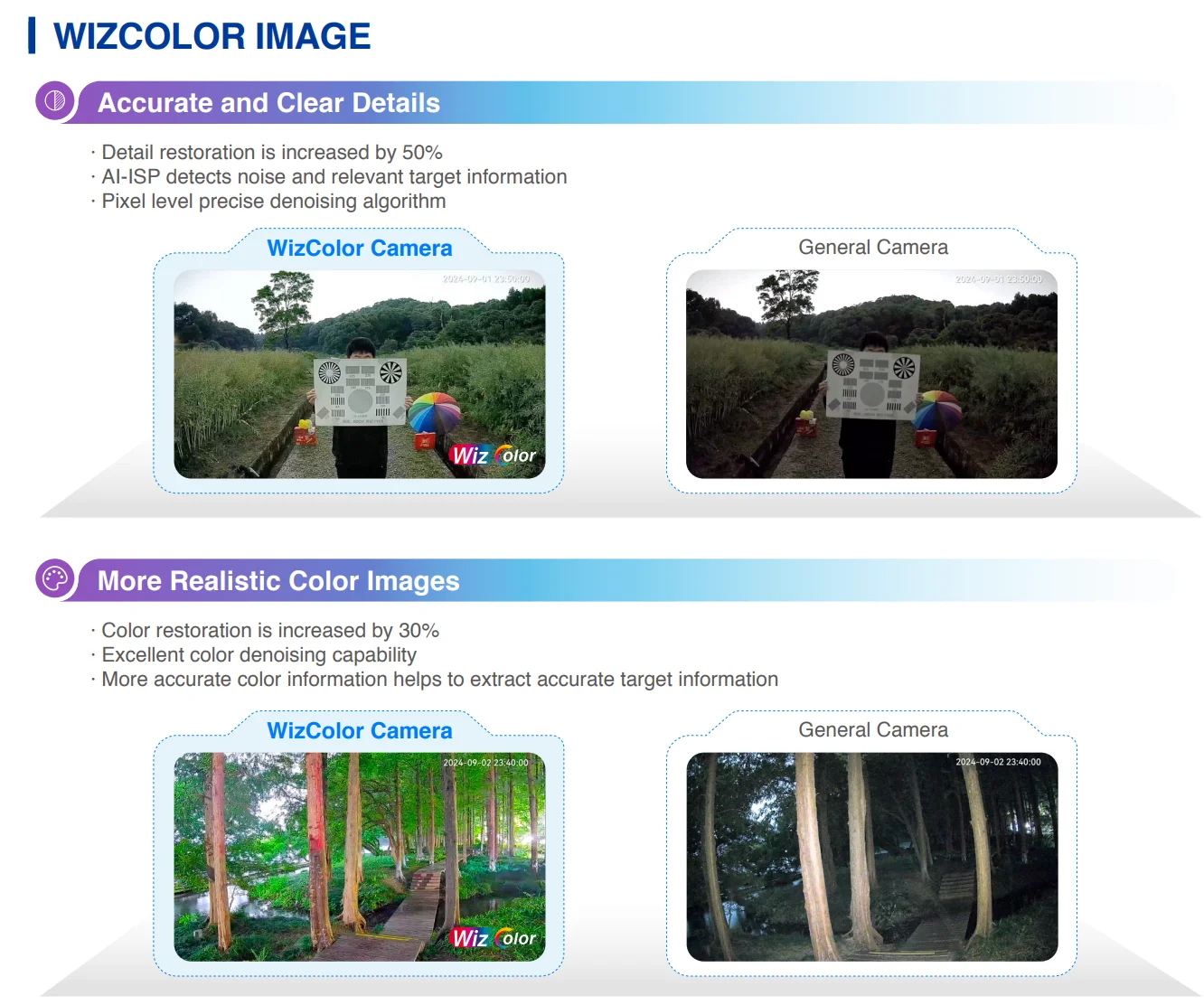
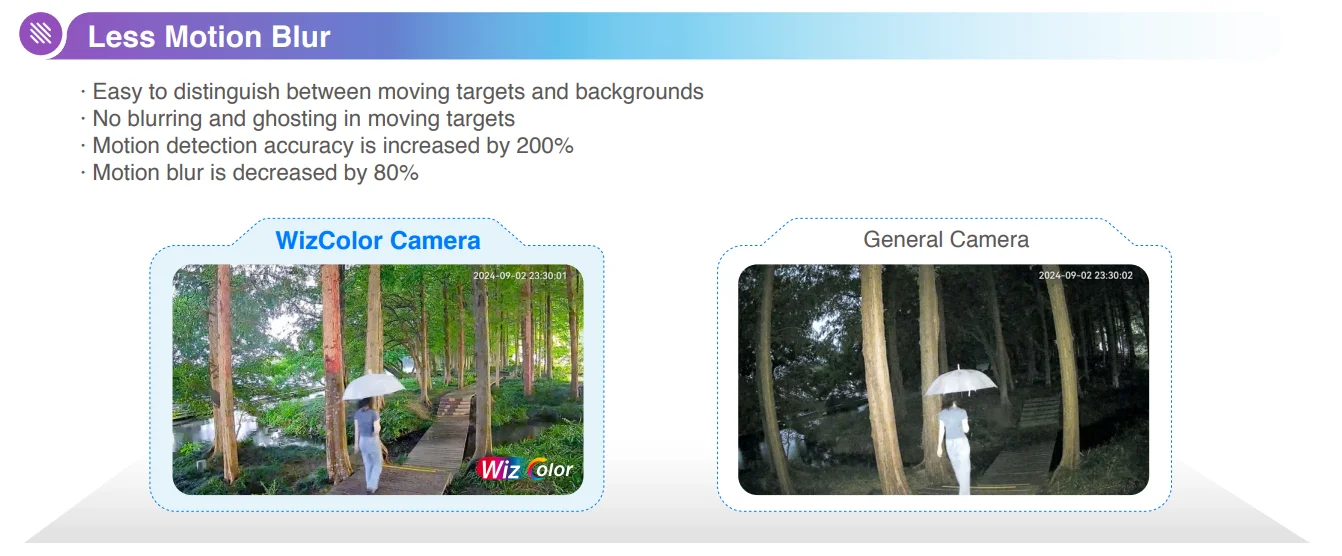
· Easy to distinguish between moving targets and backgrounds
· No blurring and ghosting in moving targets
· Motion detection accuracy is increased by 200%
· Motion blur is decreased by 80%



FAQ
About the Order
After you place an order, usually we will ship it within 24 hours.
if the stock is not enough or the order address problem we will contact you in time, please pay attention to ALiexpress message.
About Warranty
After delivery, if there is any quality problem within 7 days, free replacement or refund.
3 months of free maintenance, the freight is borne by both parties
Free maintenance within 1 year (if you need to replace the parts, the buyer bears the cost of the parts), and the shipping cost is borne by the buyer.
How to add IPC with POE function to NVR?
POE cameras could be added into NVR which supports POE function with both Manual mode and Plug-and-Play mode. When applying the Plug-and-Play mode, please kindly make sure the password of the camera is the same with the NVR.
Dahua camera supports plug and play, if you forget the password, you can restore the factory settings.
How do I update the device's firmware?
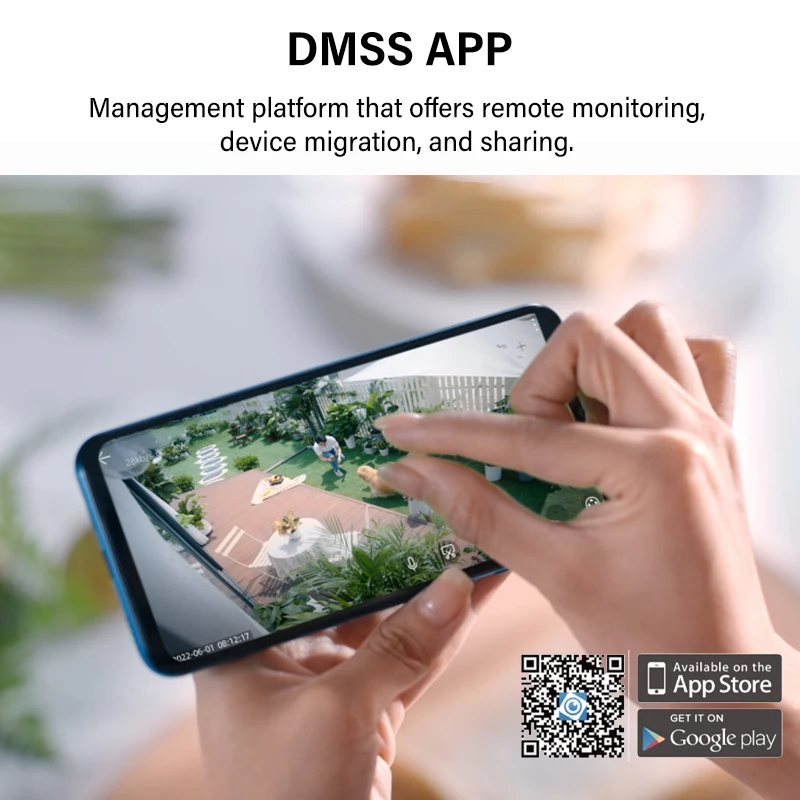
Log in to your account in the DMSS app, go to the preview page then click the gear icon in the top right corner, then go to the Device Info page. Now, select the Cloud Upgrade option to check for new firmware. If new firmware is available, you'll be able to start the update.
Package hasn't been updated with tracking information for many days?
We promise that all packages will arrive within 60 days, and if they don't, we are willing to give a full refund.
For large parcels, it takes more shipping time and longer time for customs inspection. If there is no updated tracking information for more than a week, it is normal and may be caused by the following situations: 1. Parcel is queuing up for flights, 2. Arrived at customs and waiting for you to clear, 3. Waiting for local logistics provider to pick up.
About shipping
Usually we will ship according to your choice of logistics, in case of standard logistics, delivery is usually within 7-25 days in EU. International express (DHL/FEDEX/UPS/EMS) delivery within 3-15 days. Delivery may be delayed in case of customs inspection and parcels that need to be cleared.
If your parcel is not updated for more than 10 days, please contact us..
How to Solve IP Camera No Link Issue on PoE NVR
IP cameras could be added into PoE NVR with both Manual mode and Plug- and- Play mode. When applying the Plug- and- Play mode, please kindly make sure it is Dahua brand camera, and the password of the camera is the same as the NVR. For “No Link” issue, please enter NVR. Menu - Camera - IP Camera, click Status icon of camera to check the error message first.
What Can We do If NVR Cannot View via Chrome?
You can view the NVR through the mobile app and Dahua's official tool, the.
If you want to use Chrome browser to view, download Plug-In first, install it and restart the browser, then you can view via Chrome.
What if the camera can only be used on a LAN??
1.Usually this is because the camera is only connected to the LAN and not to the Internet. Please check your router internet is normal, then reset the webcam and turn on DHCP for the camera.
2.If the problem is still not solved, it may be IP error, please try to change your router IP to 192.168.1.1 to reconnect.
NVR cannot add a third-party camera
Make sure your IPc must support ONVIF protocol
About VAT and Customs duty
VAT of 20%-24% is required in EU, the displayed price has included VAT.
The EU may add extra duty for orders over 150 euros, which is decided by the customs.
(VAT and customs duty are two different taxes, and customs duty is only levied on orders over €150.)
We suggest you contact ALiexpress customer service or customs to know the tariff before purchase.
When the parcel arrives at customs, please contact the logistics provider or the customs office to clear customs and pay taxes.
If you need an invoice or assistance with customs clearance, please contact us..
If you do not want to pay the customs duty, please do not place an order!!!!
How to reset the camera?
Most Dahua camcorders have a reset button, usually located next to the SD card slot or on the motherboard, which can restore the camcorder to factory settings by long-pressing it for 10s under power-on condition.
You can match the Dahua configuration tool to detect the camera status.
If you still can't connect after reset, it may be an IP problem, please change your network IP to 192.168.1.1.
Can the camera be used in my country?
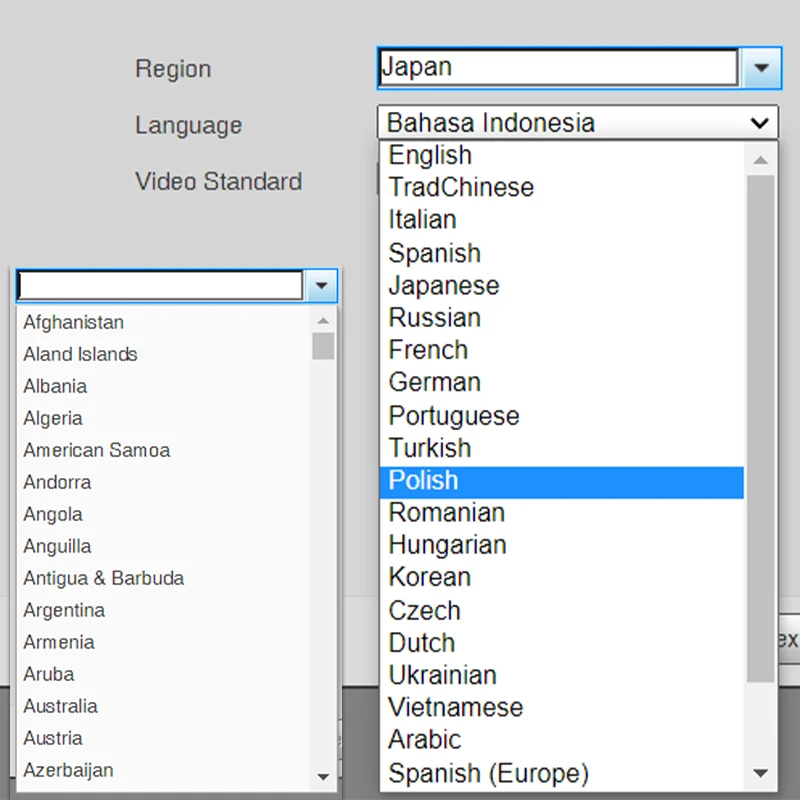
This is the Dahua 100% original international version of the camcorder and can be used in all countries.
Support upgrade and Dahua official APP.
How can I view the video recorded in SD card?
login into your account, go to preview page then click “View history record”, and then select the recorded video you want to view in calendar page.
Cameras can't record all day?
Please check if the recording function is turned on during motion detection, and then check the recording schedule to see if it is 7x24H..
Customer Reviews
No reviews yet
Dahua 4MP 8MP WizColor Camera HDW2449T-S-PRO HDW2849T-S-PRO Human Detection Security Camera F1.0 Aperture As Bright As Daylight
Quantity:
1
Availability:
Not Available