UPERFECT 15.6 inch 1920*1080 Touchscreen IPS Secondary Screen Portable Monitor 100% SRGB USB C HDMI 10-Point Touch Small Computer Display For Gaming PC Phone Laptop Drawing with 2 Speakers VESA
327.83$
150.81$
Quantity:
1
Availability:
Plug Type
Ships From
Card Payments
Crypto Payments
Easy return
Reliable Shipping
UPERFECT 15.6" Portable Monitor Touchscreen
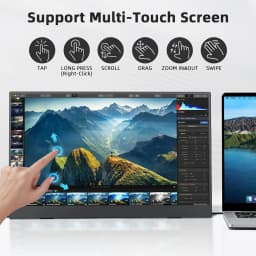
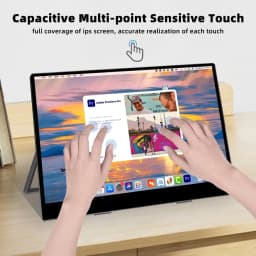
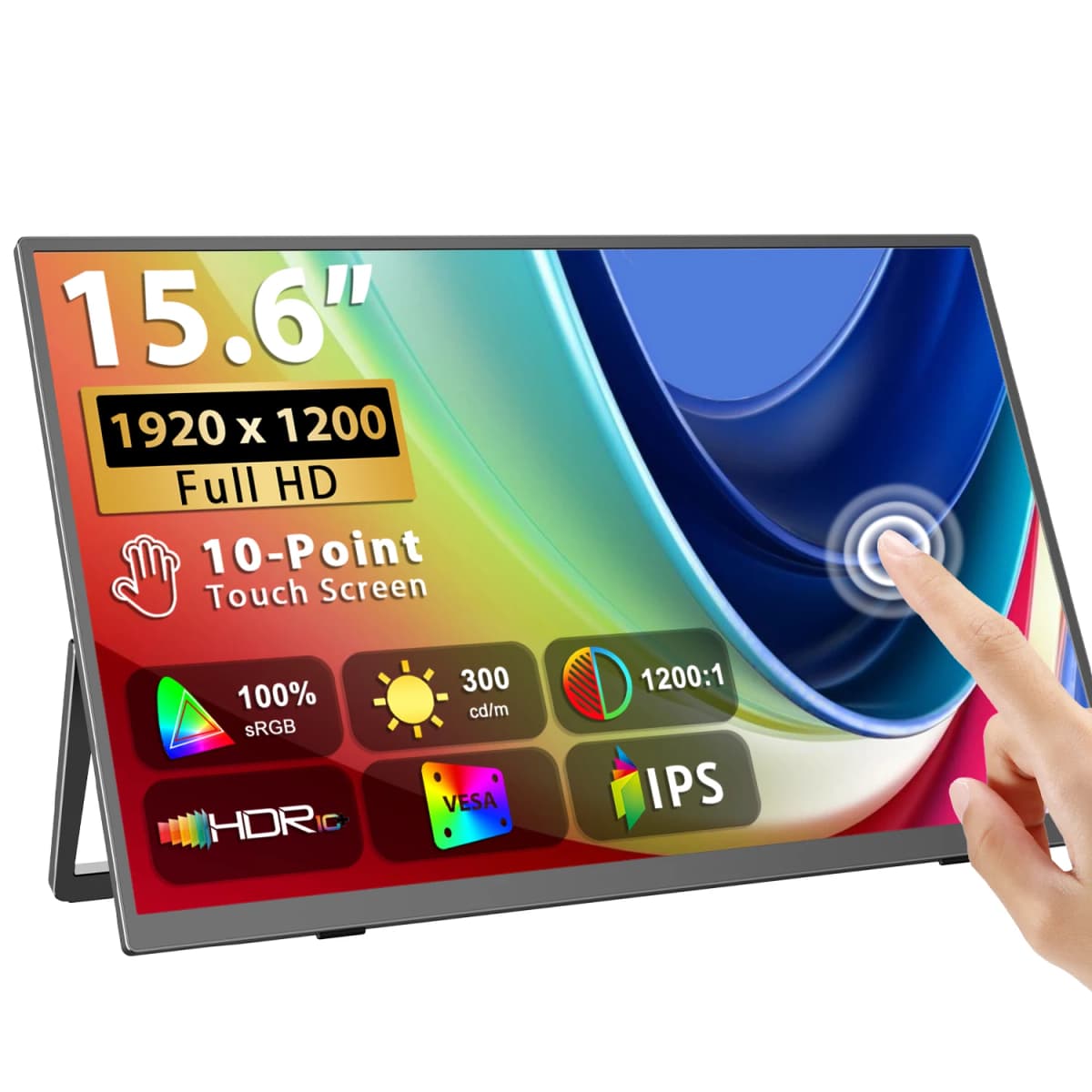
Precise 10-Point Touchscreen
touchscreen portable monitor supports lag-free multi-touch operation (precise to tap,zoom,swipe), freeing you from only-mouse operation while working or playing for convenient interaction. Widely compatible with Windows laptops, Android phones/tablets via USB-C or Mini HDMI. Plug-and-play for instant touch control, perfect for mobile work, gaming and creative tasks.
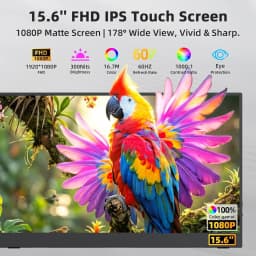
1080P FHD IPS Touch Display
Portable monitor featuring a 1920×1080 Full HD resolution and IPS panel, this touchscreen portable monitor delivers vivid colors, sharp details, and a wide 178° viewing angle for a consistent viewing experience from any direction. The 1000:1 contrast ratio enhances image depth with balanced brightness and detailed visuals, making it ideal for gaming, entertainment, work, and streaming. Eye-care technology with low blue light reduction and flicker-free design helps reduce visual fatigue during extended use.
Plug & Play, Wide Compatibility
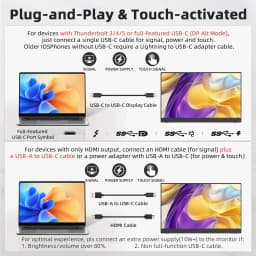
Portable laptop monitor featured with full-function USB-C and HDMI ports, is plug-and-play without any drivers, compatible with Mac-book, Laptops, Desktops, Phones, Mini Host, Tablets, Swit-ch, PS5/4, and X-BOX, etc. Simply get power and signal by one USB-C cable or both an HDMI and a USB-A to USB-C cable (cables are included).
Duplicate/Expand/Magnify Your Screen
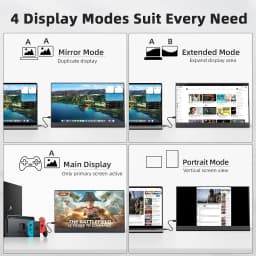
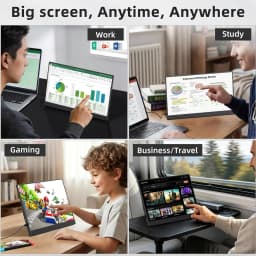
Portable touch monitor features multiple display modes for various scenarios. Mirror mode shares your screen content with teammates in meetings. Extend mode expands desktop space for multitasking and higher productivity. When used as main screen, mirror via phone or game console for immersive gaming & big-screen viewing. Freely switch between landscape and portrait modes to handle photo editing, document reading and data analysis with ease.
Premium Performance with Speakers & VESA
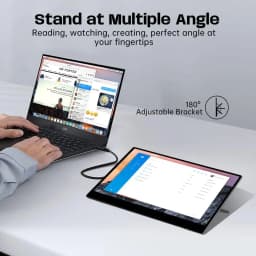
This external monitor for laptop delivers crisp, natural visuals with 16.7M rich colors and a 1200:1 contrast ratio. Built with flicker-free low blue light eye-care tech to ease eye strain after long screen time, plus dual stereo speakers for immersive audio. Designed with a adjustable stand and 75×75mm VESA holes compatible with most brackets and wall mounts for 360° flexible viewing angles.
Spec:
Screen Size: 15.6 inch
Resolution: 1920 ×1080 (FHD)
Display Ratio: 16:9
Viewing Angle: 178°
Panel Type: IPS
Contrast Ratio: 1500:1
Brightness: 300 cd/m²
Color Gamut: 100% sRGB
Color Depth: 16.7M(8bit)
Rated Power: 8W
Touch Screen: No
Auto Rotation: No
Built-in Battery: No
Response Time: 30ms
HDR: Yes
Vesa: Yes, 75*75mm@M4*4mm
Built-in Speaker: Yes, 2 speakers 8Ω 1W
Screen Size:0.3 x 13.9 x 8.2 inches
Interface
2 × Full-Featured USB Type-C
1 × mini HDMI for Audio & Video Input
1 × 3.5mm AUX for Audio Output
What's in Box?
1.15.6" Portable Monitor*1
2. Mini HDMI to HDMI Cable *1
3. Type-C to Type-C Cable *1
4. Type-C to USB-A Cable *2
5. 5V 3A Power Adapter * 1
6.Manual *1
Q&A
Why does my monitor not turn on?
1.Please check whether the Type-C port of your device is a full-featured Type-C port,which can support power and signal transmission. lf not, please use HDMl to MiniHDMI cable to transmit video signal, and use USB-C to USB-C cable to connectexternal power supply.
2.This may be caused by insufficient power supply.The minimum power requirementfor the monitor is PD 18W.Especially when you need to run the display at 2K 120hz, thepower consumption will be relatively large, it is recommended to use an external
power supply, otherwise the monitor may not work properly.
3.lf the above steps still cannot solve your issue, please feel free to contact us.
How to get touch function?
1. When the devices you connect with the monitor own a Type-C 3.1 port, you can get the touch function just using a C-C cable to connect.
2. When you connect the device with the monitor through mini HDMI port, please use the A-C cable to plug in the Type-C port on the monitor for the touch function. And don’t forget to plug in power adapter.
3. When connect to phones without Type-C 3.1 port or iphone, you would need an ios/android to HDMI adapter and a mini HDMI to HDMI adapter to connect to the monitor for signal transmission. And please check what the port is on your devices and note that there will be NO TOUCH function in this case. Please make sure you don’t mind before you place an order.
4. We recommend you to plug in the original power adapter to get sufficient power for the monitor and work smoothly. Or it would have some issues such as flickering, on-and-off and so on.
lmportant Tips:
lf you find any issues with your monitor, please contact our after sales-services and show us problem before returning it. We will help you solve your problems and try our best to makeyou satisfied.We take full responsibility for our products.
lf there are any defects that cannot be solved, we will refund or send you a replacement.
Customer Reviews
No reviews yet
UPERFECT 15.6 inch 1920*1080 Touchscreen IPS Secondary Screen Portable Monitor 100% SRGB USB C HDMI 10-Point Touch Small Computer Display For Gaming PC Phone Laptop Drawing with 2 Speakers VESA
327.83$
150.81$
Quantity:
1
Availability:
Plug Type
Ships From