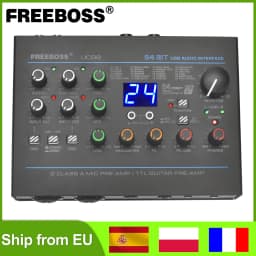
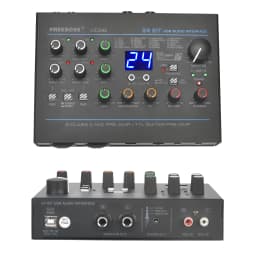
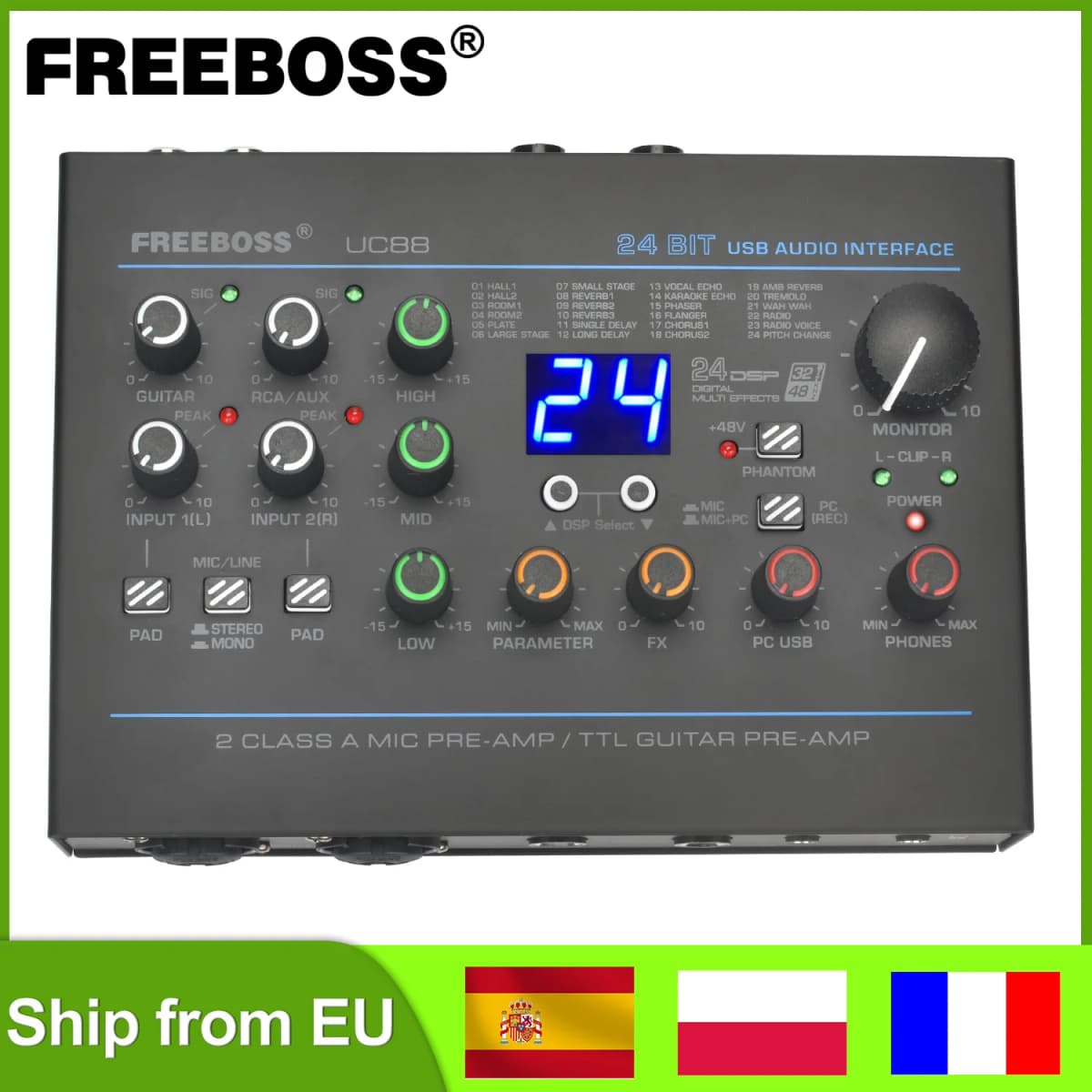
Freeboss 24 Effects Sound Card 48KHz EQ Recording 2 XLR Mic Input Stereo PC 48V Guitar External Audio Interface For Mac OS UC88
488.81$
161.32$
Quantity:
1
Availability:
Color
Ships From
Card Payments
Crypto Payments
Easy return
Reliable Shipping
FREEBOSS UC88
24 Digital Effects 5 Channels 3 Band EQ Input 24Bit 48KHz Audio Interface Support ASIO4ALL Gold Wave 2 Guitar Input External Sound Card with Stereo Mono Switch Button for Windows Mac OS System.
Selling Point
1. 24 digital effects
2. Channel 3 band EQ
3. Driver-free
4. Support ASIO4ALL
5. Support Windnows/Mac OS system
6. Recording: 24bit 48KHz
7. Stereo/Mono switch button
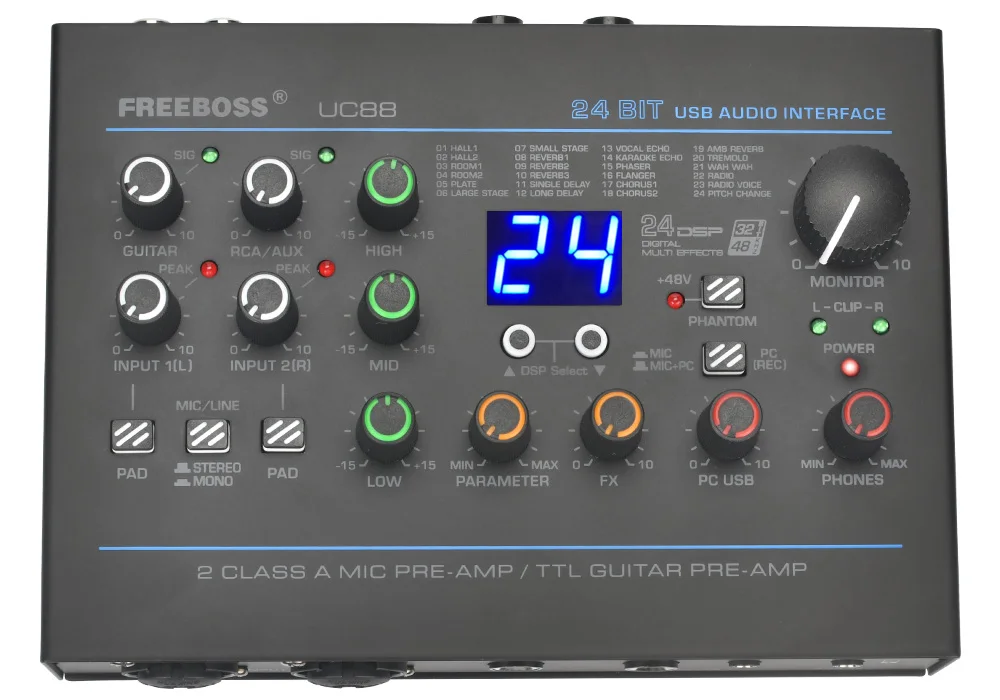
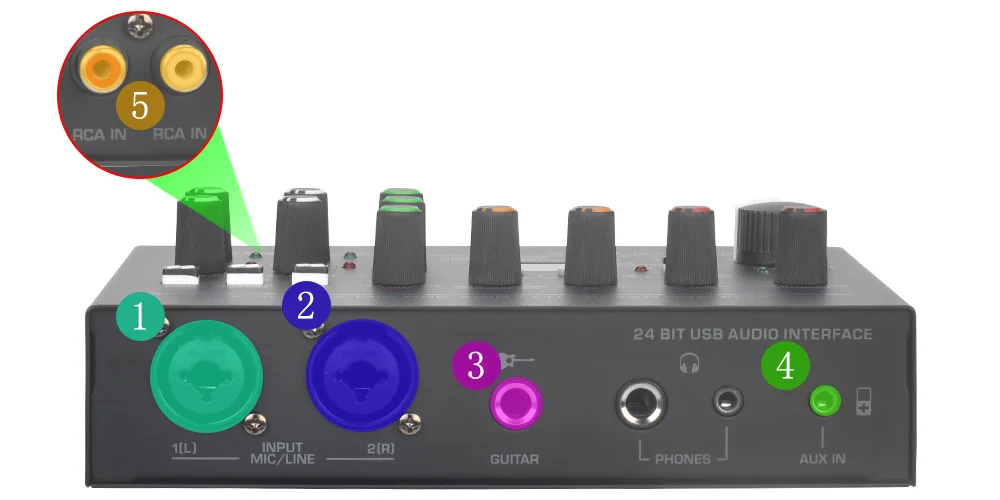
5 Input Channels
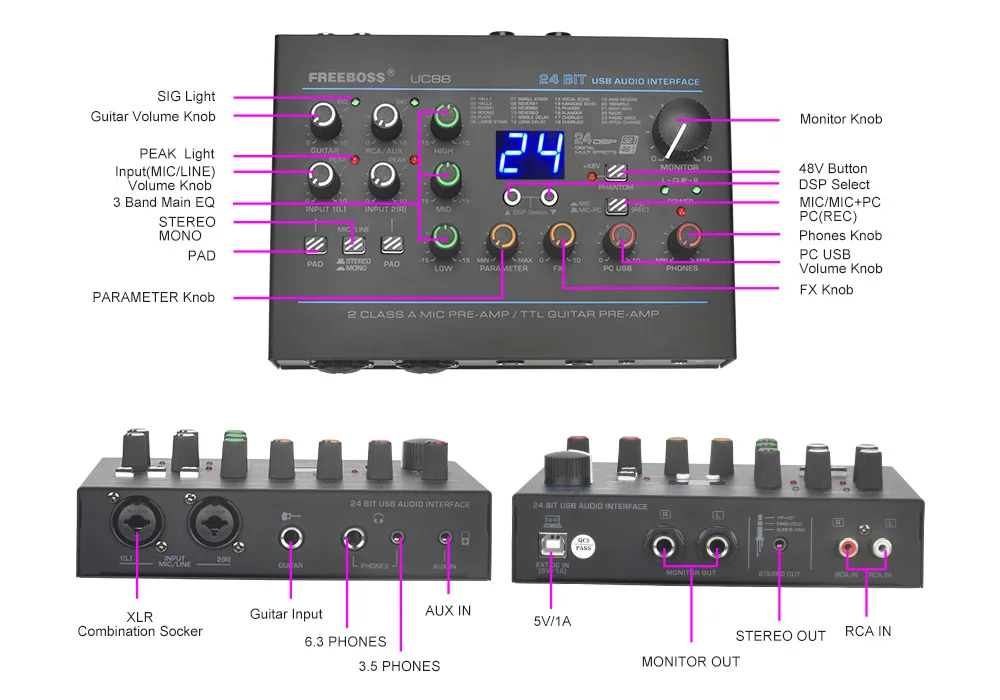
The 5 input channels consist of 2 XLR inputs, 6.35 inputs, 3.5 stereo input and RCA input
1. For XLR input, it can connect to 48V condenser microphone and dynamic microphone.
2. For 6.35 input, it is suitable for guitars, electric basses, electronic drums and other high-impedance instruments.
3. For 3.5 stereo input, it is a TRS input, it is suitable for MP3 device.
4. For RCA stereo input, it is a TRS input, it is suitable for DVD device.
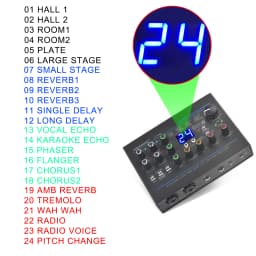
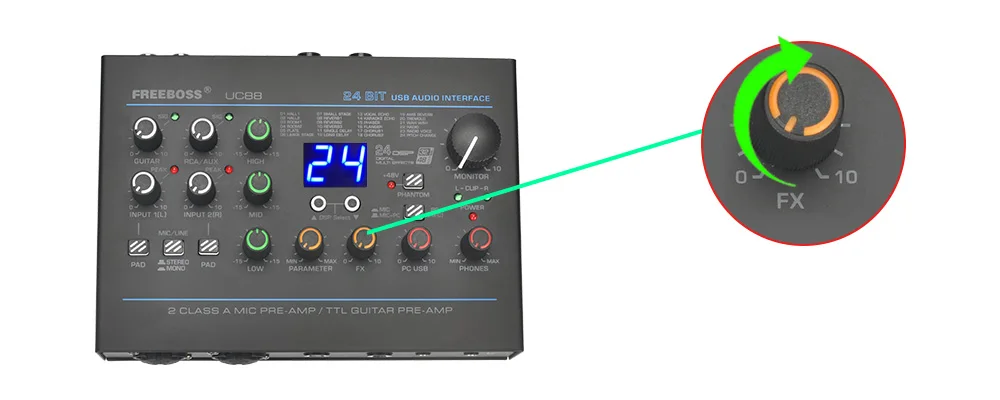
24 Digital Effects
1. UC88 with 24 Digital Effects, and it has 19 effect types.
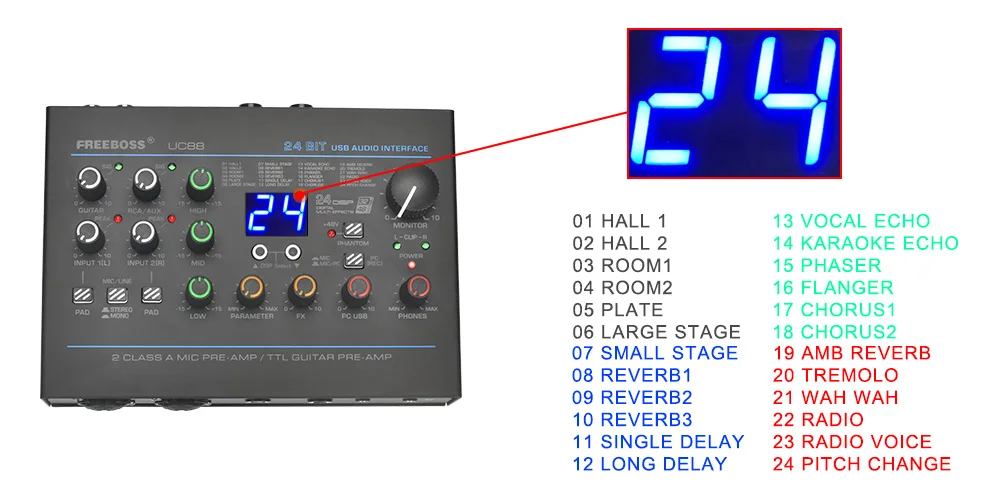
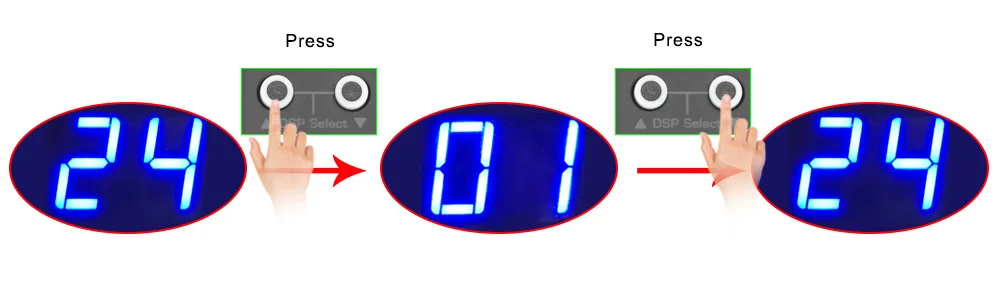
2. Select effect
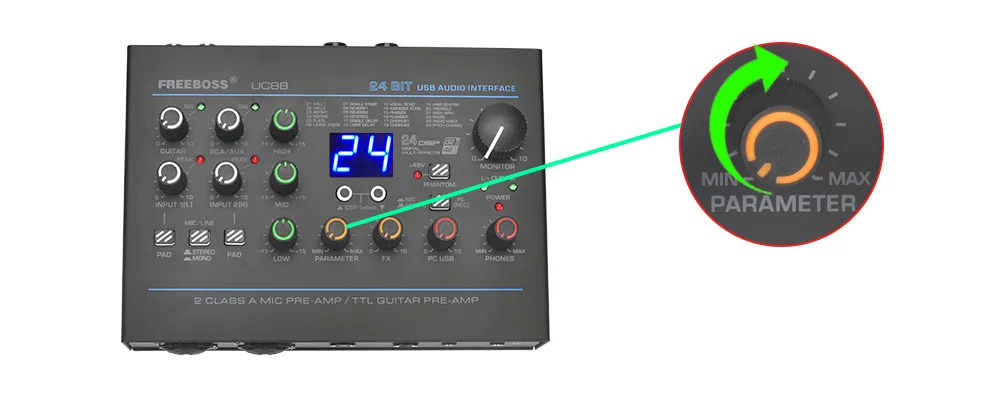
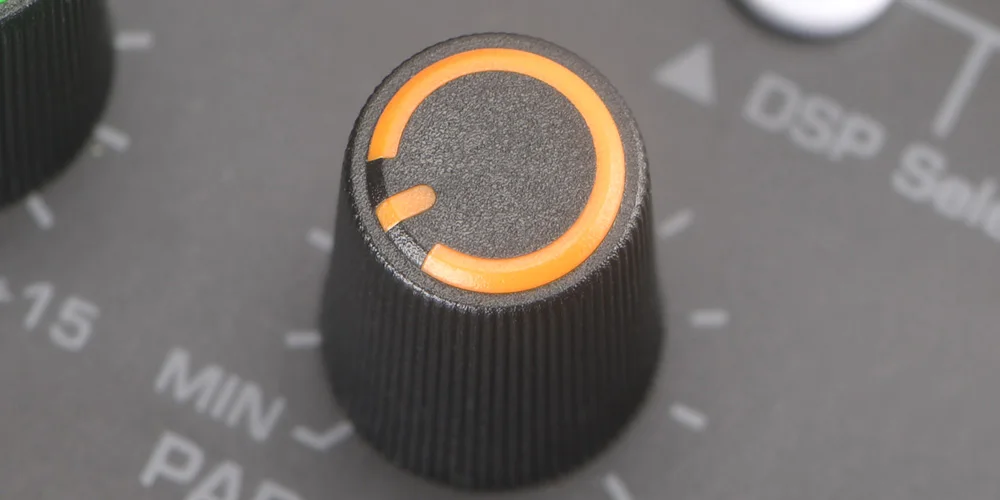
3. Adjust effect parameter
4. Output effect
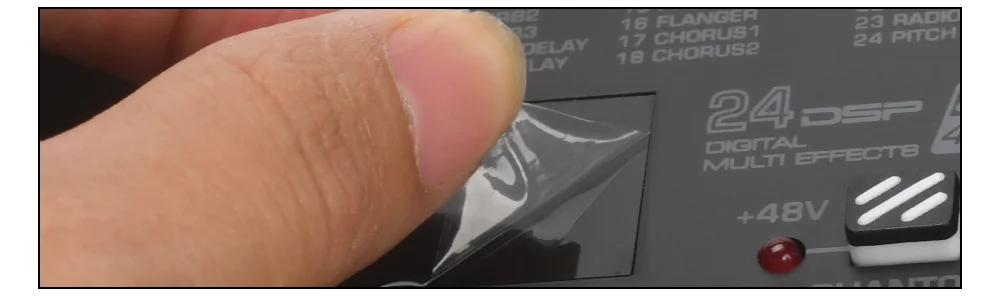
5. Protective film on the display
There is a protective film on the display to prevent the display from being scratched. If the protective film is not clear, you can tear off the protective film
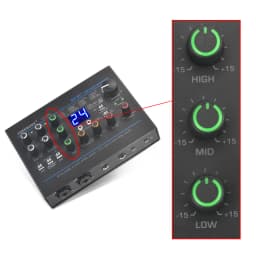
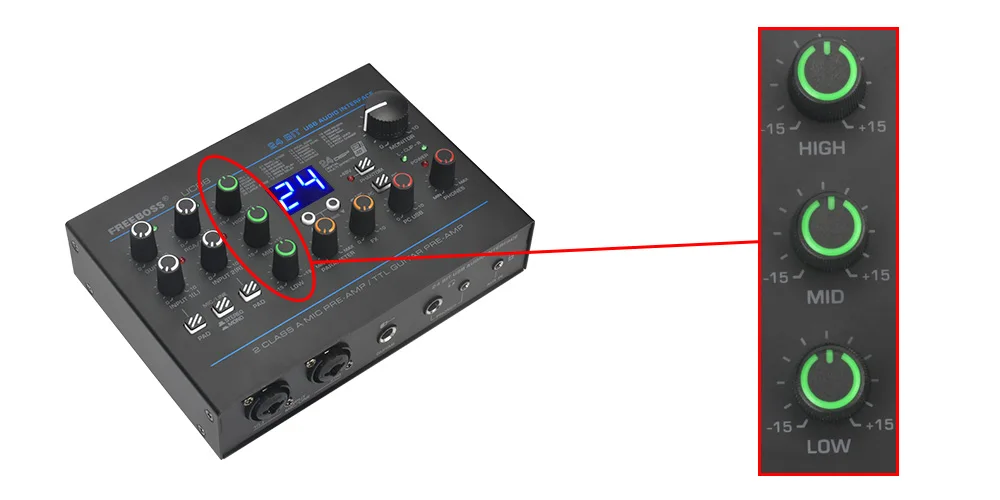
Channel 3 Band EQ
UC88 sound card has 3 band EQ, the EQ is suitable for XLR input, 6.35mm Input, 3.5mm stereo input and RCA input.
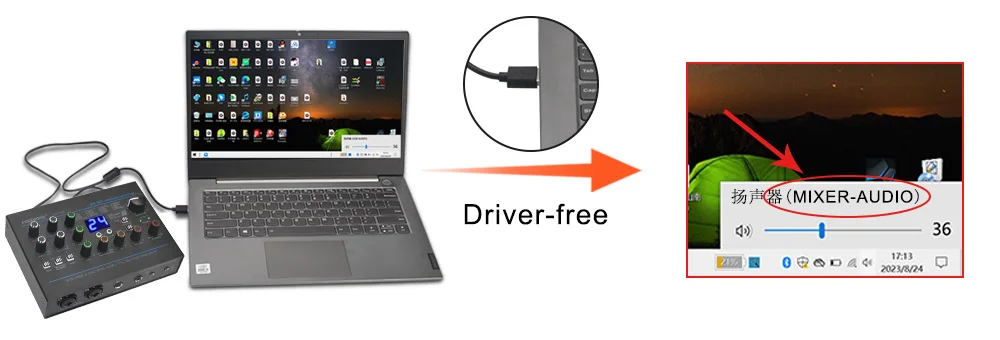
Driver-free
The sound card is a driver-free device, you can connect to your computer directly. And it is support Windows and Mac OS system.
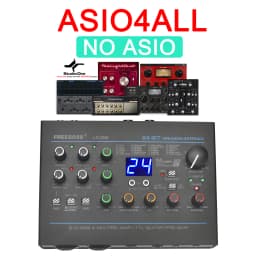
Support ASIO4ALL
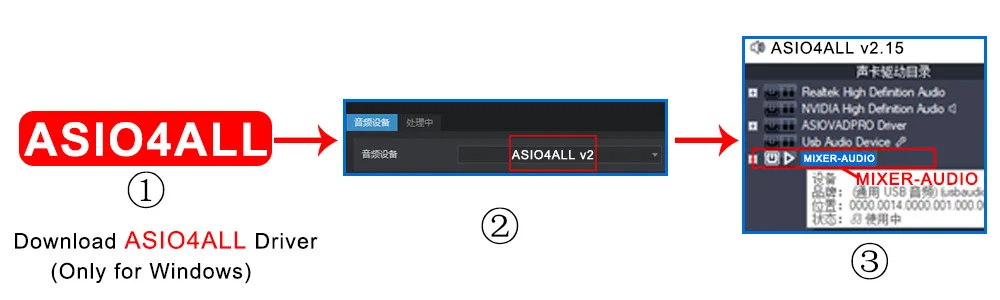
UC88 support ASIO4ALL driver, but you need to download ASIO4ALL driver by yourself. And please note that ASIO4ALL driver only for Windows system, not for other system.
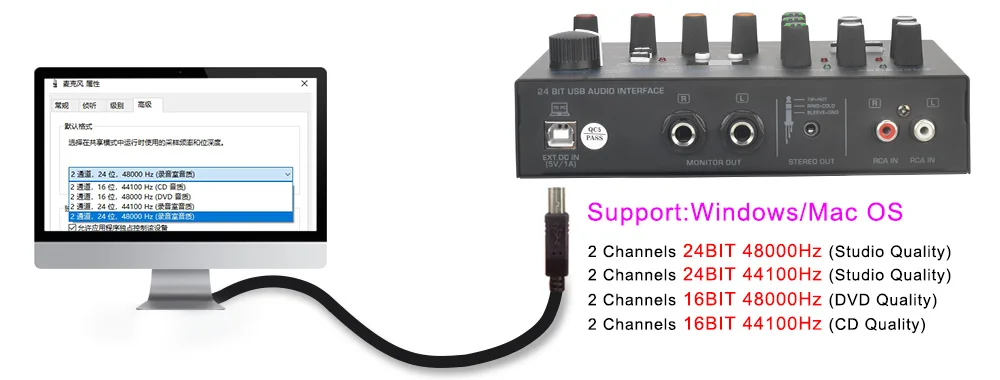
4 Recording Bit Rates Optional
1. 2 channels 16bit 44.1KHz
2. 2 channels 16bit 48KHz
3. 2 channels 24bit 44.1KHz
4. 2 channels 24bit 48KHz
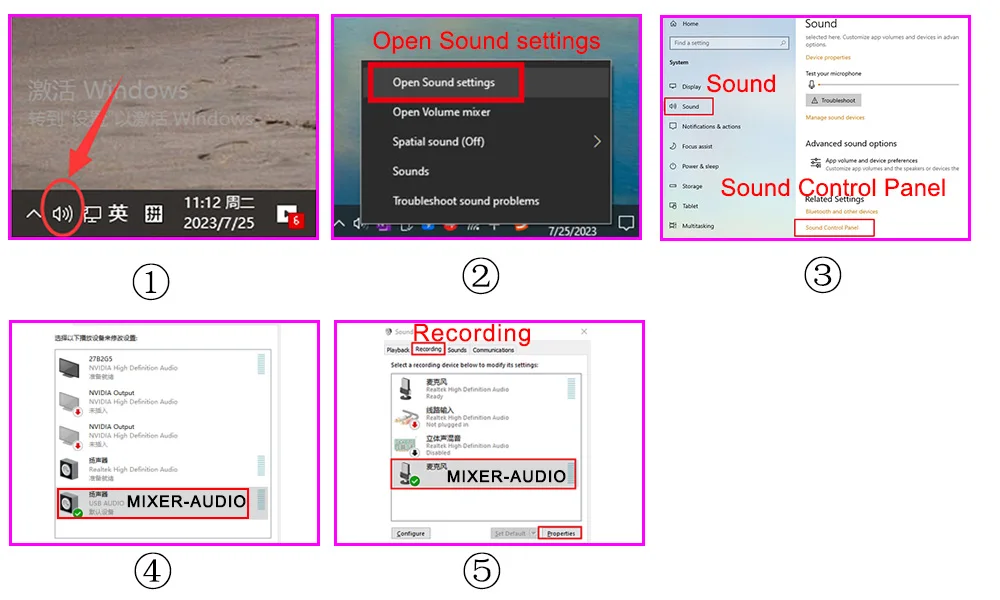
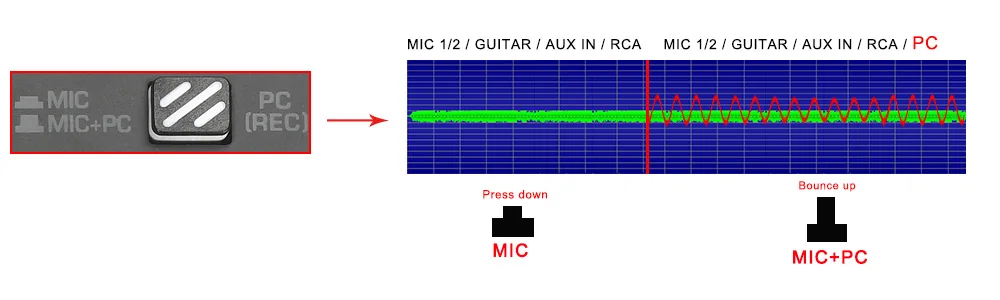
PC Recording
1. Setting on the computer
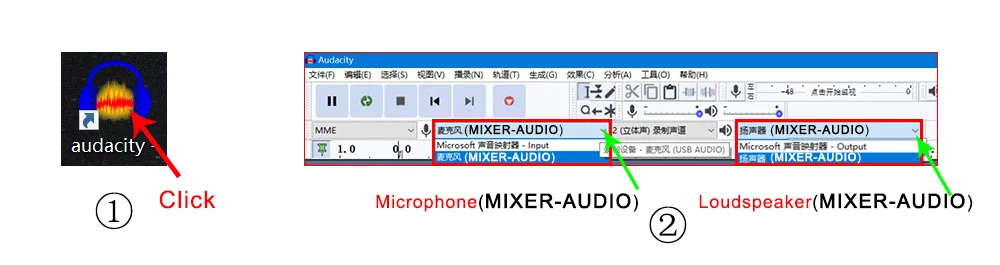
2. Recording PC music settings
(1) If you only need to record a channel signal, please press down PC(REC) button.
(2) If you need to record channel signal and PC signal, please do not press down PC(REC) button.
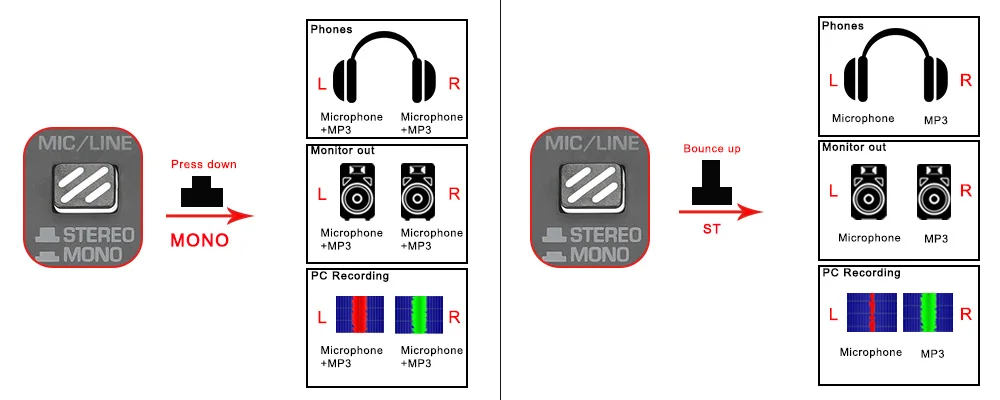
Stereo/Mono Switch Button
1. This sound card has a stereo/mono switch button, and the button only for XLR conbination socket
2. When the button is bounce up, CH1 signal will be output to L, CH2 signal will be output to R.
3. When the button is press down, CH1 and CH2 will be output to L and R at the same time.
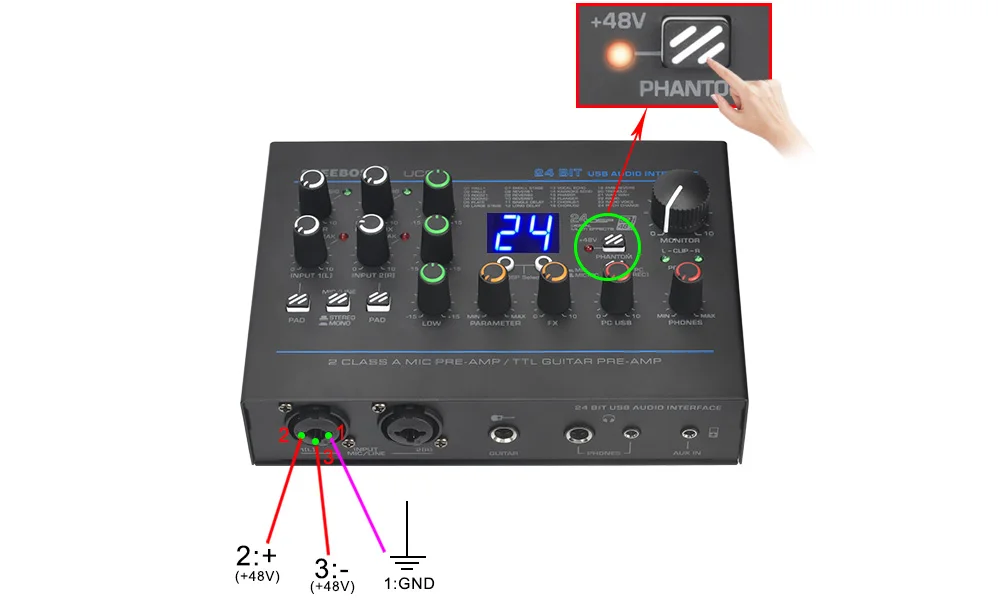
48V Phantom Power
1. 48V only for XLR jack, not for 6.35 jack.
2. When you turn on 48V, it will power for CH1 and CH2 at the same time.
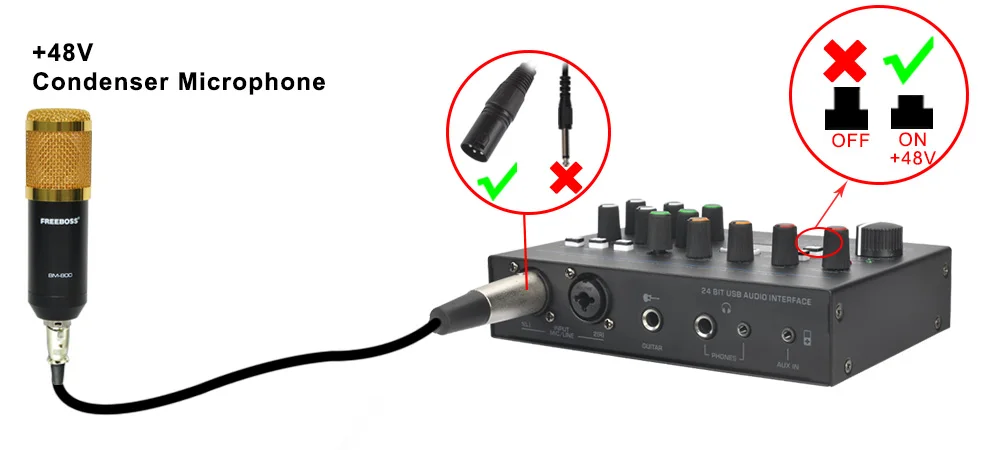
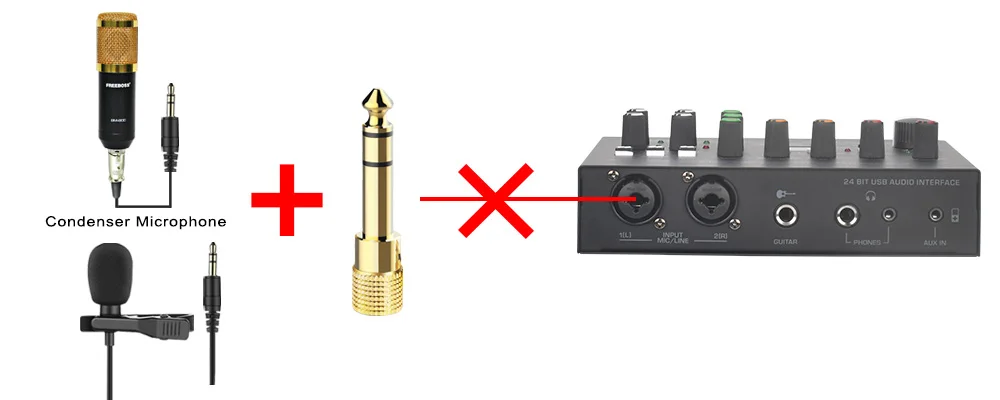
If your microphone is a 48V condenser microphone, please use XLR plug connect to sound card and turn on 48V phantom power, otherwise 48V condenser microphone will not work on sound card.
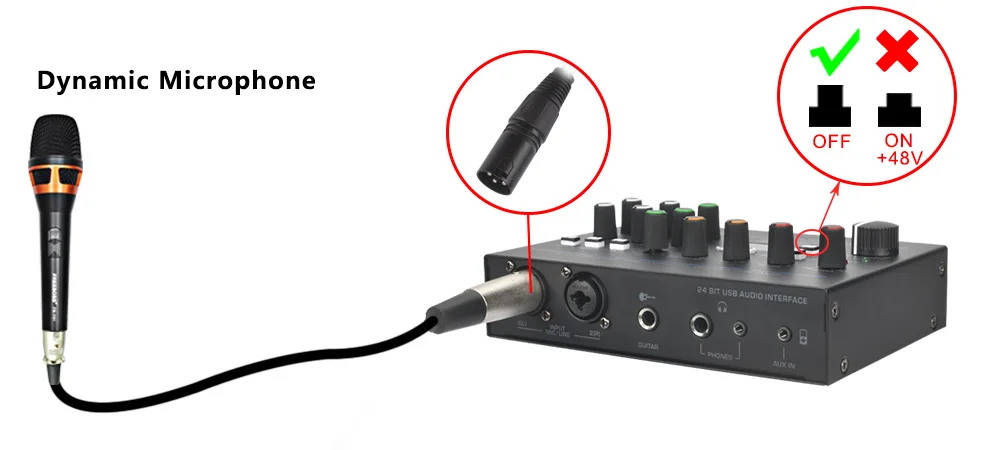
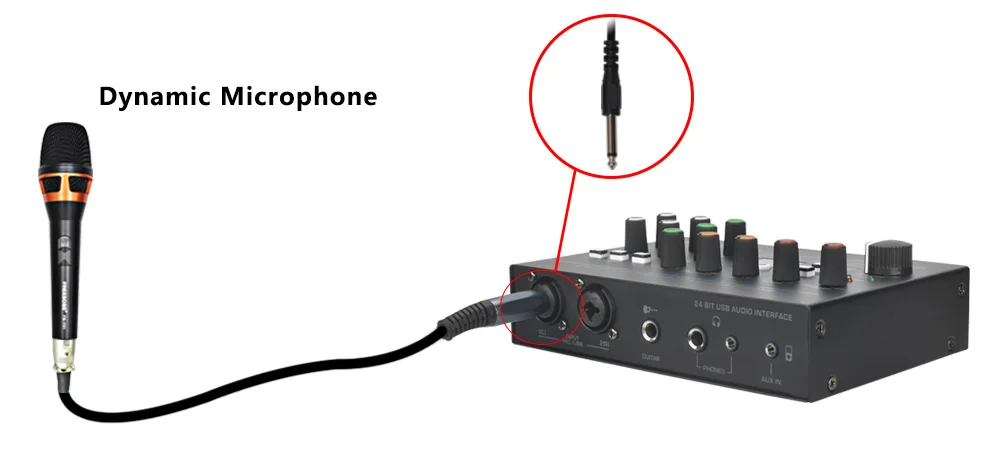
2. Dynamic microphone
If your microphone is a dynamic mic, we recommend using an XLR plug connect to sound card, because the sound will be small when you using the 6.35 plug connect to sound card.
(1) When using XLR plug, please turn off 48V phantom power, otherwise the dynamic mic may be burned.
(2) When using 6.35 plug, the 48V can be turned on or off, because 48V does not power suppply to 6.35 socket.
3. Non-48V condenser microphone will not work on sound card.
Channel Volume Control
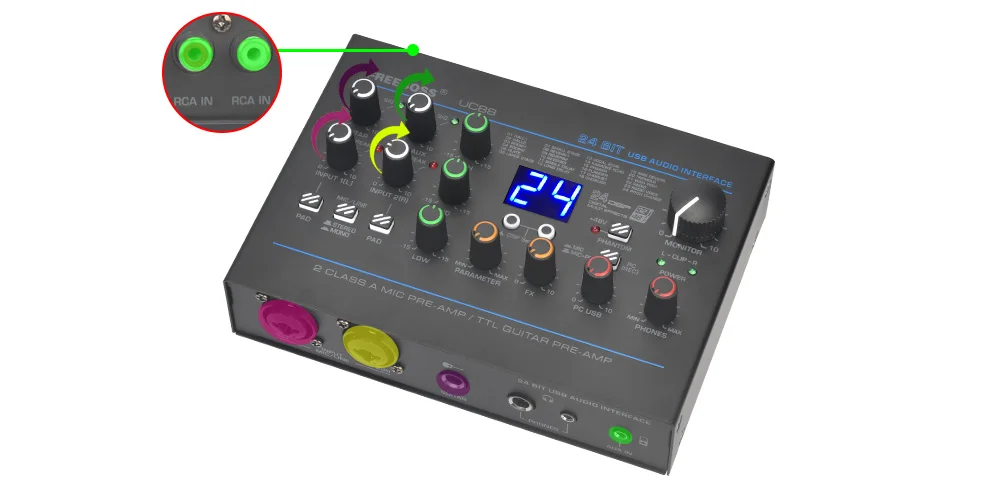
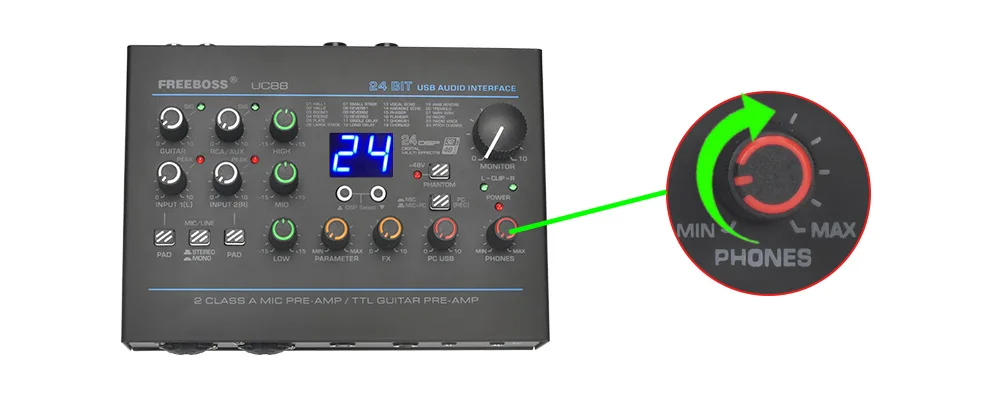
Headphone Volume Control
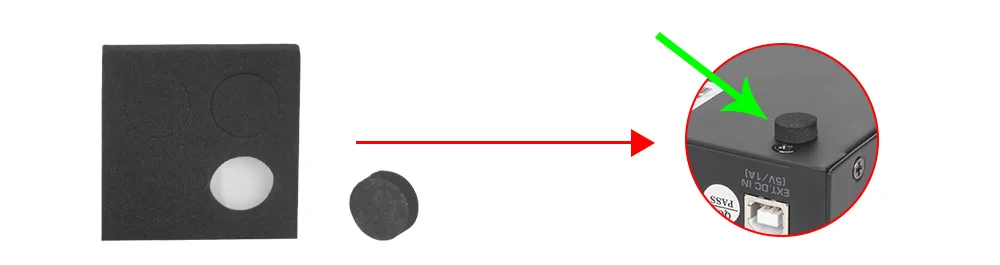
Non-slip Mat
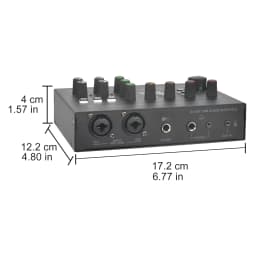
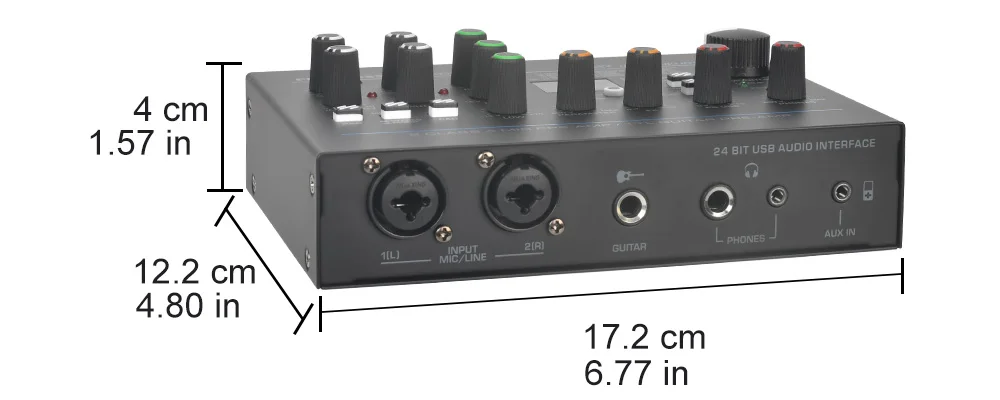
Product Size
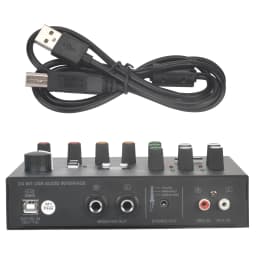
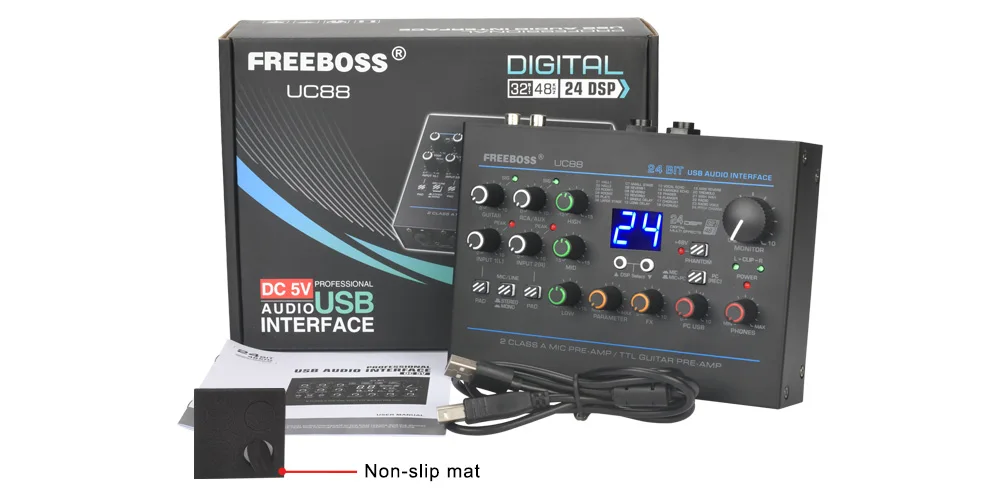
Packing List
1. Sound card 1pcs
2. USB cable(TYPE-A to TYPE-B) 1pcs
3. Non-slip mat 1pcs
4. English manual 1pcs
Product Details
Customer Reviews
No reviews yet
Freeboss 24 Effects Sound Card 48KHz EQ Recording 2 XLR Mic Input Stereo PC 48V Guitar External Audio Interface For Mac OS UC88
488.81$
161.32$
Quantity:
1
Availability:
Color
Ships From