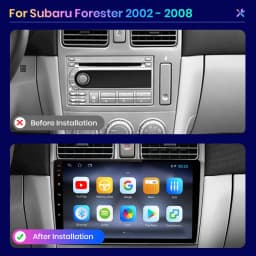


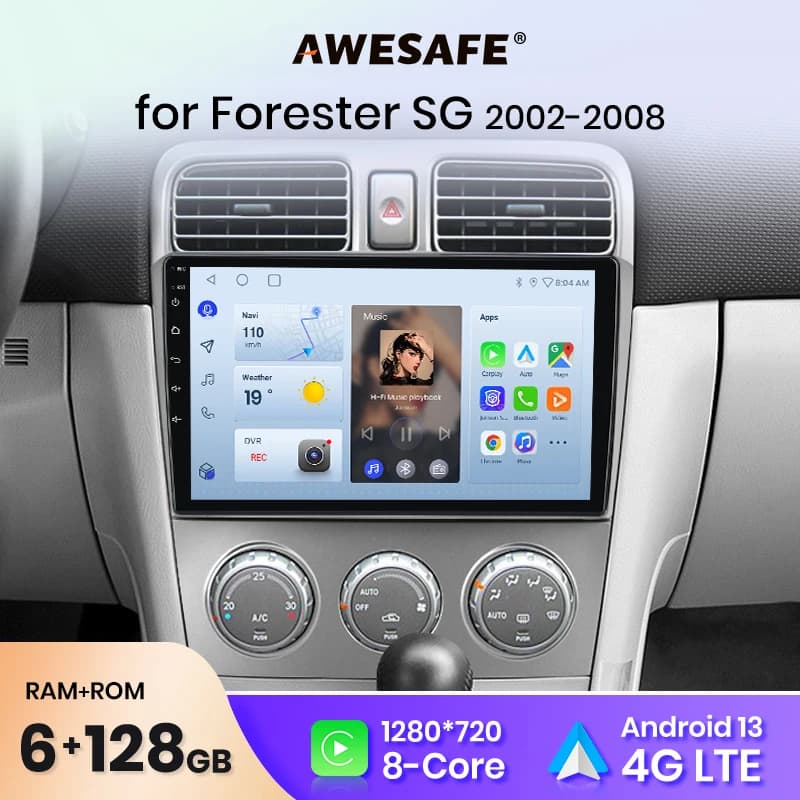
AWESAFE PX9 Plus Car Radio For Subaru Forester SG 2002 - 2008 wireless CarPlay Android Auto No 2 din 2din DVD
239.36$
107.56$
Quantity:
1
Availability:
Out of StockColor
Ships From
Card Payments
Crypto Payments
Easy return
Reliable Shipping
Warning message:
For Subaru Forester SG 2002-2008 cars have two power cables with different interfaces, divided into A/B
The car configuration is different, the power interface is different, please purchase the corresponding package according to the car configuration, if you buy your wrong package, the radio cannot be installed
If you cannot confirm, please contact Junsun online service.
1. The front of your car's center console is the same as the picture A, you need to buy A, the power cable is suitable for your car.
2. The interface on the front of your car center console/the back of the radio is the same as picture B, you can buy B, the power cable is suitable for your car
AWESAFE PX9S funtion For Subaru Forester SG 2002 - 2008
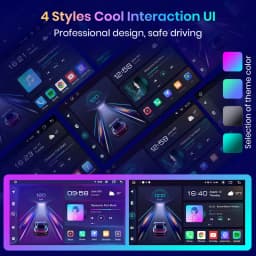
>> 9 inch 2.5D Capacitive Screen+Quad Core 1.2GHZ CPU+ DDR3 1GB/2GB/4GB/6GB Flash (optional)+16GB/32GB/64GB/128GB Memory ( optional)+Built-in 4G internet+GPS Navigation (Map free update)+Steering Wheel Control+Mirror Link+carplay+android auto+Bluetooth-compatible+Built-in Microphone+FM/AM+RDS +support USB DVR ADAS+support Europe DAB Function + 1080P Video Play+HD 1024*600+support Tire Pressure Monitoring System + support Voice Control(need to buy)+GPS track function(need to buy)
Optional gadgets
> AI Voice Control: just say the command word control the radio without hands, make driving safer
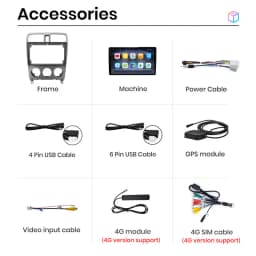
> ADAS DVR camera, tire pressure monitoring, OBD2, external microphone, RCA cable.
Reduce manual screen touchin during driving,
interesting interaction
YouTube, VK, Twitter, Skype, Facebook, Messenger, Linkedln,
Navitel, IGO Navigation, Spotify, Yandex, Yandex Map,
Waze, Google, Google Map, Netflix, Instagram
When the car shifts into reverse, the screen will switch to the rear view with parking lines automatically, help you to back up or park the car.
(The rear camera in the picture below is optional and better than normal.)
You can use navigate and other applications at the same time, such as listening to music or turning on ADAS functions ect.
Support up to 2TB hard- disk
Warm and important tips:
1). The device need to search satellite success first time, then it will update time,
2). Please understand that the system and preinstalled apps will take part memory; if install Russia map will take about 3GB; if install Europe map, system will take about 7GB;
1. How to use Carplay and Android Auto?
Carplay :
Both of them are wired, and only can be connected with the 4Pin (with 4 small hole ) USB port, then click the APP ""Phonelink"" or ""Tlink"" in the radio;
Android Auto:
After purchasing the activation code, the customer service staff will send you the operation method and the activation code
2. How to set steering wheel controls?
1) If there is no canbus, please follow the steps below
①1+16GB:Clik Settings Control icon,as the picture shows
https://ae01.alicdn.com/kf/Hdd515243bc65428b89fec0f2f27828ccc.jpg
②PX9:Clik Control icon,as the picture shows
https://ae01.alicdn.com/kf/H5d52012903cb4a58a6d8347cbb76d2efE.jpg
③PX9S:Settings→Car information→SWC ,as the picture shows
https://ae01.alicdn.com/kf/Hfcecbe6dbc0446d0bae293be583b65bft.jpg
2)if there is canbus in the package,please connect canbus first
(⚠Please note that the Canbus cable needs to be connected, not only to connect to Canbus, but also to connect to the back of the machine with another 8pin cable.)
then follow the steps below
①1+16GB:
Settings →factory→3368→Car Model→choose right car information→reboot
As the picture shows:
https://ae01.alicdn.com/kf/H6a1a227be2cf4e248dd1a0a5e274caf0F.jpg
②PX9:
Settings →system→Car Settings→8888→Model choose→choose right car information→reboot
As the picture shows:
https://ae01.alicdn.com/kf/He3da309960684f91b1ecbb192b7cde9c6.jpg
③PX9S:
Settings →car information→About device→⚙→8888 or 8878→can type→choose right car information→reboot
As the picture shows:
https://ae01.alicdn.com/kf/H4fd8c6c9f2fb4eeda50efaf2f9b87301i.jpg
3.How to change the Boot Logo ?
1+16GB: Click System Settings----Extended Settings----Enter the password 3368
PX9 and PX9S: Click System Settings----Factory Settings----Enter the password 8888
4.How to connect the rear camera ?
1)Red cable ① is connected to the backup light ""+""
2)black cable ② is connected to the backup light ""-""
3)The reversing detection cable ④(Brown color and pink)is connected to the red cable ③ which extending from the video input cable
4)⑤ cable does not need to be connected
Customer Reviews
No reviews yet
AWESAFE PX9 Plus Car Radio For Subaru Forester SG 2002 - 2008 wireless CarPlay Android Auto No 2 din 2din DVD
239.36$
107.56$
Quantity:
1
Availability:
Out of StockColor
Ships From