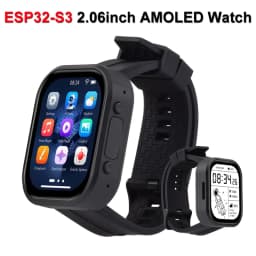

Waveshare ESP32-S3 2.06 inch AMOLED Touchscreen Development Board 410x502 ESP32 Display Support DeepSeek Arduino IDE ESP-IDF
55.02$
46.65$
Quantity:
1
Availability:
Color
Card Payments
Crypto Payments
Easy return
Reliable Shipping
Wiki: www.waveshare.com/wiki/ESP32-S3-Touch-AMOLED-2.06
FAQ
Answer:
You can subscribe to this repository and raise an issue to describe your requirements. The engineers will assess your request as soon as possible:
Answer:
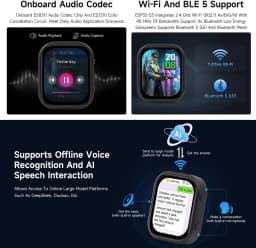
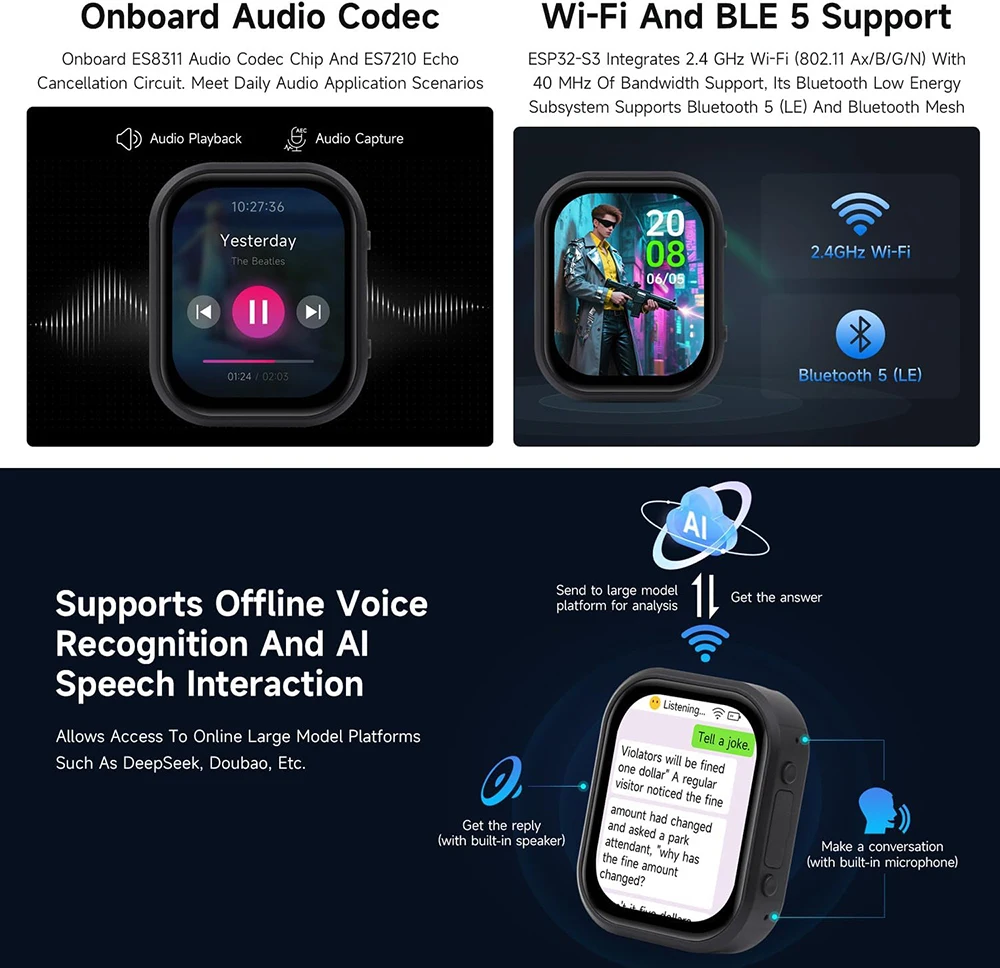
The product is equipped with ES8311 audio codec chip, onboard speaker, and SMD microphone. And it can achieve voice dialogue function;
Integration with various platforms has been fully verified and completed at present, supporting mainstream platforms such as DouBao, Wenxin Yiyan, ChatGPT, and Tuya Smart. The demos will gradually be opened up to
Answer:
The measured temperature is at room temperature 20°C, the wifi STA and AP modes are turned on, and the battery is in the charging state. The test lasts for half an hour, and the highest temperature read through AXP2101 temperature data is 46 ℃. During the normal discharge process, the temperature will decrease by 3-4 ℃. If WiFi/Bluetooth function is not turned on, it can maintain a stable temperature of around 36 ℃
This AMOLED screen can withstand high temperatures; at 40 to 60 degrees Celsius, it will not affect the screen display or touch function. In high temperature and high humidity conditions, there may be some polarization, which is within the normal range.
For this product, it is recommended to use the low-power operation mode of ESP32-S3 to complete the application in some scenarios.
Answer:
1. When the serial port is occupied, the flashing will fail. Close the serial port monitor and try to flash again
2. When the ESP32 program crashes, the flashing will fail, and the development module needs to be completely powered off, hold down BOOT and power it on again to enter the strong download mode and then flash it. It will not automatically exit the download mode after flashing, so you need to power off and restart again
Note: To power on this product again, press and hold the PWR button for at least 6 seconds, and then press the PWR button again
Answer:
When the project fails to be compiled, check the development environment.
Arduino IDE compiling the project shows the situation in the image, you need to modify Partition Scheme->16M Flash(3MB APP/9.9MB FATFS)。
When the ESP-IDF project compilation fails, delete the build, managed_components, and dependencies.lock, and then compile again. If the error persists, check whether the ESP-IDF version and the CMakeList.txt in the project directory are correctly recognized
Answer:
In this case, due to the crash of the program, the USB cannot work normally, you can press and hold the BOOT button and then power on, at this time, the module can enter the download mode to flash the firmware (program) to solve the situation.
Answer:
In the Arduino IDE, the first compilation loads and compiles all the dependencies, so it's normal for the first compilation task to be time-consuming. Just wait patiently
Answer:
Power it on again
Answer:
This product has an on-board AXP2101, which can measure all kinds of battery data, such as: chip temperature, whether it is charged, whether it is connected to the power supply, charging status, battery voltage, charging voltage, battery power, etc.
Answer:
The battery capacity measurement of the AXP2101 is based on battery voltage, but battery capacity does not vary linearly, so large percentage fluctuations may occur during measurement. Especially in the case of plugging and unplugging chargers, load changes, or battery aging, the fluctuations become more noticeable. The measured percentages are for reference only, and the actual voltage is used as a measure of capacity.
Answer:
It is not provided.
Answer:
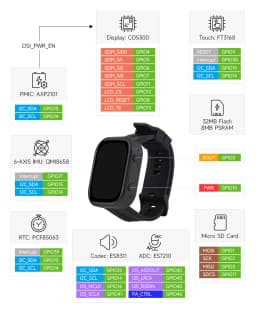
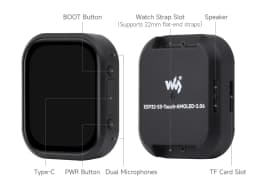
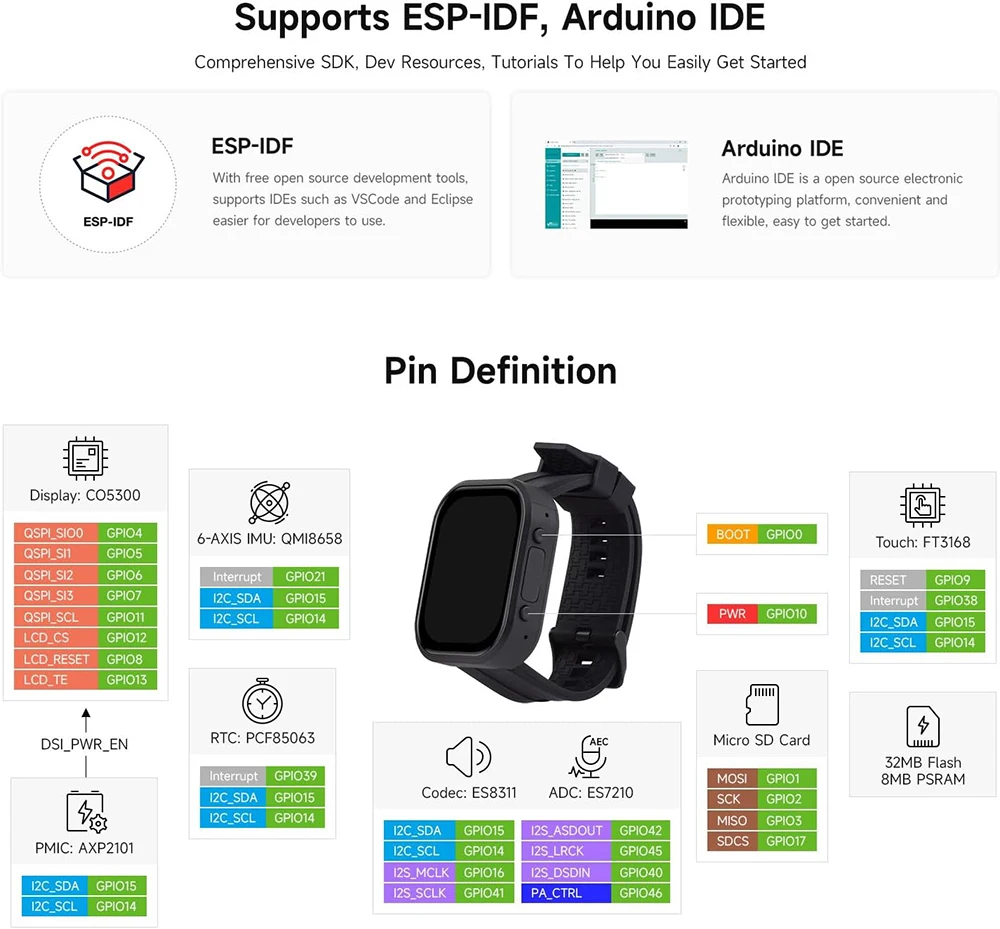
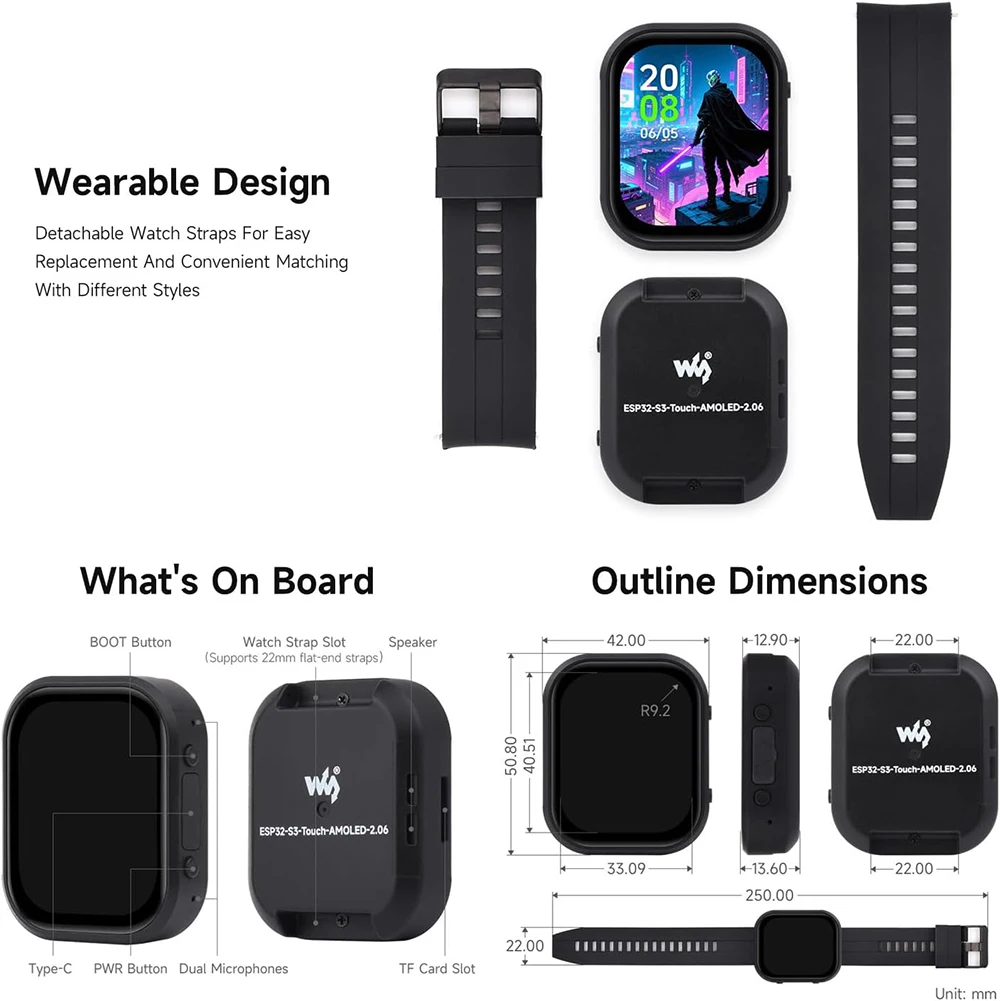
Yes, the two buttons of this product are BOOT and PWR. The functions are as follows:
1. BOOT: Press and then power on, and the development board enters download mode (commonly used when the program freezes or the USB GPIO is occupied); under normal working conditions, the GPIO0 can detect the high and low level of the button to determine the action, and the low level is pressed, which can recognize click, double-click, multi-click, and long-press actions.
2.PWR: In the power-on state, press and hold for 6s to power off, in the power-off state (power off to charge the battery), click to power on; Under normal working conditions, the action can be judged by the high and low levels of the EXIO6 detection buttons of the extended IO, and the high level is pressed, which can identify the actions of single click, double click, multiple click and long press (long press should not exceed 6s, otherwise the power will be turned off).
Answer:
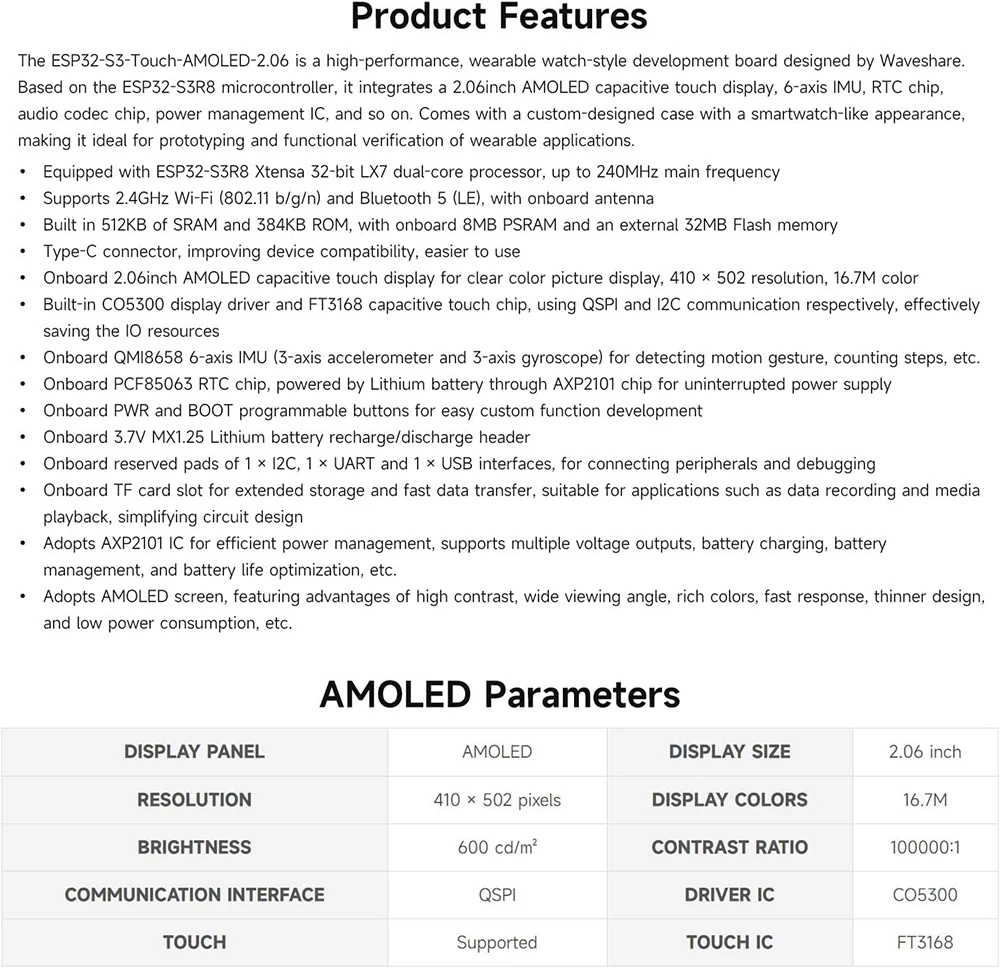
The core chip of this product is ESP32-S3R8, which supports wireless communication functions such as 2.4GHz WiFi and Bluetooth LE 5, and has an onboard SMD antenna, and the antenna gain has been adjusted to the optimum, which can support the use of Bluetooth and WiFi. For details, please refer to
Answer:
This product uses ESP32-S3R8 as the core, connects the screen via QSPI protocol, fully supports Chinese display, but requires meeting the following conditions:
1. Character encoding support is required, and strings that support UNICODE-8 encoding can be rendered to the screen
2. Font library support
3. Display library support, LVGL or Arduino_GFX are supported
Answer:
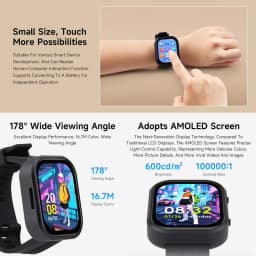
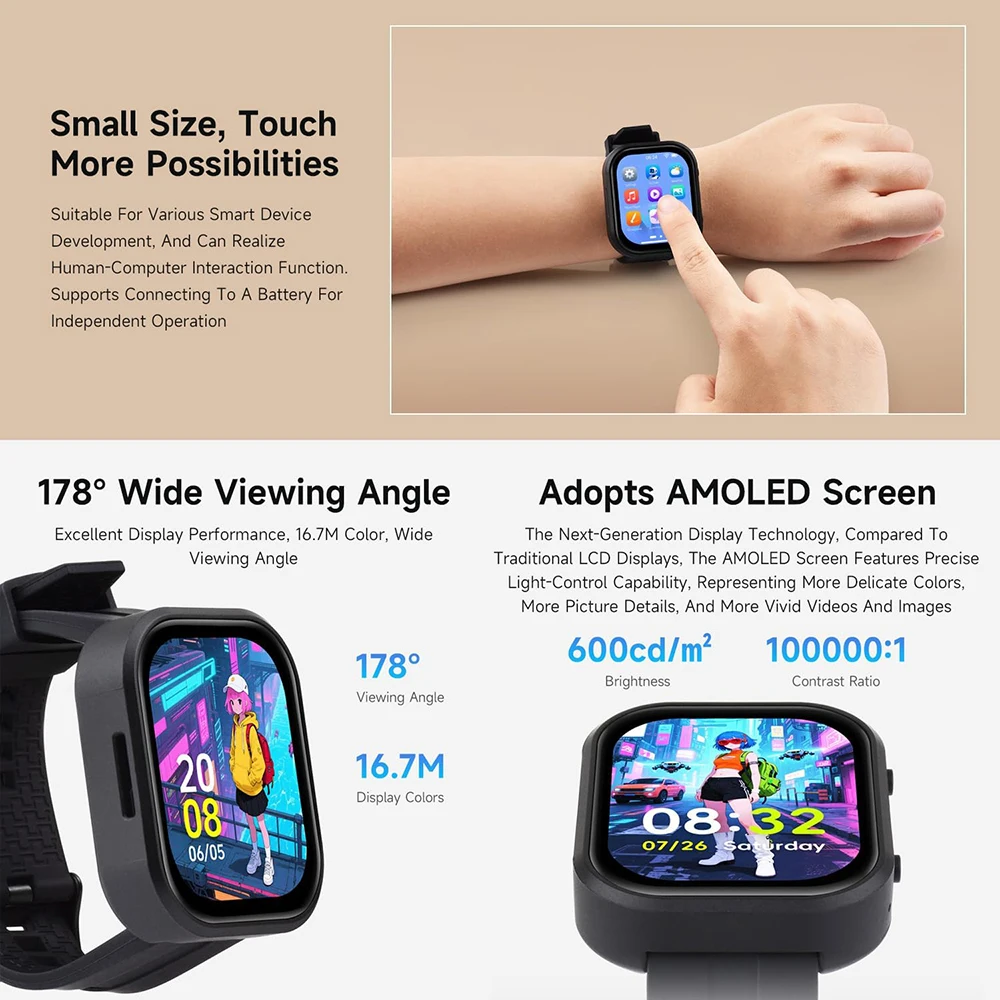
600nit;
Write 0x00 (darkest, backlight off) ~ 0xFF (brightest) to the 0x51 via QSPI to control the brightness.
Answer:
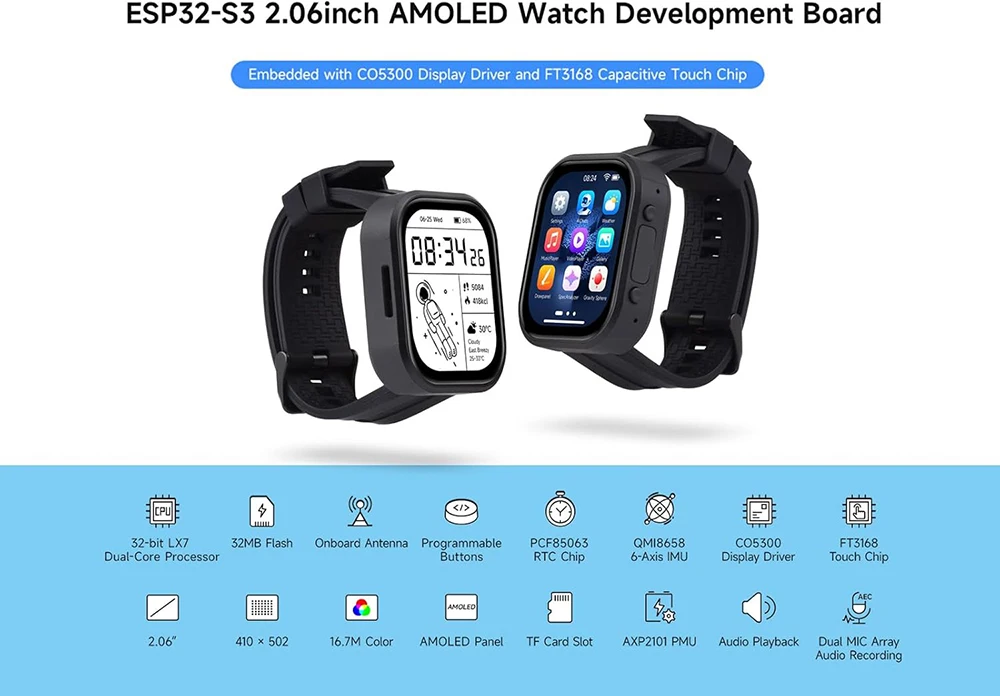
Screen display chip: CO5300;
Screen touch chip: FT3168
Answer:
ESP32-S3-Touch-AMOLED-2.06 is based on the ESP32-S3R8 chip, supports ESP-IDF and its ecosystem, and can be developed using ESP-IDF or arduino-esp32 Core. ESP-IDF can be used with Vscode, and arduino-esp32 can be used with Arduino IDE or PlatformIO.
Answer:
It is not waterproof and should be kept dry when used
Answer:
The recommended battery specification is 4*27*28 400mAh, which can be used for about 1 hour in the regular full-light state, 3~4 hours when the screen backlight is turned off, and about 6 hours in full low-power scenarios.
Answer:
The upper driver of the GFX Arduino LVGL is the Arduino TFT library, and the ability to read and write images accelerated by DMA is limited in this scenario. The LVGL examples provided by ESP-IDF enable double buffering and anti-tearing optimization operations, so the results are better.
Answer:
Windows system:
①View through Device Manager: Press the Windows + R keys to open the "Run" dialog box; Input devmgmt.msc and press Enter to open Device Manager; Expand the "Port (COM and LPT)" section, here it will list all the COM ports and their current status.
②Use the command prompt to view: Open the Command Prompt (CMD); enter the mode command, which will display status information for all COM ports.
③Check hardware connections: If you have already connected external devices to the COM port, the device usually occupies a port number, which can be determined by checking the connected hardware.
Linux system:
①Use the dmesg command to view: Open the terminal.
①Use the ls command to view: Enter ls /dev/ttyS* or ls /dev/ttyUSB* to list all serial port devices.
③Use the setserial command to view: Enter setserial -g /dev/ttyS* to view the configuration information of all serial port devices.
Answer:
The Type-C flashing and debugging port of ESP32-S3-Touch-AMOLED-2.06 is directly output from ESP32-S3 USB. In the Arduino IDE development environment, it supports printf function for printing and output. If you want to support Serial function for printing and output, you need to enable USB CDC On Boot function or HWCDC declaration. For this, please refer to the demonstration in the demo. ESP-IDF usually uses ESP_LOGD and ESP-ERROR_CECK for printing output.
Answer:
This product is positioned as a development board and is not a finished product. Regarding the product ecosystem, ESP32 is a core product with a mature ecosystem and a friendly development environment. We do not assist in modifying the code. As creators and geeks, please use your DIY abilities. If you have any questions, please feel free to ask our engineers for answers.
If you think our products are good, and you want to customize hardware, casings, software, etc. in batches, please contact business sales team
Answer:
Please refer to
Customer Reviews
No reviews yet
Waveshare ESP32-S3 2.06 inch AMOLED Touchscreen Development Board 410x502 ESP32 Display Support DeepSeek Arduino IDE ESP-IDF
55.02$
46.65$
Quantity:
1
Availability:
Color