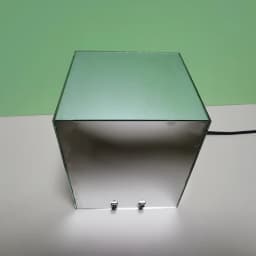
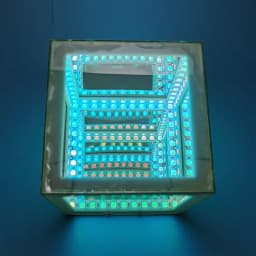

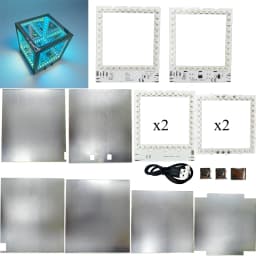
Electronic DIY Welding Project 3D Abyss Cube Atmosphere WS2812 LED Colored Light Bulk Kit Desktop Ornament Holiday Gift
66.66$
21.6$
Quantity:
1
Availability:
Color
Card Payments
Crypto Payments
Easy return
Reliable Shipping
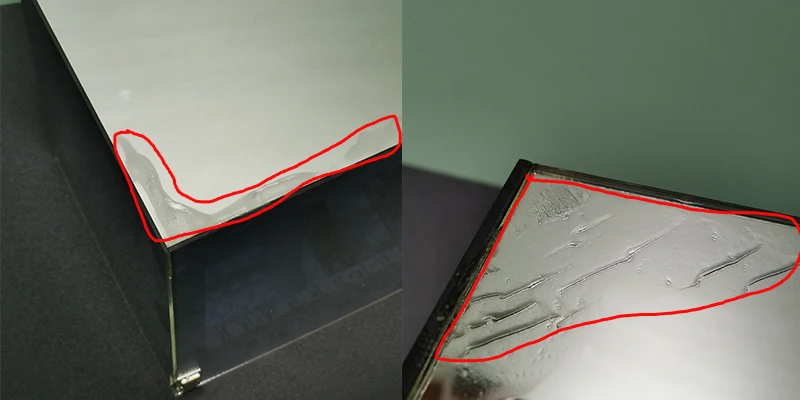
1. Glue is not included; customers must provide their own. We recommend using a slow-drying adhesive like B7000 for attaching the semi-transparent mirror.
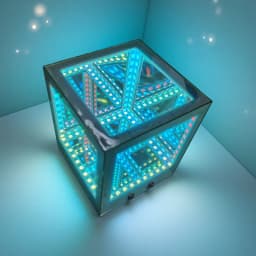
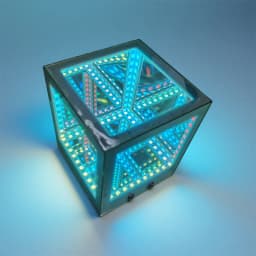
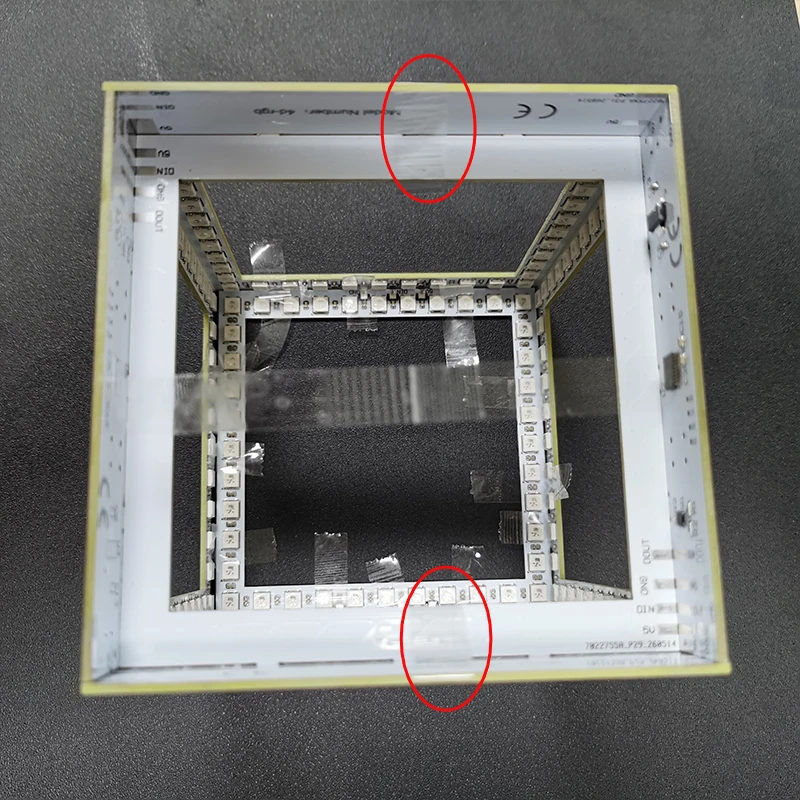
2. The product exhibits visible glue marks (see the area marked in red in the image above). Please consider this potential imperfection before purchasing.
3. Instructions for soldering and assembly follow below:
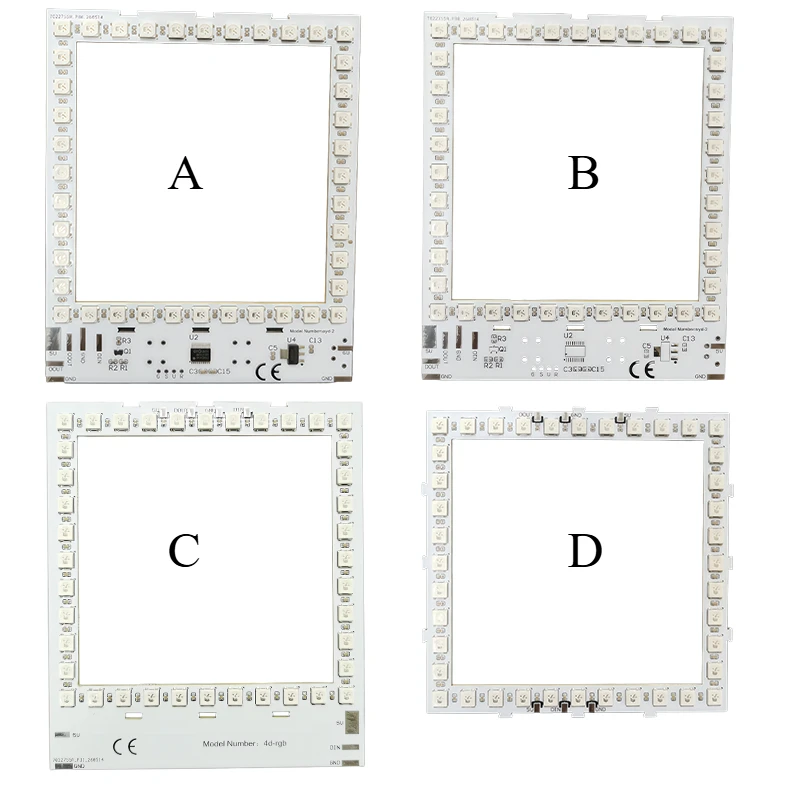
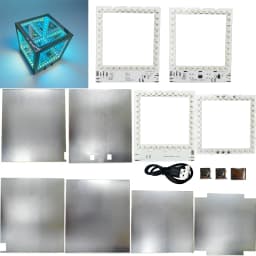
4. There are six PCBA boards in total; for clarity, they are labeled A, B, C, and D (with two boards each for C and D).
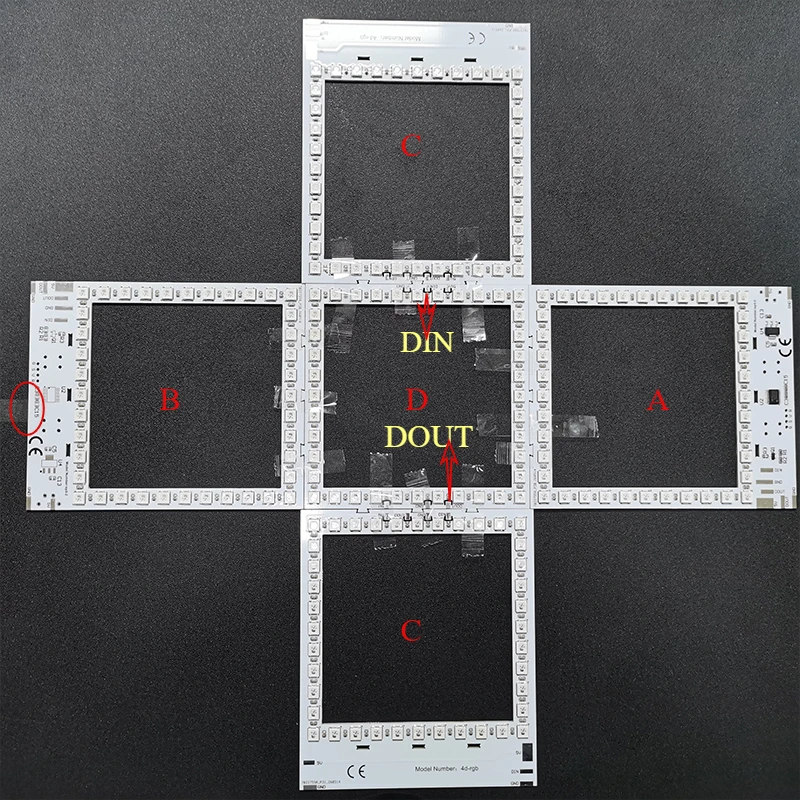
5. Arrange the PCBA boards as shown in the image. Pay close attention to the orientation of the "D" boards: the "DIN" silkscreen should face upward, and the "DOUT" silkscreen should face downward. Temporarily secure all boards with tape; for the area marked with an oval, use a strip of tape approximately 18 cm long applied to the bottom side of the boards.
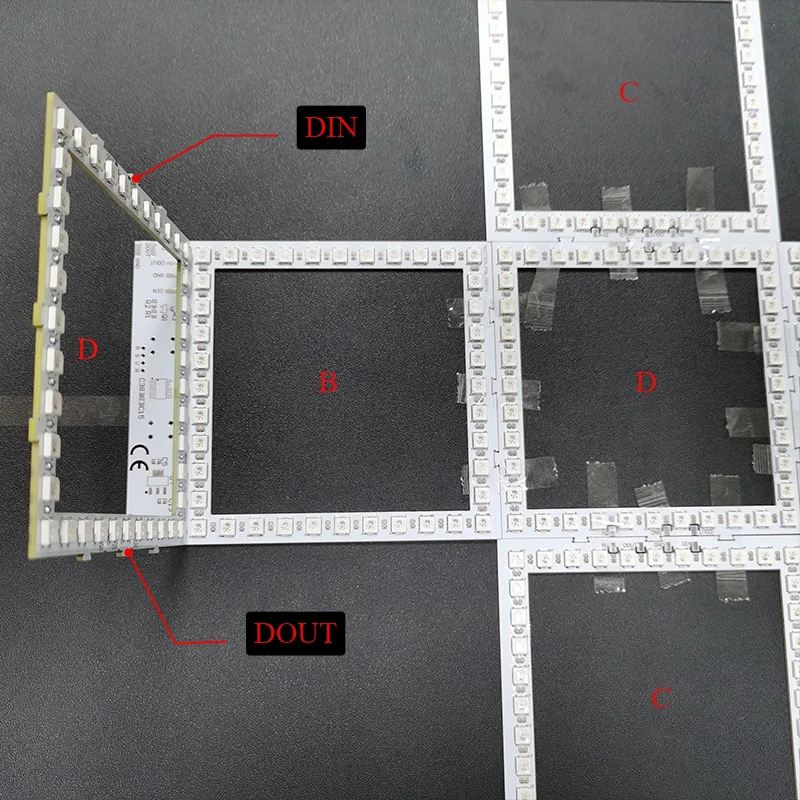
6. Insert the second "D" board into "B". Ensure correct orientation: the "DIN" silkscreen should face backward, and the "DOUT" silkscreen should face forward.
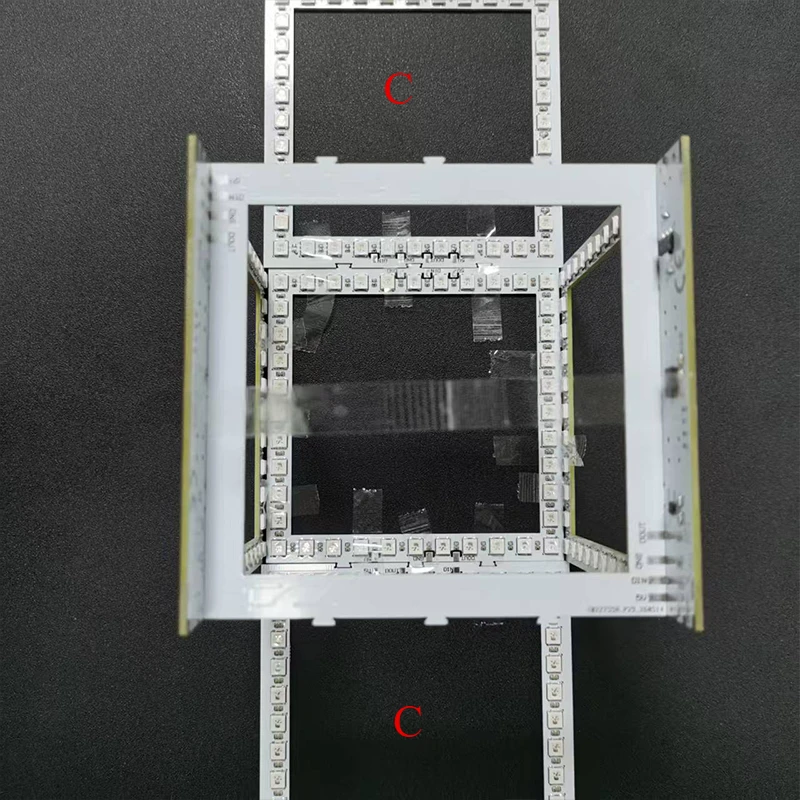
7. As shown in the image, flip boards A and B upward by 90° and temporarily secure them with tape.
8. Flip the two "C" boards upward by 90° and temporarily secure them with tape.
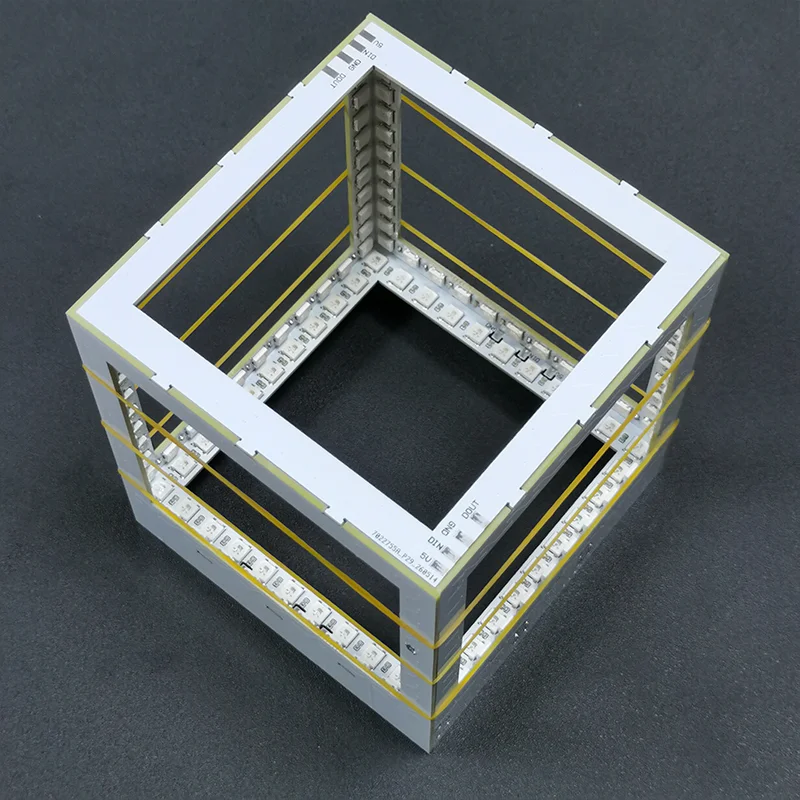
9. Secure the assembly with rubber bands, remove all tape, and make fine adjustments to the board positions to form a perfect square.
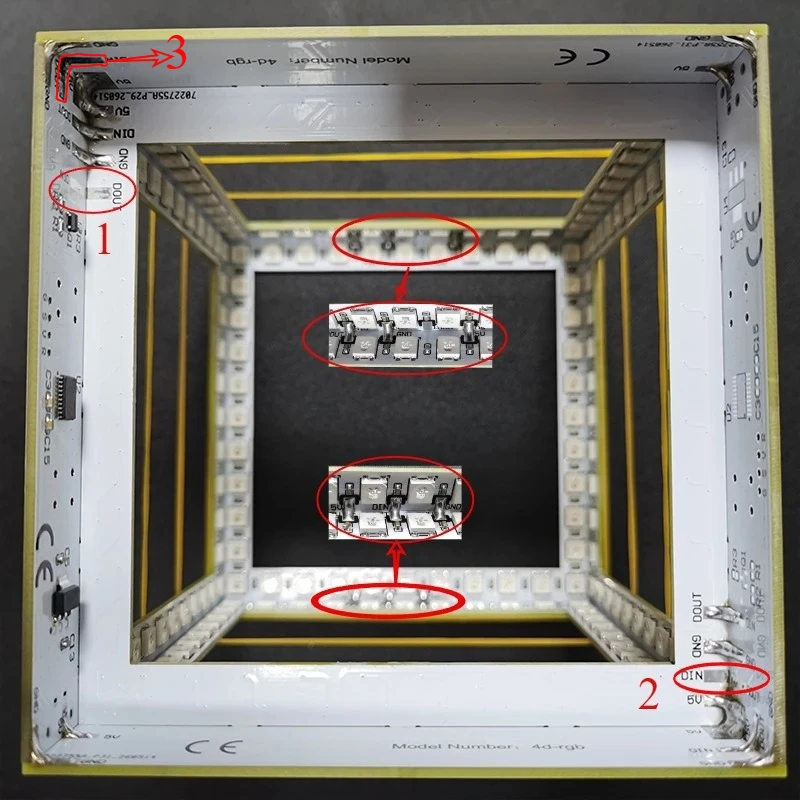
10. Oval Mark 1: Do not solder the pads connecting A's "DIN" and D's "DOUT". Oval Mark 2: Do not solder the pads connecting B's "DOUT" and D's "DIN".L-shaped mark 3: Do not solder the "DOUT" pad of A and the "DIN" pad of C. All other PCBA connection pads must be soldered.
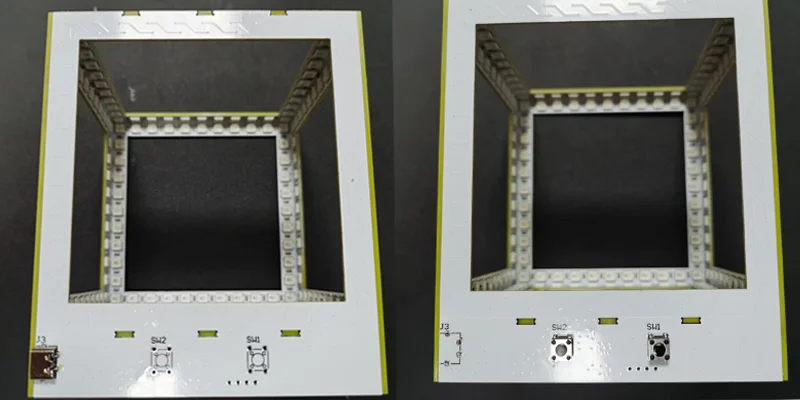
11. Solder the tactile switch to board A and the Type-C connector to board B.
12. Power supply requirement: DC 5V / 2A.
13. Power on to test. Use SW2 to switch between the six available modes. Note: When in the second mode, you must press and hold the switch for 1 second before releasing it to switch to the third mode.
14. In Mode 6, pressing the tactile switch turns off the lights.
15. The SW1 tactile switch cycles through the six display modes.
16. If functional issues arise during testing, please verify the soldering; we recommend double-checking the connections and reviewing the manual. Each PCBA undergoes testing prior to shipment and is confirmed to be fully functional before leaving the factory.
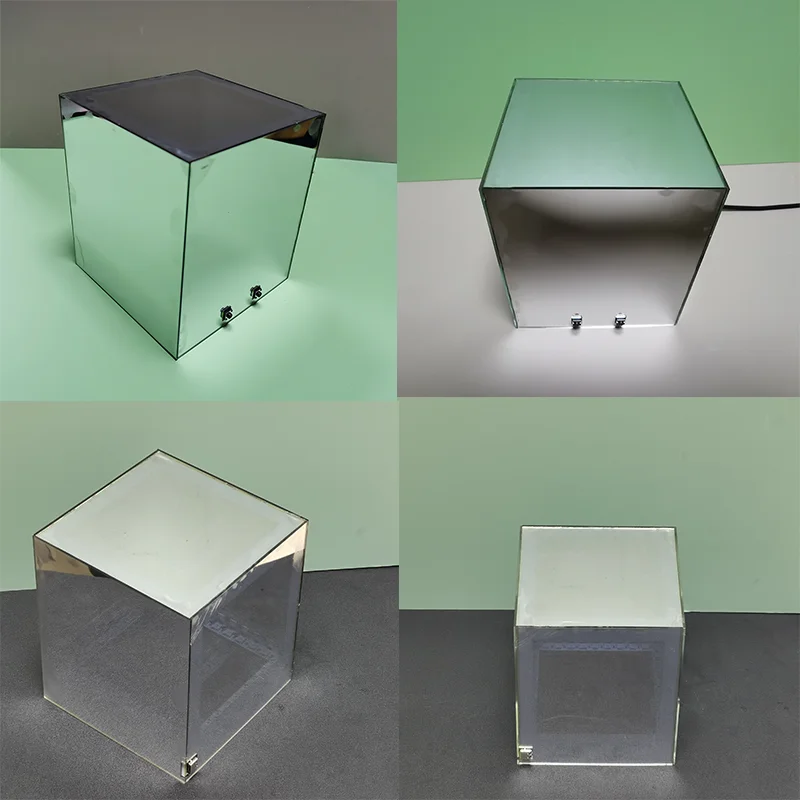
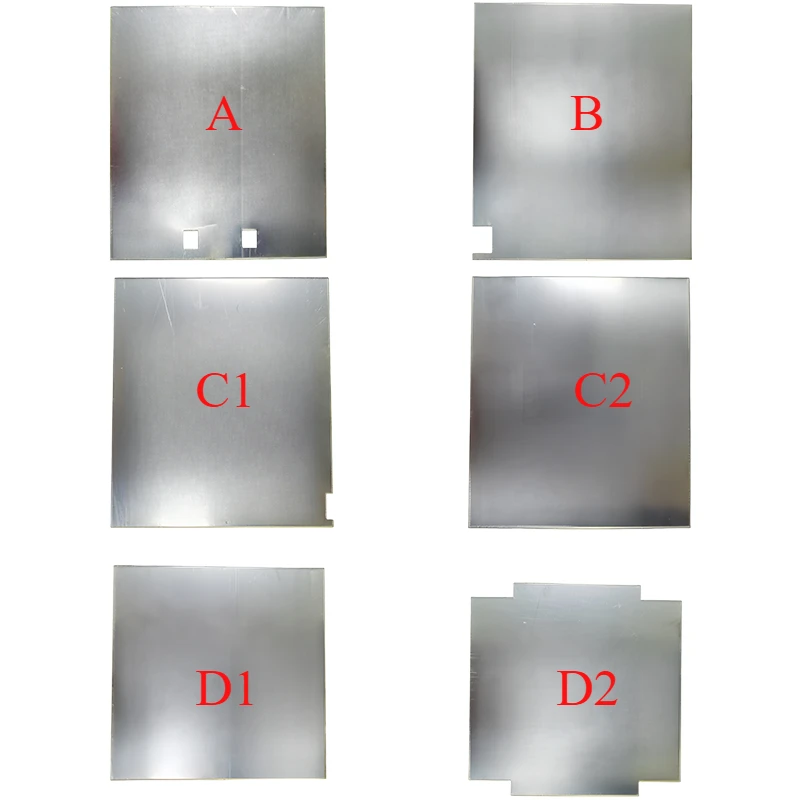
17. We recommend using B7000 slow-drying glue.
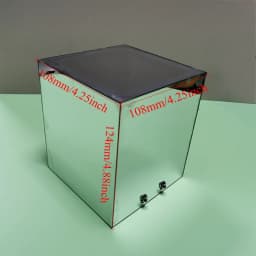
18. When facing the side with the buttons: the front semi-transparent lens (A) corresponds to PCBA (A); the rear semi-transparent lens (B) corresponds to PCBA (B); the left semi-transparent lens (C2) and right semi-transparent lens (C1) both correspond to PCBA (C); and the top semi-transparent lens (D1) and bottom semi-transparent lens (D2) both correspond to PCBA (D).
19. Secure the semi-transparent lenses with rubber bands, then make fine adjustments to their positions to align all edges. Wait approximately 5 hours before removing the rubber bands.
Customer Reviews
No reviews yet
Electronic DIY Welding Project 3D Abyss Cube Atmosphere WS2812 LED Colored Light Bulk Kit Desktop Ornament Holiday Gift
66.66$
21.6$
Quantity:
1
Availability:
Color