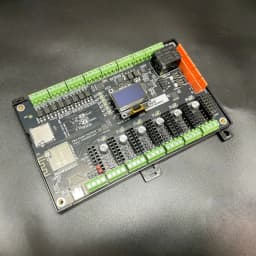
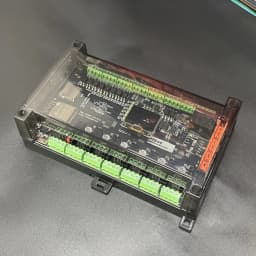
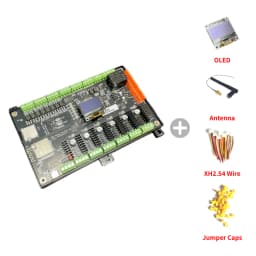
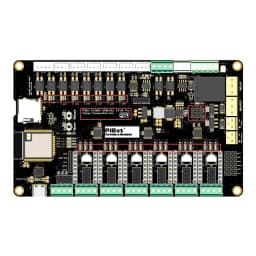
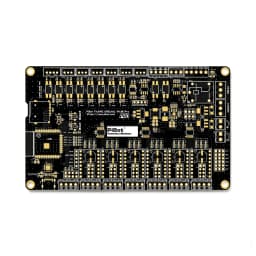
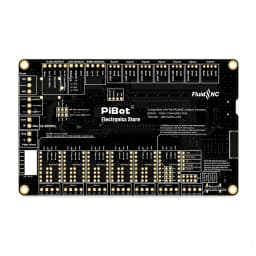
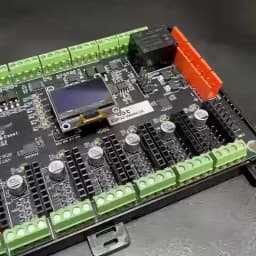
PiBot FluidNC ESP32 GRBL CNC Controller V4.96 Pro (Includes OLED, Antenna, XH2.54 Wire and Jumper Caps)
122.15$
103.71$
Quantity:
1
Availability:
Card Payments
Crypto Payments
Easy return
Reliable Shipping
The Lastest Version is V4.96 Pro Now in Stock!
the shipping list including
V4.96 Pro BOARD
Jumpers cap
IPEX to SMA external antenna
OLED
XH2.54 Wire
What is New
Thank you for your support. The V4.9PB version is now sold out. We have currently updated to the 4.96 Pro version, which is compatible with V4.9PB. We have implemented numerous optimizations and upgrades, such as adopting a four-layer PCB design, optimizing SPI signals, adding 22 LED lights for input and output display, and adding support for high-precision, high-voltage limit switches.
All orders will be shipped with the new version. Additionally, our tutorials are constantly being updated. Most configurations of the V4.96 Pro are compatible with the V4.9PB, so you can refer to the V4.9PB settings for now.
How to Identify New Version
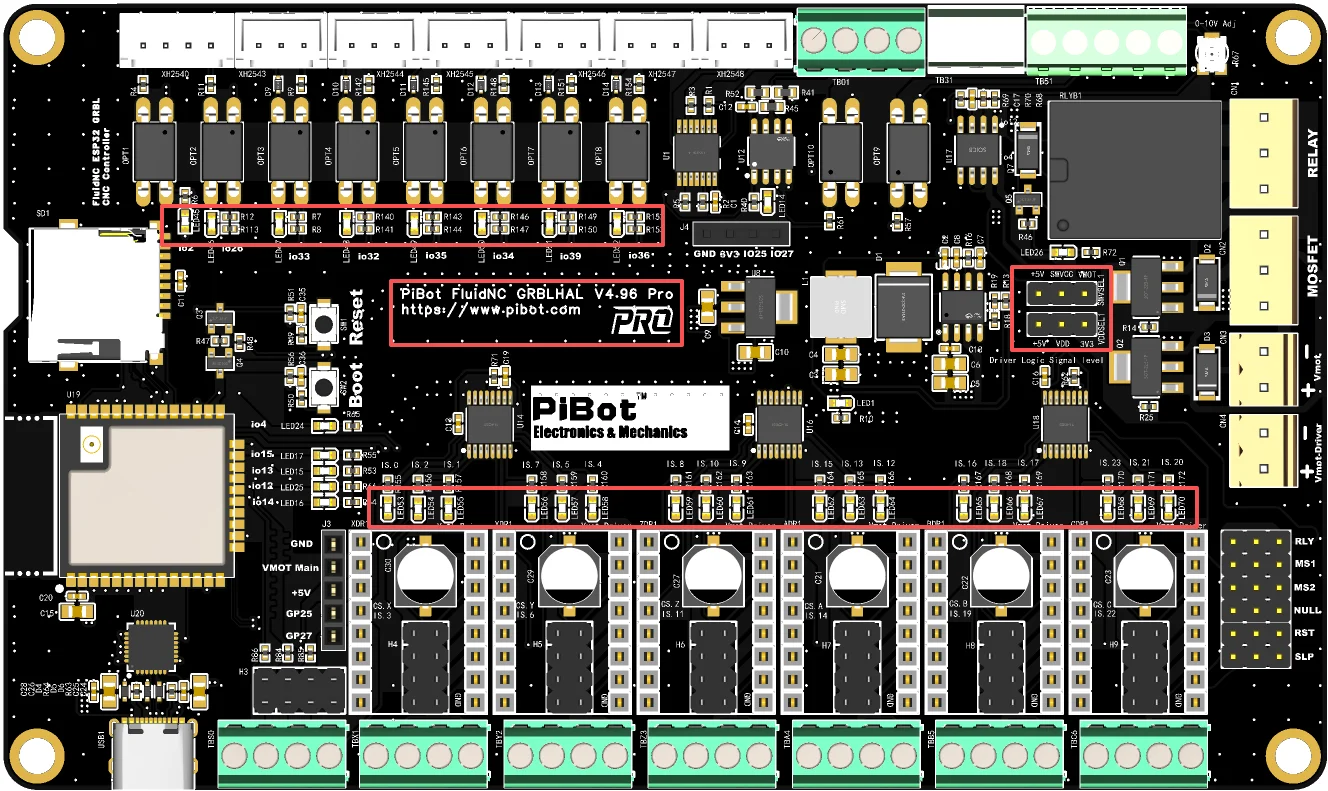
A:The version are silkscreened with "PiBot FluidNC V4.96 Pro".
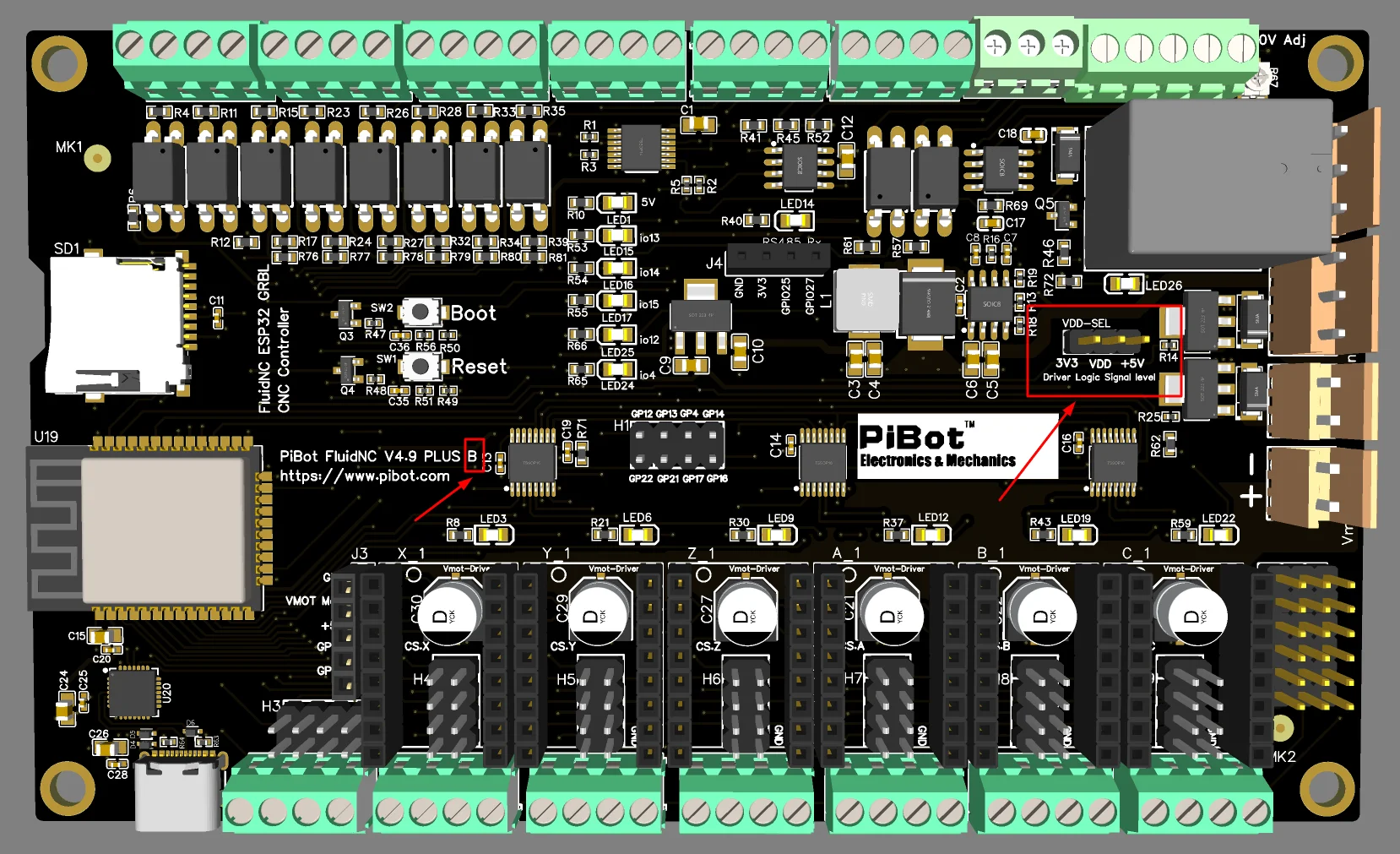
B:There are two 3-pin jumpers for selecting the "Driver Logic Signal Level" and "SW_VCC".
C:There are a total of an impressive 34 LEDs on the PCB for status display.
Product Wiki
wiki.pibot.com
What is it
This controller is designed to operate a wide range of CNC machines. It can drive six motors and supports various spindles and lasers—including those with PWM, 485, and 0-10V outputs — compatibility with FluidNC, GRBLHAL, and GRBL1.1f.
1. For the FluidNC official original firmware, It adopts the pin configuration of FluidNC 6x to ensure enhanced compatibility,FluidNC is very easy to configure. You never have to compile any software. All configuration, upgrading, etc can be done via web browser. we provide yaml example configuration file.
2. For grblHAL and GRBL1.1f, you can configure them directly via the WebBuild platform on grblHAL's official website. This ESP32 flash tool also allows for easy firmware uploading. Moreover, thanks to grblHAL's built-in compatibility mode for GRBL1.1f, you can utilize a wide range of software that requires GRBL1.1f support.
3. You can find relevant information on the official FluidNC and GRBLHAL wiki sites. In parallel, we are optimizing our Simple Tutorial with clear visuals and videos to streamline the learning process.
4. Compatible Software vs. Firmware, This table is based on our tests in October 2025. Be aware that software changes might have occurred or there might be some inaccuracies, so you can run your own tests.
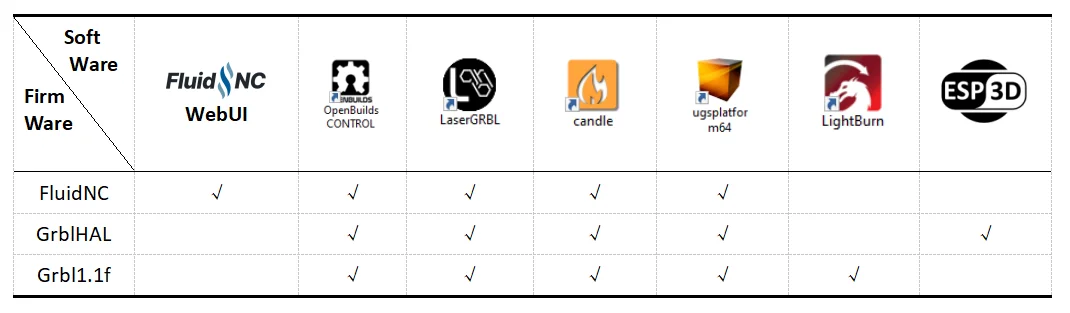
Additionally, some software like Estlcam and Easel have specific hardware requirements. You can use our corresponding control boards, which are designed to meet these requirements.
Compatible with the FluidNC official original firmware, we provide yaml example configuration file. (Please get the download link on our website: PiBot.com)
Compatible with the GRBLHAL official Web-builder, GRBLHAL can set to GRBL1.1f level.
The PIBot V4 board natively supports the GRBLHAL OLED, as this code was contributed by Luc from France (ESP3D Developer) and tested using the PiBot V4 mainboard. (Please get the link below on our website: PiBot.com)
grblHAL web
PiBot V4 Web Build
PiBot V4 GRBLHAL Pinmap
Quick Start Guider Upload GrblHAL Firmware
The 2025 Lastest Version is V4.9 Plus B Now in Stock!
2024 V4.9P upgrade to 2025 V4.9PB,
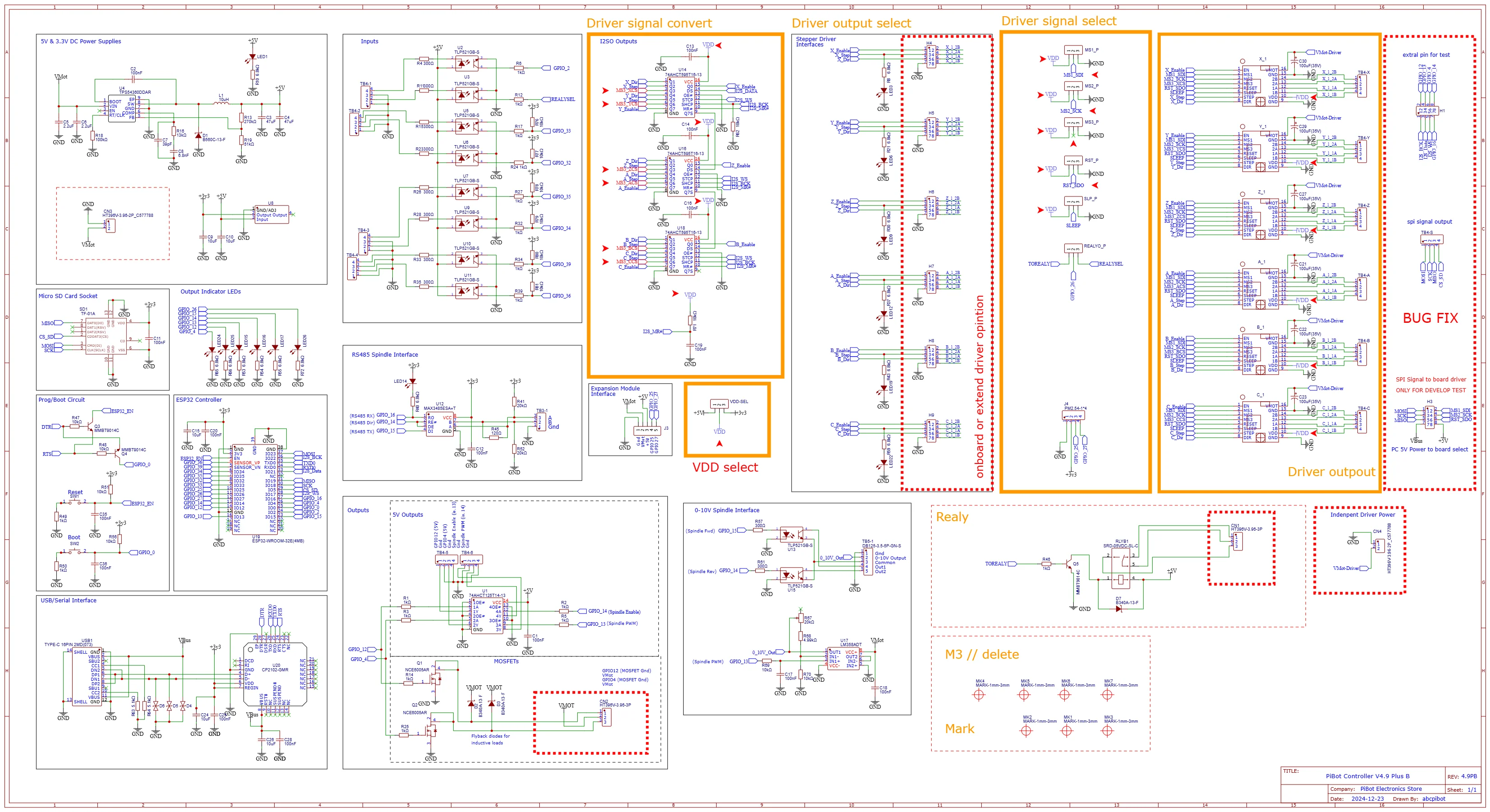
Compared to the V4.9P version from 2024, V4.9PB have incorporated a voltage level selection function, allowing users to choose either 3.3V or 5V as the onboard drviers control voltage.
We have fixed some pin setting errors in V4.9P, and as a result, it can now support TMC2130 and TMC5160 drivers. (the old 2024 version V4.9P can not support TMC drviers)
How to distinguish the new version:
A:The versions shipped in 2025 are all the new ones, which are silkscreened with "PiBot FluidNC V4.9 PLUS B".
B:Below the relay on the PCB, there is a 3-pin jumper cap labeled "Driver Logic Signal Level".
C:The V49PB adopts a new ESP32 original module, which is faster and more stable, thus requiring an extral antenna for WiFi connectivity.
Review of Versions
Thank you all for your support and feedback. We continuously update and improve our products.
V4.6 (sold out)
V4.7 (sold out)
V4.7B (New!!!!! in stock!!!!)
V4.8 (sold out)
V4.9A (sold out)
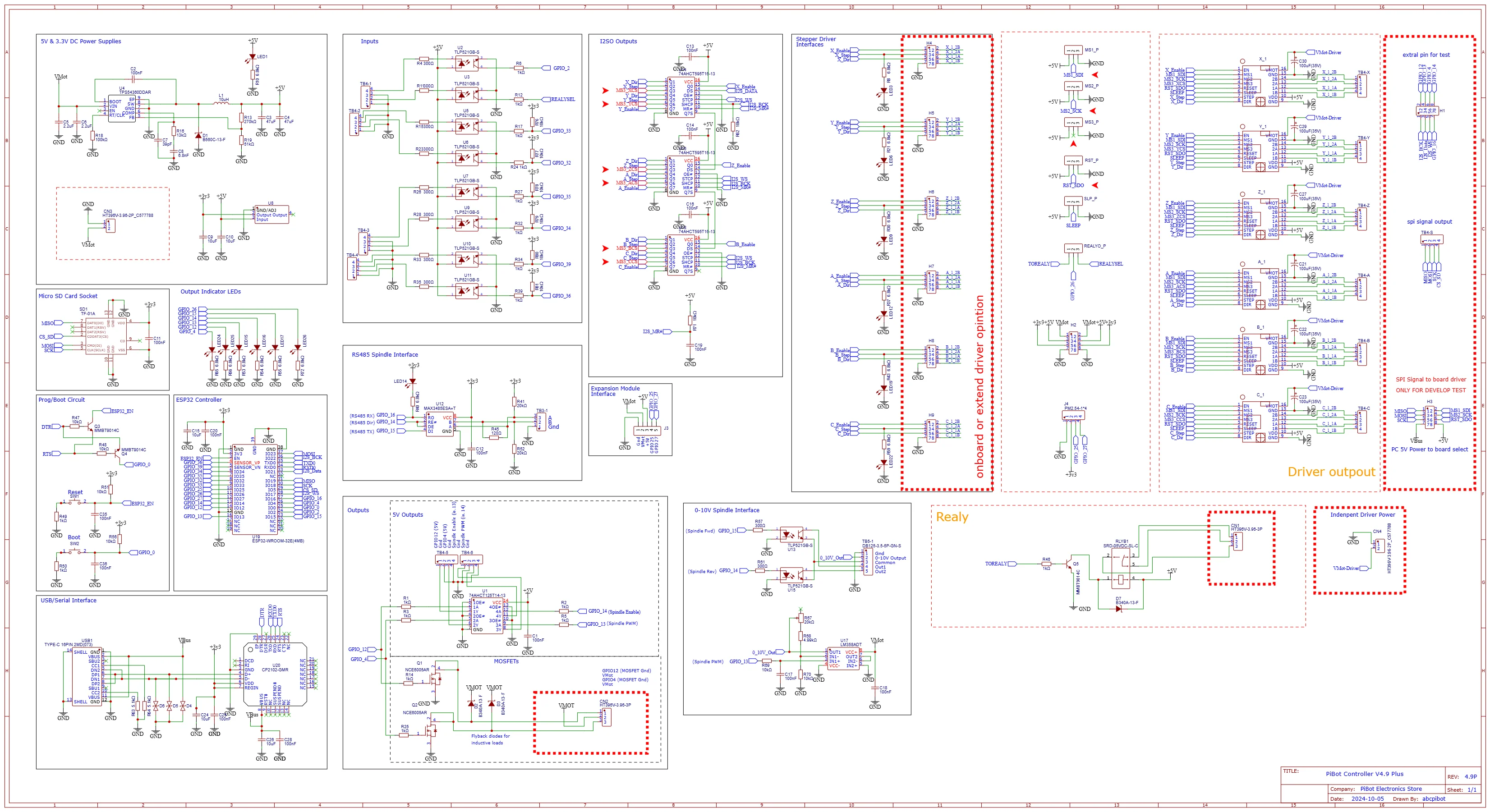
V4.9P (sold out) old documentation for the 2024 V4.9P version
V4.9P-B (New!!!!! in stock!!!!) old documentation for the 2025 V4.9PB version -- Please get the document on our website: PiBot.com
The V4.9P-B feature compare to the before:
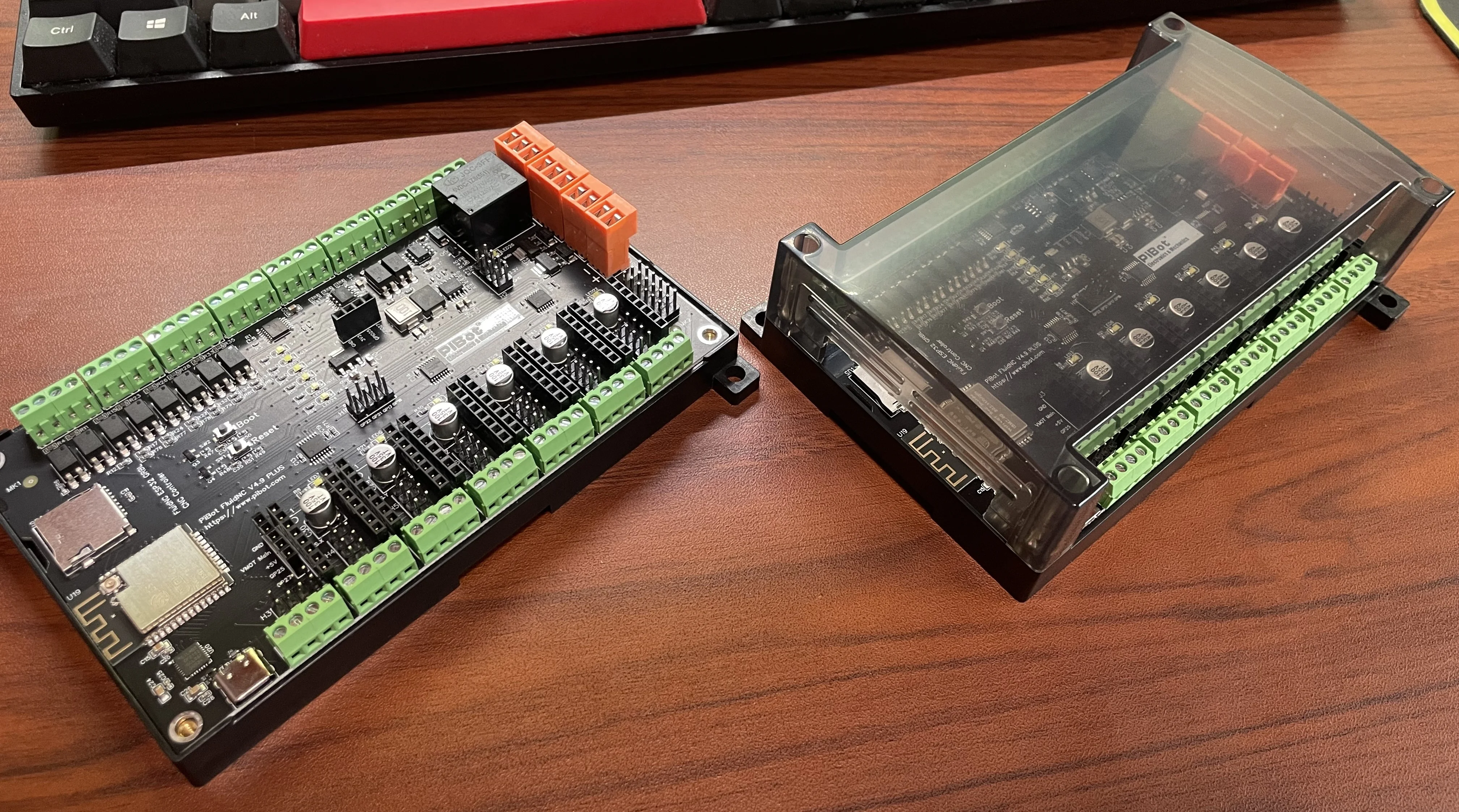
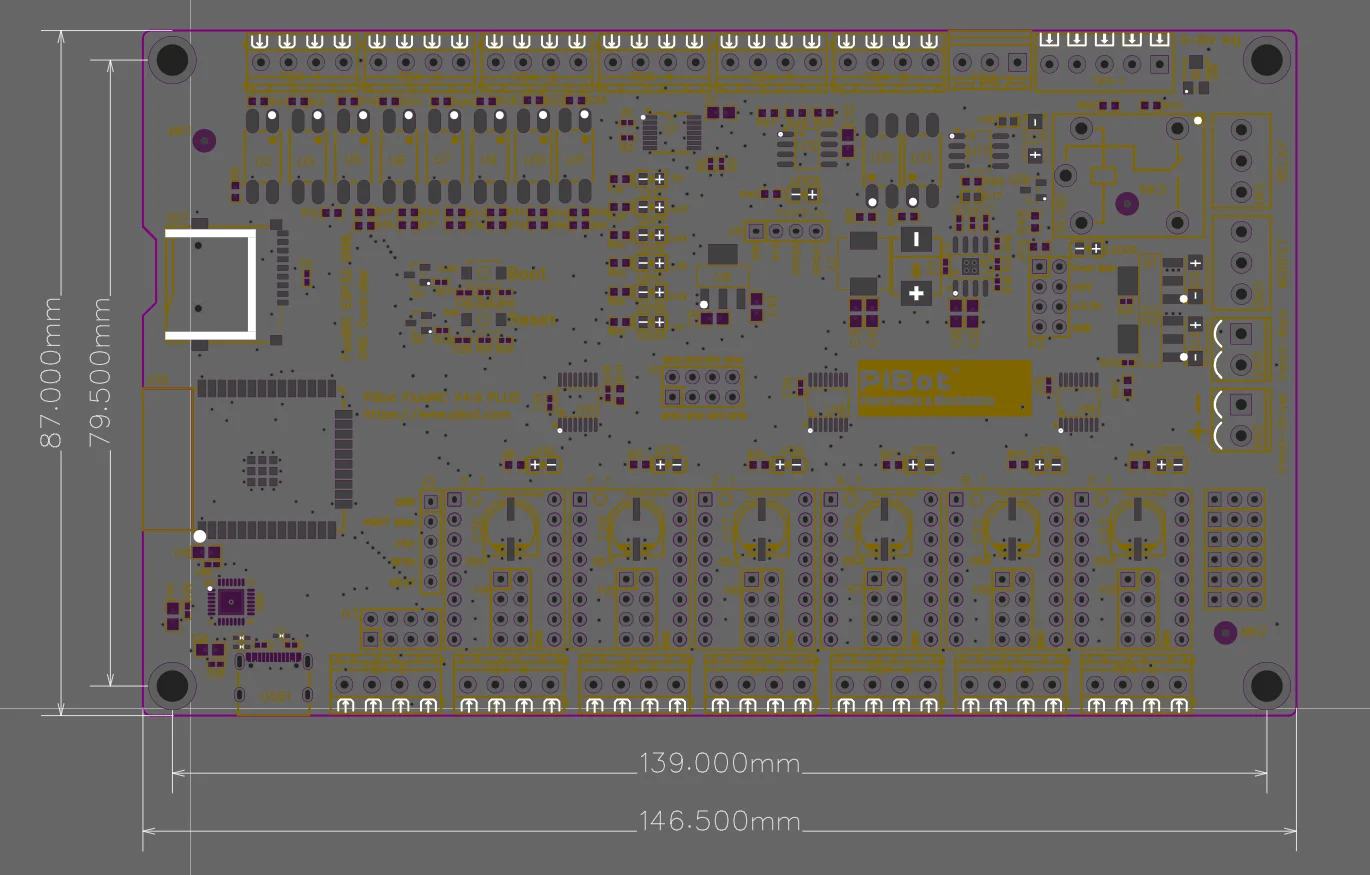
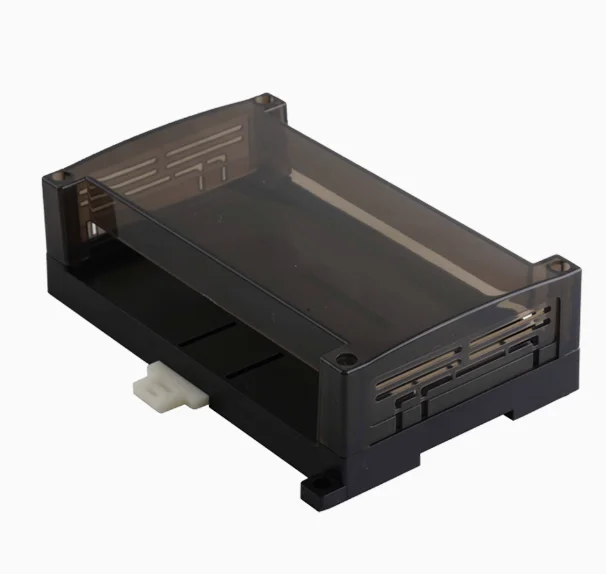
1. To make it fix with a 150 * 90 * 40mm box. ( it needs to be purchased separately)
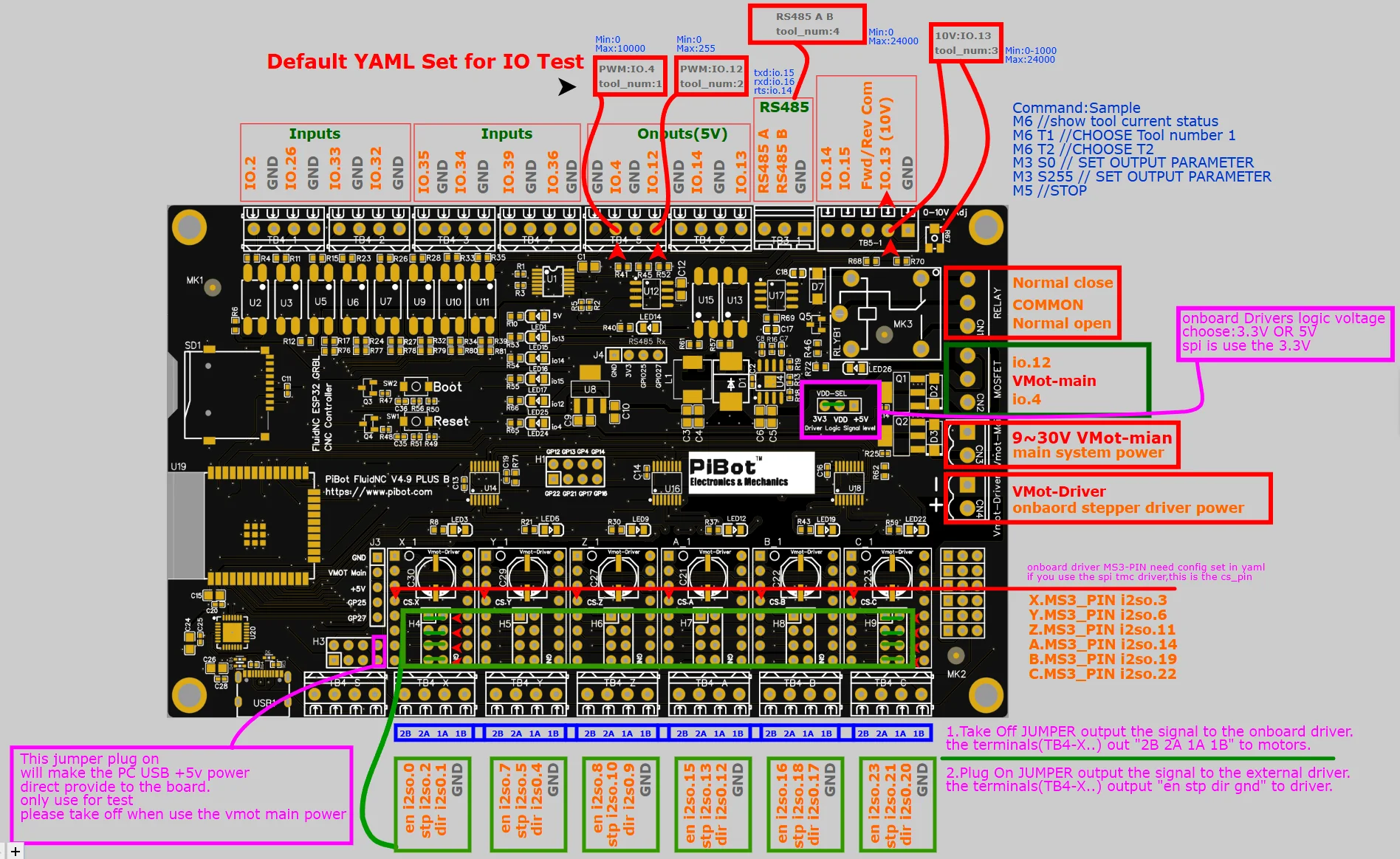
2. Change the output connector to a screw method. (use the jumper opinion then can choose output model for extra driver or to motors via the capnut on or off)
3. Change the antenna to an external more faster and stable.
4. The main power supply and stepper motor power supply are input separately.
5. use the plug then can change the output for drivers or motors.
6. Supports onboard TMC2130 and TMC5160 drivers, as well as external TMC5160 drivers. (only for 2025 V49PB)
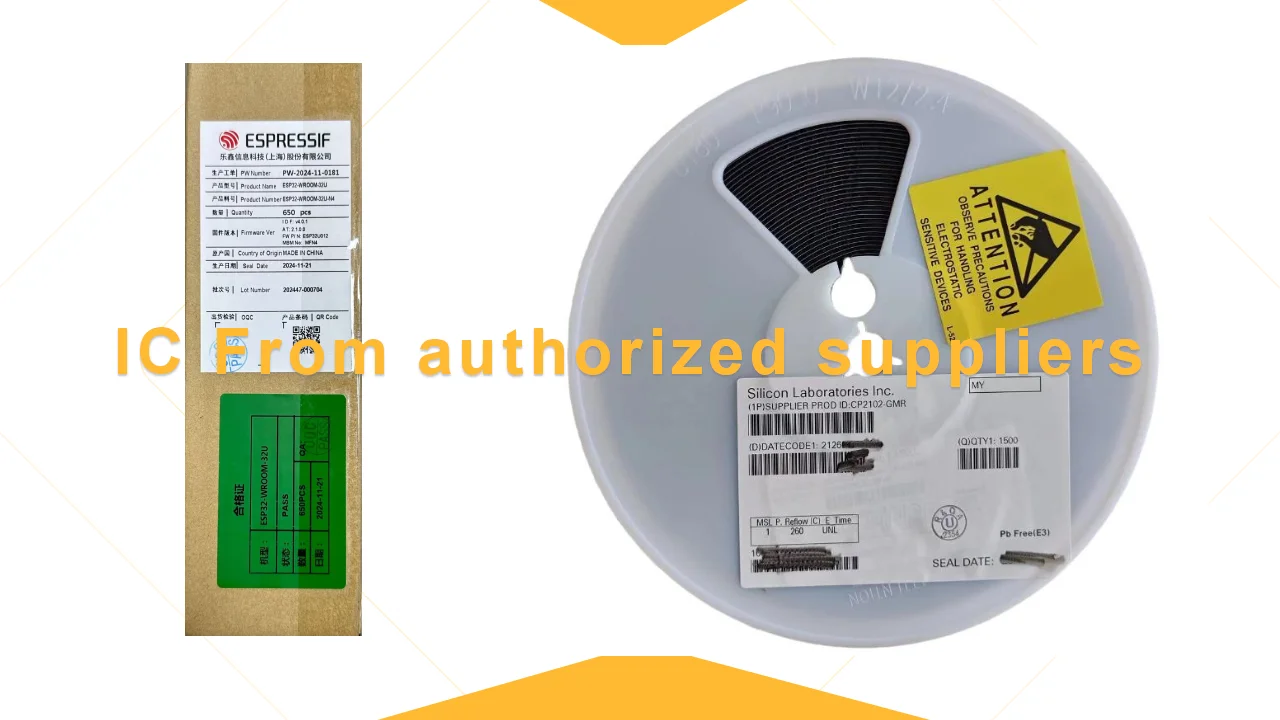
7. Procuring CP2102 chips from Silicon's official and authorized suppliers.
8. Procuring genuine ESP32 chips from Espressif's official suppliers ensures greater stability and reliability.
V4.96 Pro Features Compared to V4.9P-B Versions:
1. The board features a 4-layer PCB design with impedance-controlled manufacturing, upgraded component suppliers, and solid capacitors with voltage ratings increased from 35V to 50V.
2. The layout has been optimized with a dedicated power plane and improved SPI signal routing, The layout was inspected by engineers from three separate companies.
3. The SW_VCC selector supports standard limit switches, medium-precision 5V types, or high-precision industrial-grade 12V/24V limit switches.
4. All limit switch inputs include diode protection and status LEDs.
5. Signal output indicators have been added for all stepper motors with integrated LEDs.
6. The SPI external port now uses CS.X instead of GPIO5 for more intuitive wiring.
The V49 PLUS can adapt a 150 * 90 * 40mm box and use screw
Feature
Integrated ESP32 (Programmed with FluidNC. Includes a generic configuration)
(6) Motor connectors for external stepper drivers (5v signals). Each motor has separate step, direction and enable signals.
Inputs for switches (limits, probes, control, etc)
Communication Mode: USB Cable or Blue Tooth or WIFI
Spindles (many types supported). Some multi-spindle arrangements are possible like RS485 & laser on the same machine.
0-10V controlled spindles with additional forward and reverse direction signals
PWM Speed controllers with optional separate enable signals
Relay (on/off) controlled spindles.
BESC (Brushless Motor) based spindles
Lasers with PWM and enable
Unused spindle 5V outputs can be used for any output function (coolant, etc)
Micro SD card socket for local storage of gcode files
Module socket for GPIO extenders and Pendant interfaces.
Compatible with PiBot Stepper Motor Driver Rev2.3 TOSHIBA TB6600 (3.3V 5V or Dgnd logic max Output 4.12 - 4.5A)
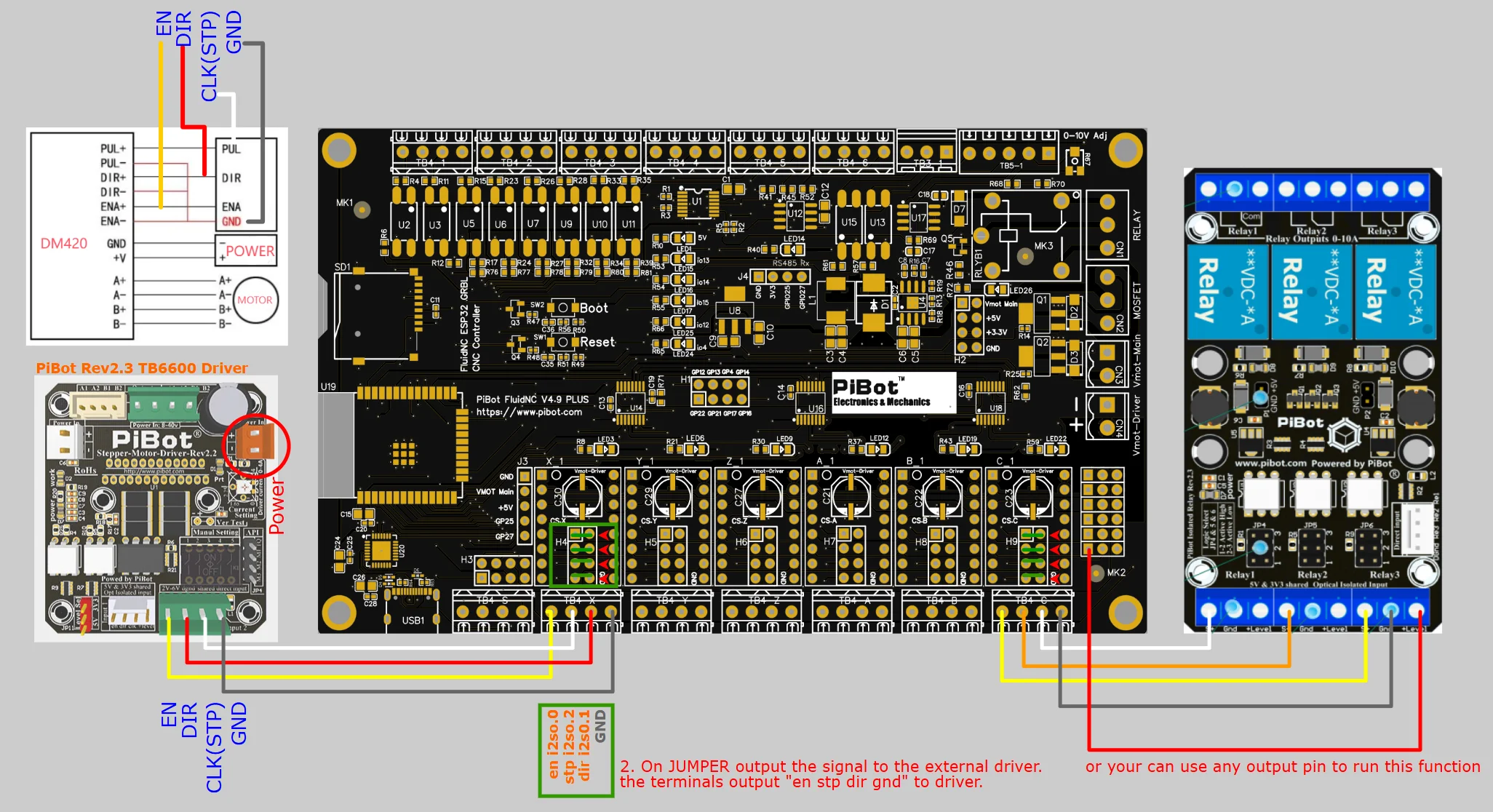
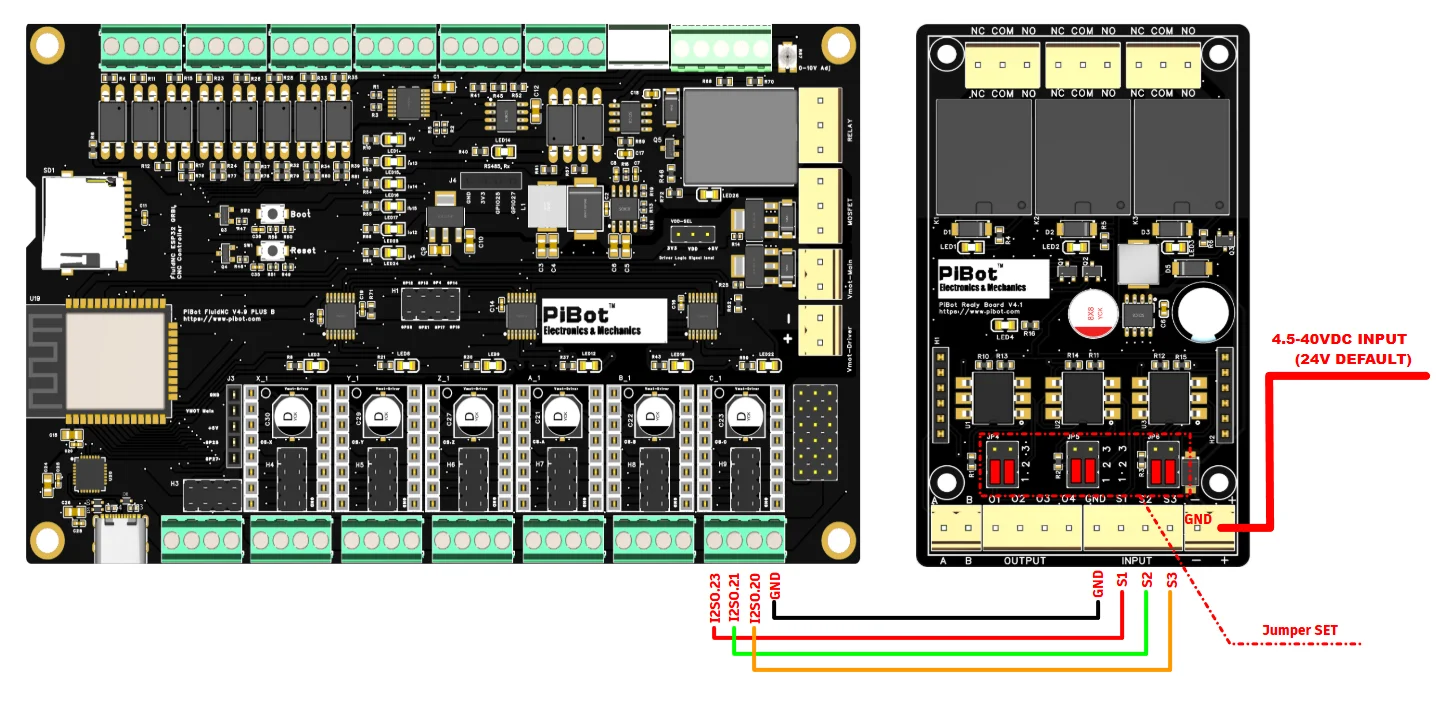
Compatible with PiBot Isolated Relay Board Rev2.3
Tested the on board TMC2130 Driver
Tested the Extend TMC5160 Driver
5mins Simple Setup Tutorial for FluidNC Firmware
There is a video is from our American partner, dubbed in English, you may watch it on our website: pibot.com
Tips: you can plug on the jumper for test in board without the mianpower connect, but if your use the mainpower please take this plug off.
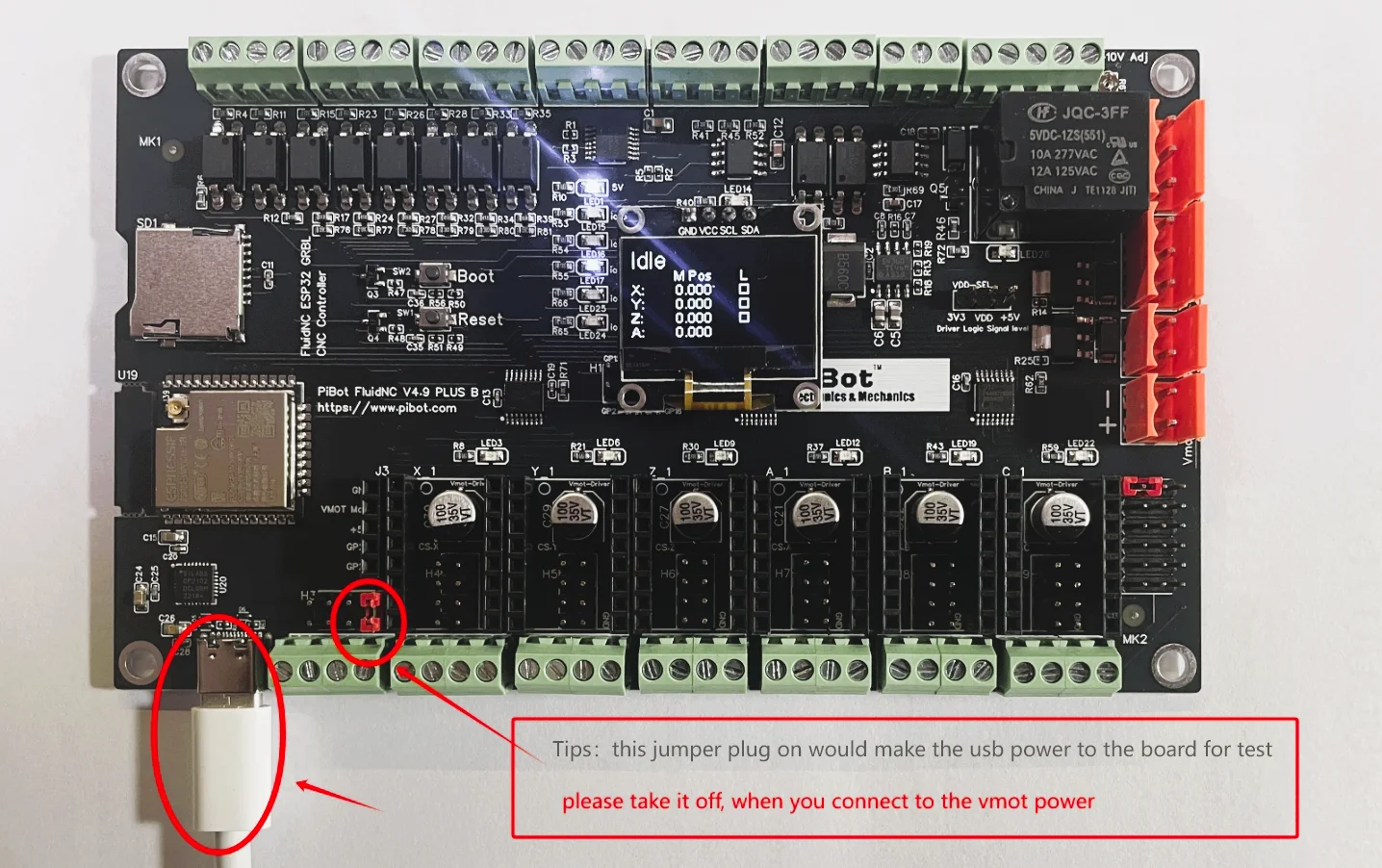
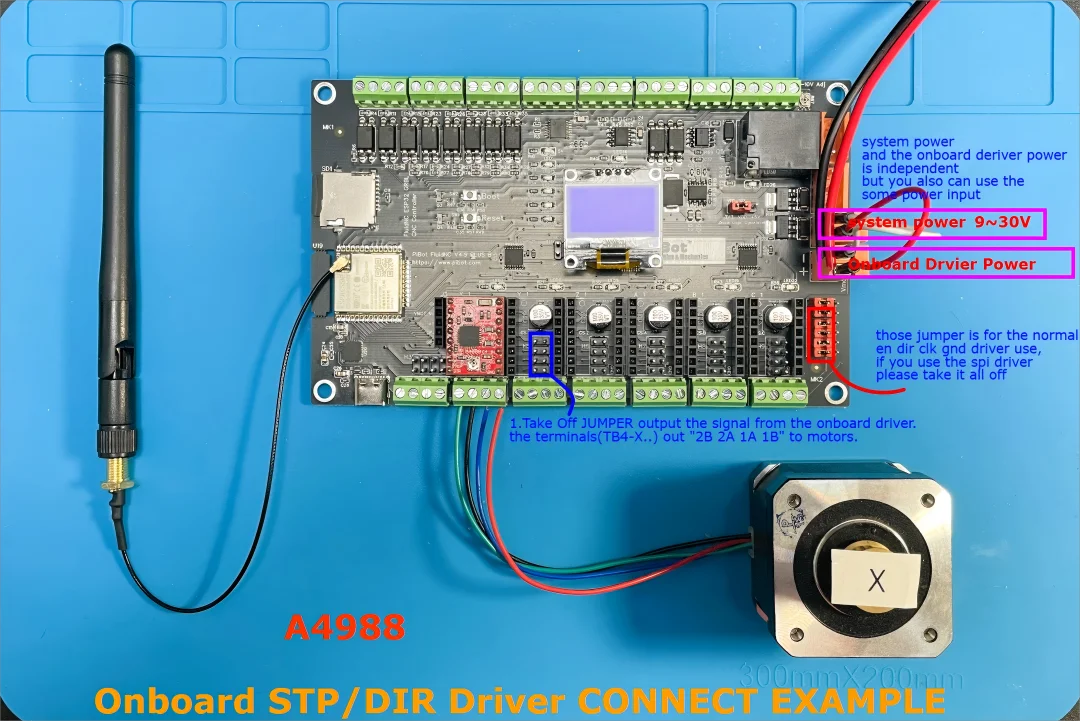
Diagram of Driver Connection
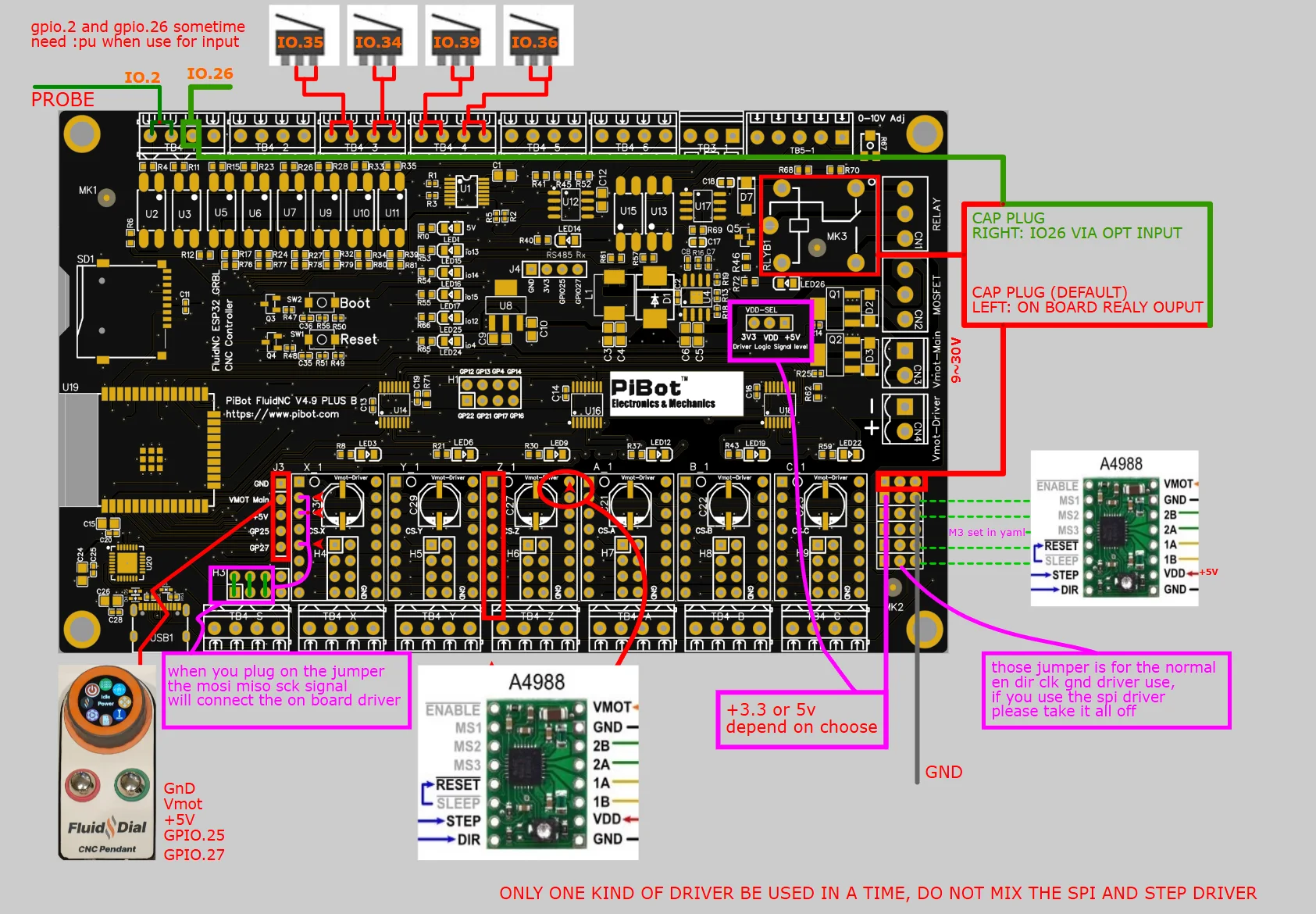
Notice: en dir clk gnd model can not mix with the SPI model
A. Normal Stepstick STP/DIR DRVIER (such as A4988 Drv8825 TMC2208 TMC2209)
We have some yaml example: you can download it on our website: pibot.com
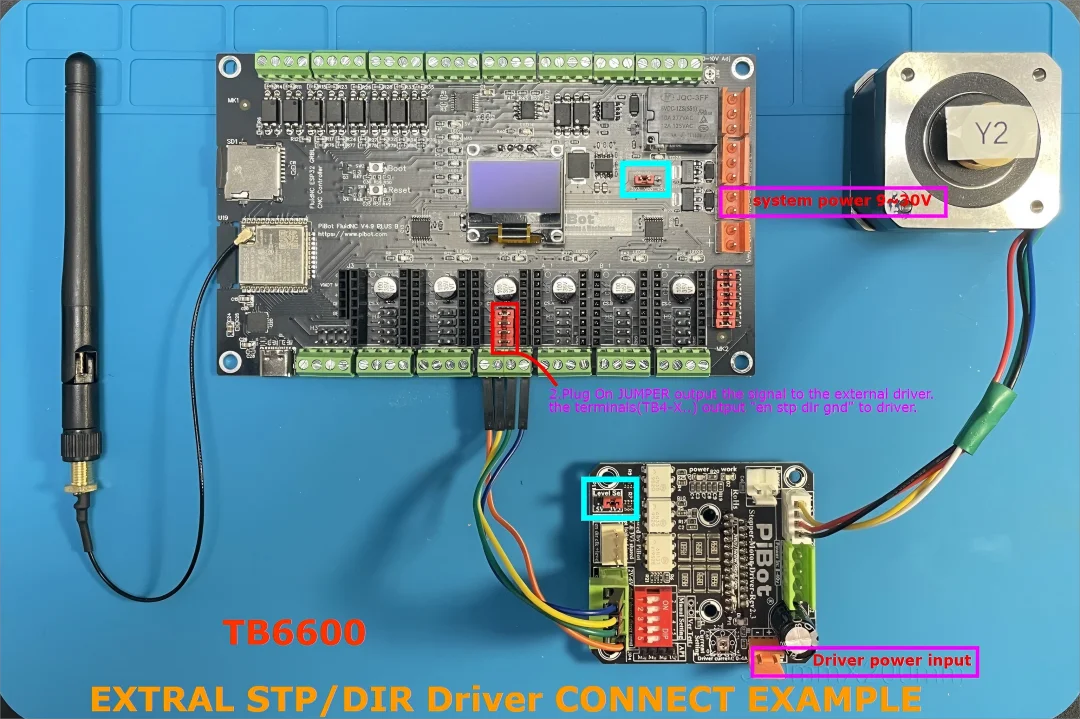
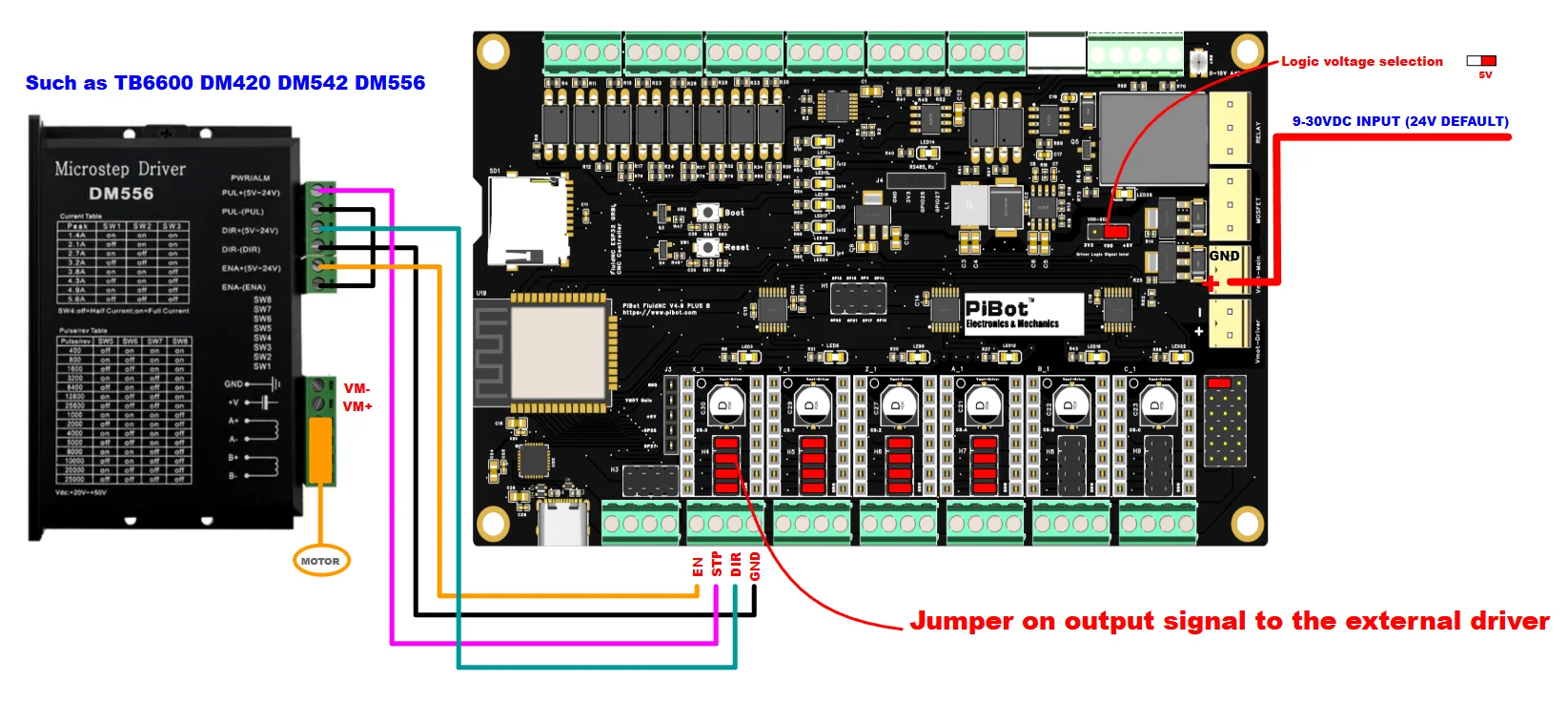
B. Normal Standard STP/DIR DRVIER (such as TB6600 DM420 DM542 DM556)
C. SPI TMC EXTRAL DRIVER (such as TMC5160)
1. VDD set to 3.3V compatible the SPI voltage
2. Don‘t forget use the 47ohm add to the mosi miso sck cable in V4.9 PB
PiBot TMC5160 V4 page - get it on our website: pibot.com
Some yaml example - get it on our website
videos - test - watch the video on our website
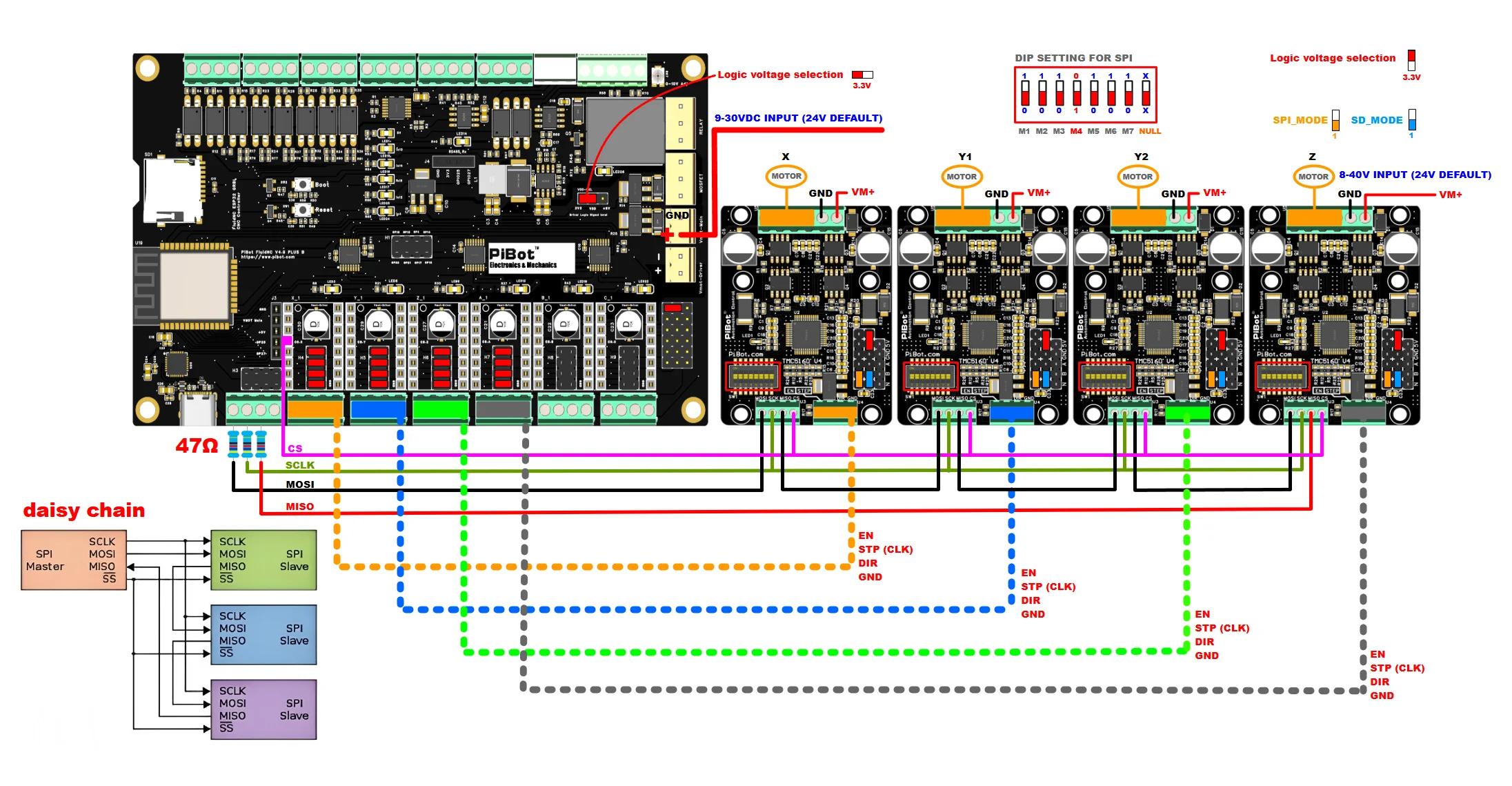
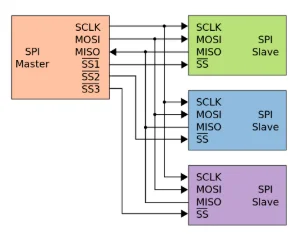
example yaml (please get the link on our website)
NOTICE:
1. VDD set to 3.3V compatible the SPI voltage
2. It is important that when powering the board, Vmot-Driver is supplied first and then Vmot-main.
3. Don‘t forget use the 47ohm add to the mosi miso sck cable in V4.9 PB
ONBOARD DRIVER PLUS BETWEEN THE JUMPERS
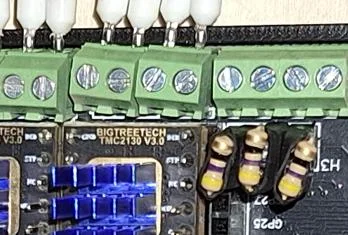
This feature tested by Alf from Italy.
How it works (for FluidNC firmware) Video Toturials for Step 0 ~ Step 4
(watch the video on our websit: pibot.com)
Notice:We have Uploaded and tested the Firmware and WebUI before Shipped, If you have OLED, it will display when plugged in.
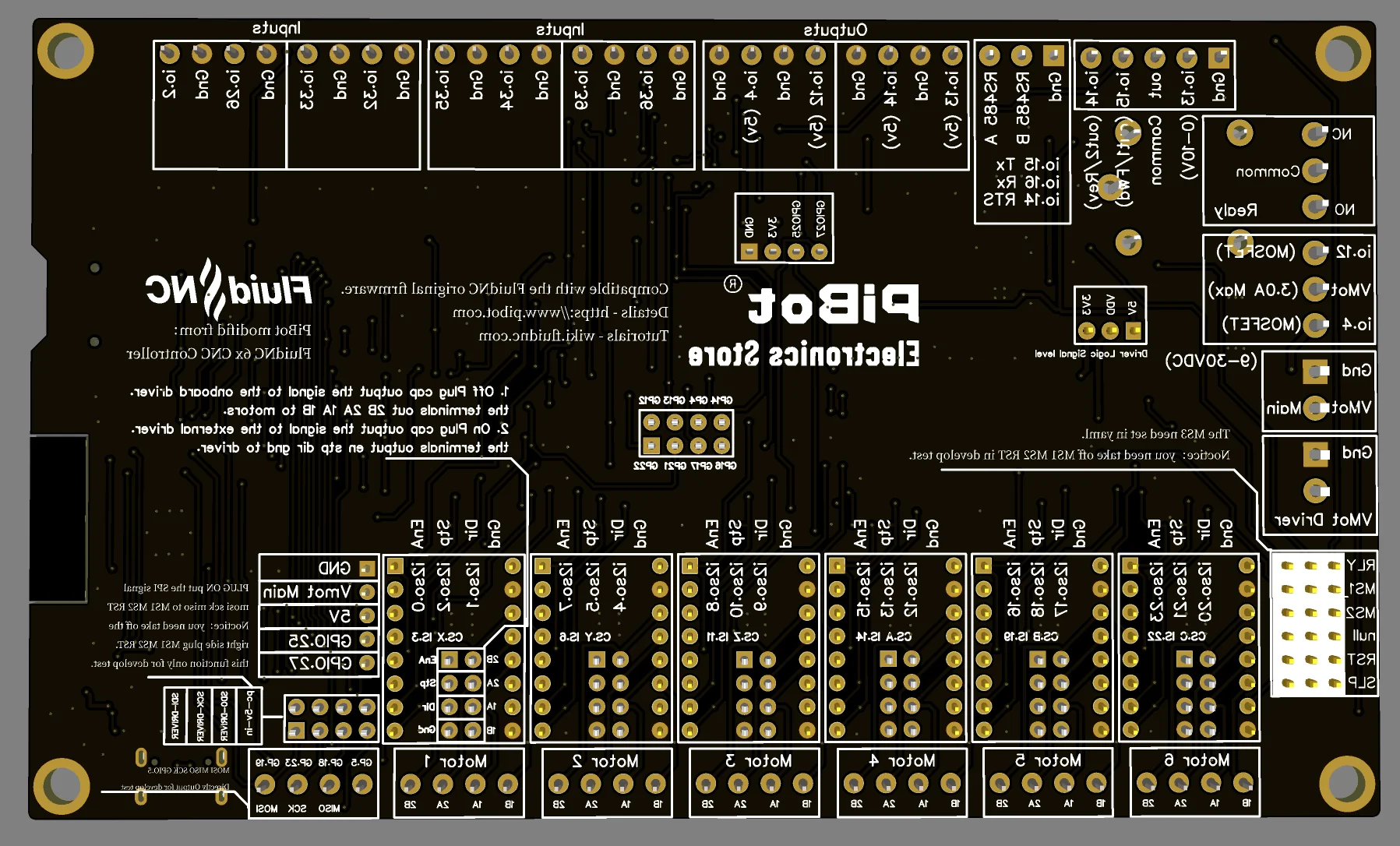
The V4.9 plus and V4.8A V4.9A is similar config, different is the v4.9 plus step/dir moedel onboard driver "MS3 pin" need set in yaml.
Customer Reviews
No reviews yet
PiBot FluidNC ESP32 GRBL CNC Controller V4.96 Pro (Includes OLED, Antenna, XH2.54 Wire and Jumper Caps)
122.15$
103.71$
Quantity:
1
Availability: