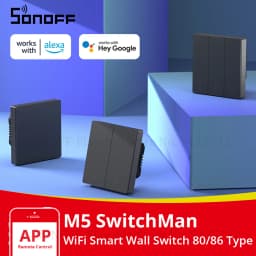
SONOFF M5 Matter 80/86 Type SwitchMan WIFI Smart Wall Switch Push Button Switch Frame R5 Remote Control For Alexa Google Home
Quantity:
1
Availability:
Not AvailableCard Payments
Crypto Payments
Easy return
Reliable Shipping
SONOFF M5 Matter 80/86 Type SwitchMan WIFI Smart Wall Switch Push Button Switch Frame R5 Remote Control For Alexa Google Home
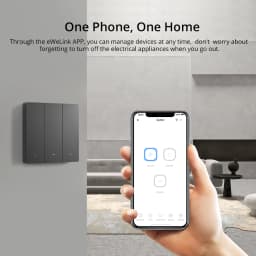
SONOFF SwitchMan M5 is a mechanical smart switch that is available in 1/2/3 channel, supporting local button, App and voice control. Through the eWeLink APP, you can manage devices at any time, don't worry about forgetting to turn off the electrical appliances when you go out.
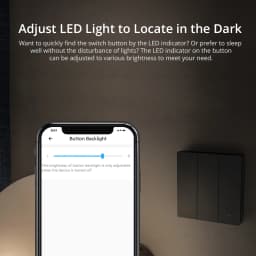
Want to quickly find the switch button by the LED indicator? Or prefer to sleep well without the disturbance of lights? The LED indicator on the button can be adjusted to various brightness to meet your need.
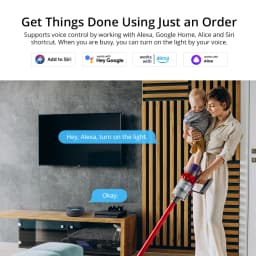
M5 supports voice control by working with Alexa, Google Home, Alice and Siri shortcut. When you are busy, you can turn on the light by your voice.
Besides, operated on NSPanel smart scene wall switch to make you control the connected light or home appliances on a touch screen using a tap, and it has the same color as NSPanel which provides a consistent decoration to match your home style.
M5 supports matching with R5 smart scene remote controller, you can search for R5 in the store to buy.
SONOFF M5 SwitchMan Smart Wall Switch 80/86 Type Push Button Switch 1/2/3 Gang Switch Frame Remote Control for Alexa Google Home
SONOFF SwitchMan M5 is a mechanical smart switch that is available in 1/2/3 channel, supporting local button, App and voice control. Through the eWeLink APP, you can manage devices at any time, don't worry about forgetting to turn off the electrical appliances when you go out.
Want to quickly find the switch button by the LED indicator? Or prefer to sleep well without the disturbance of lights? The LED indicator on the button can be adjusted to various brightness to meet your need.
M5 supports voice control by working with Alexa, Google Home, Alice and Siri shortcut. When you are busy, you can turn on the light by your voice.
Besides, operated on NSPanel smart scene wall switch to make you control the connected light or home appliances on a touch screen using a tap, and it has the same color as NSPanel which provides a consistent decoration to match your home style.
M5 supports matching with R5 smart scene remote controller, you can search for R5 in the store to buy.
null
null
One Phone, One Home
Through the eWeLink APP, you can manage devices at any time, don't worry about forgetting to turn off the electrical appliances when you go out.
Press and Go
As a smart wall switch, M5 adopts physical buttons for local control. Just press the button, the lights will be turned on.
Double as Smart & Safe
High Temperature Resistance:
PC V0 material ensures high-temperature resistance and excellent flame-retardant.
Safety Certification:
CE and UKCA certified. Safe performance is guaranteed.
Safe Disassembly:
Separate the high and low voltage which you can disassemble the switch safely.
Adjust LED Light to Locate in the Dark
Want to quickly find the switch button by the LED indicator? Or prefer to sleep well without the disturbance of lights? The LED indicator on the button can be adjusted to various brightness to meet your need.
Get Things Done Using Just an Order
Supports voice control by working with Alexa, Google Home, Alice and Siri shortcut. When you are busy , you can turn on the light by your voice.
Smart Scene Makes Your Life Convenient
Add a smart scene to build a linkage with DW2-WiFi door sensor which makes the light is turned on automatically when you open the door.
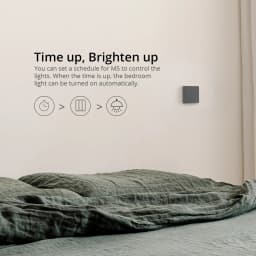
Time up, Brighten up
You can set a schedule for M5 to control the lights. When the time is up, the bedroom light can be turned on automatically.
Use with NSPanel
Operated on NSPanel smart scene wall switch to make you control the connected light or home appliances on a touch screen using a tap. It has the same color as NSPanel which provides a consistent decoration to match your home style.
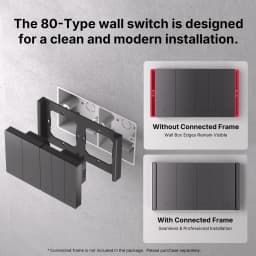
Simple Installation
4 Steps to Install
1. Put the power module in the Switch Frame.
2. Place the Switch Frame above the mounting box.
3. Tighten the screws.
4. Install the switch module.
Customer Reviews
No reviews yet
SONOFF M5 Matter 80/86 Type SwitchMan WIFI Smart Wall Switch Push Button Switch Frame R5 Remote Control For Alexa Google Home
Quantity:
1
Availability:
Not Available