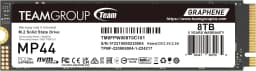
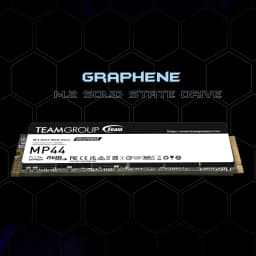
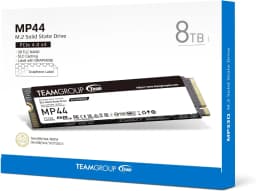
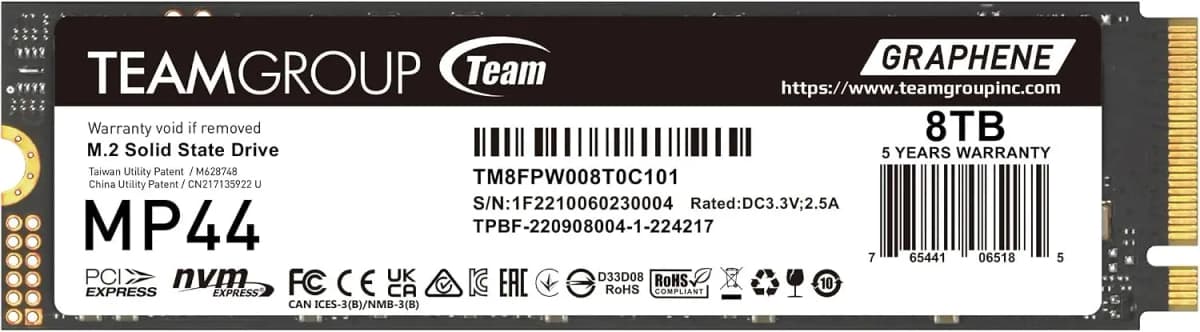
TEAMGROUP MP44 8TB SLC Cache Gen 4x4 M.2 2280 PCIe 4.0 SSD W/NVMe Laptop & Desktop & NUC & NAS Read/Write Speed Up To 7000 / 6000MB/s TM8FPW008T0C101
1167.72$
595.54$
Quantity:
1
Availability:
Ships From
Card Payments
Crypto Payments
Easy return
Reliable Shipping
position: relative;
overflow: hidden;
}
.aplus-v2 .container-with-background-image {
width: 100%;
height: 100%;
background-repeat: no-repeat;
background-size: cover;
}
From the brand
position: relative;
}
.aplus-v2 .apm-brand-story-carousel-hero-container,
.aplus-v2 .apm-brand-story-carousel-hero-container > div {
position: absolute;
width: 100%;
}
Ensuring the carousel takes only the space it needs.
The sizes need to be set again on the absolutely positioned elements so they can take up space.
*/
.aplus-v2 .apm-brand-story-carousel-container,
.aplus-v2 .apm-brand-story-carousel-hero-container {
height: 625px;
width: 100%;
max-width: 1464px;
margin-left: auto;
margin-right: auto;
overflow: hidden;
}
.aplus-v2 .apm-brand-story-carousel-hero-container,
.aplus-v2 .apm-brand-story-carousel-hero-container > div {
height: 625px;
}
padding: 0px;
}
/*
This centers the carousel vertically on top of the hero image container and after the logo area (125px).
Margin-top = (heroHeight - cardHeight - logoAreaHeight) / 2 + logoAreaHeight
*/
.aplus-v2 .apm-brand-story-carousel .a-carousel-row-inner {
margin-top: 149px;
}
/*
Cards need to have a width set, otherwise they default to 50px or so.
All cards must have the same width. The carousel will resize itself so all cards take the width of the largest card.
The left margin is for leaving a space between each card.
*/
.aplus-v2 .apm-brand-story-carousel .a-carousel-card {
width: 362px;
margin-left: 30px !important;
}
/* styling the navigation buttons so they are taller, flush with the sides, and have a clean white background */
.aplus-v2 .apm-brand-story-carousel .a-carousel-col.a-carousel-left,
.aplus-v2 .apm-brand-story-carousel .a-carousel-col.a-carousel-right {
padding: 0px;
}
.aplus-v2 .apm-brand-story-carousel .a-carousel-col.a-carousel-left .a-button-image,
.aplus-v2 .apm-brand-story-carousel .a-carousel-col.a-carousel-right .a-button-image {
border: none;
margin: 0px;
}
.aplus-v2 .apm-brand-story-carousel .a-carousel-col.a-carousel-left .a-button-image .a-button-inner,
.aplus-v2 .apm-brand-story-carousel .a-carousel-col.a-carousel-right .a-button-image .a-button-inner {
background: #fff;
padding: 20px 6px;
}
.aplus-v2 .apm-brand-story-carousel .a-carousel-col.a-carousel-left .a-button-image .a-button-inner {
border-radius: 0px 4px 4px 0px;
}
.aplus-v2 .apm-brand-story-carousel .a-carousel-col.a-carousel-right .a-button-image .a-button-inner {
border-radius: 4px 0px 0px 4px;
}
Refer to the latest version on the official website. In case of discrepancies, the official website prevails.
TEAMGROUP Flash SSDs
• Supporting SLC Cache enhancing work efficiency drastically.
• Diversified optimization technology for stability, durability, and enhanced reliability.
• Supporting the latest NVMe 1.4 / 1.3 standards.
• S.M.A.R.T. monitoring software.
• Trustworthy and reliable service
TEAMGROUP NVME PCIe SSDs
M.2 SSD Installation Instructions
1. First, please turn off the computer and unplug the power cord
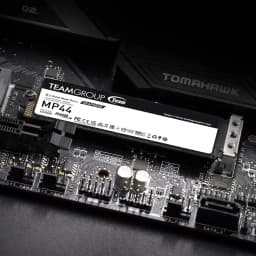
2. Find the M.2 SSD slot on the motherboard
Since each motherboard is designed differently, please refer to the user manual of the motherboard for exact location
M.2 SSD Installation Instructions
3. Insert the M.2 SSD
Due to differences in motherboards, before installing the M.2 SSD product, please remove the heat spreader or screws on the motherboard *(Note 1), and make sure the M.2 SSD matches the slot interface
Please remove all screws from the M.2 SSD slot and make sure there is no other interference
When installing the SSD, please carefully hold the left and right sides of the M.2 SSD product and align the product connector with the slot notch, then insert into the M.2 Slot at a 20-degree angle and screw into the mounting holes on the motherboard
M.2 SSD Installation Instructions
4. Complete assembly & start up the computer
Before starting, please check that no screws, parts, or foreign objects falling on the motherboard
Precautions:
*Avoid direct contact with PCB parts during installation to avoid damage caused by static electricity
*When screwing, be careful to avoid colliding with the IC parts on the motherboard and causing them to fall off
position: relative;
overflow: hidden;
}
.aplus-v2 .container-with-background-image {
width: 100%;
height: 100%;
background-repeat: no-repeat;
background-size: cover;
}
Product description
Gargantuan space for all-encompassing data storage
MP44 M.2 PCIe 4.0 SSD features a maximum capacity of 8TB, offering all-encompassing storage for documents, pictures, videos, games and all kinds of data on the computer.
Heat dissipating graphene label
MP44 PCIe 4.0 adopts TEAMGROUP’s exclusive patented heat dissipating graphene label. Less than 1mm thick of M.2 2280 size, it eradicates any mechanical interference in assembly. Paired with the onboard M.2 heat sink, the heat dissipating performance is superior to that of the native heat sink alone.
MP44 PCIe Gen4 ultra-speed performance up to 7,000MB/s
MP44 adopts the PCIe Gen4x4 interface, featuring read/write speeds up to 7000/6000 MB/s that provide you a fluid user experience.
SSD patented monitoring
TEAMGROUP’s exclusive patented intelligent SSD monitoring software, S.M.A.R.T, monitors product status and health at all times. It also monitors product quality and performance effortlessly through fast and easy setting and inspection.
Five-year service for comprehensive protection
MP44 M.2 PCIe 4.0 SSD comes with a five-year service. It has been through rigorous testing and quality control to ensure fine quality for your reassurance.
Performance
Interface PCIe 4.0 x4 with NVMe Capacity 1TB / 2TB / 4TB / 8TB Crystal Disk Mark (Read/Write) 1TB - 8TB 7000 MB/s ; 6000 MB/s Terabyte Written (TBW) 1TB:500TBW , 2TB:1000TBW , 4TB:2000TBW , 8TB:4096TBW
Customer Reviews
No reviews yet
TEAMGROUP MP44 8TB SLC Cache Gen 4x4 M.2 2280 PCIe 4.0 SSD W/NVMe Laptop & Desktop & NUC & NAS Read/Write Speed Up To 7000 / 6000MB/s TM8FPW008T0C101
1167.72$
595.54$
Quantity:
1
Availability:
Ships From